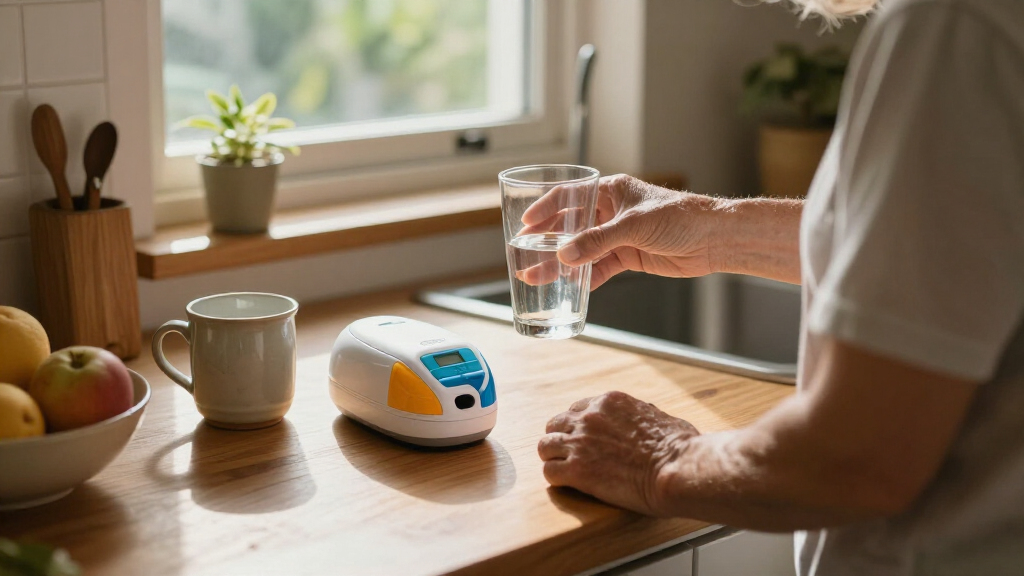
This guide helps a senior, family caregiver, or home aide set up an automatic pill dispenser, load scheduled doses, and check that the device releases the correct medication at the right time. It assumes basic comfort reading a medication label and following device instructions. Allow 45-90 minutes for the first setup, including time to confirm the medication schedule with a pharmacist or prescriber.

Turn quiet afternoons into listening time
- Thousands of audiobooks, podcasts and originals
- Listen on your phone, tablet or Echo — also offline
- Cancel anytime

Windtrace Automatic Pill Dispenser with Alarm
- ✔ Compartments: 28
- ✔ Daily reminders: 1 to 6
- ✔ Dosage rings: 6

Colorwing Smart Pill Dispenser for Seniors
- ✔ Capacity: 31 slots
- ✔ Dose rings: 7 reversible rings
- ✔ Access: Press-release picker box

Automatic Pill Dispenser with App Control, Expandable 3-Tray Design, LCD Display, Digital Lock, and Alerts
- ✔ Capacity: 3 trays, 14 slots per tray; 42 total
- ✔ Stated dosing duration: Once daily: up to 42 days; twice daily: up to 14 days; three times daily: up to 14 days
- ✔ Setup: Companion app or on-device controls with voice prompts
A dispenser can organize doses and provide reminders, but it does not decide which medicines a person should take. Use the current medication instructions as the source of truth, and ask a pharmacist before changing how any medicine is prepared or loaded.
Difficulty: Intermediate | Time: 45-90 minutes for setup; 10-15 minutes for routine refills
What You’ll Need
Tools & Materials:
- Automatic pill dispenser and its manufacturer instructions
- Current medication list or pharmacy labels
- Medication schedule confirmed with a pharmacist or prescriber
- Clean, dry work surface and good lighting
- Batteries or power adapter, if required
- Pen and paper for recording settings and the refill date
Knowledge:
- How to read medication labels and match a medicine to its scheduled dose
- How to use the dispenser’s buttons, compartment tray, and alert controls, as described in its manual
- Who to contact with medication or device questions
Check with a pharmacist before putting any medicine in the dispenser. Some tablets should stay in their original packaging, and certain medicines cannot be split, crushed, or removed from special packaging. Ask whether the exact device suits the senior’s medicines, schedule, dexterity, vision, hearing, and memory needs. Keep medicines and the device away from children, visitors, and pets.
Windtrace Automatic Pill Dispenser with Alarm
Windtrace makes the most sense for seniors or caregivers who want a dedicated dispenser with visible, audible reminders and a refillable tray, without depending on a companion app. Its 28 compartments can organize a recurring medication schedule, and the device supports one to six reminders per day. A large, easy-to-read LCD and sliding retrieval window keep the daily interaction focused on the dispenser itself.Compared with Colorwing, Windtrace has fewer described access-control features: it does not list a fingerprint scanner, backup key, or app tracking. That makes its routine more direct, but it may be less suitable when controlling access is a priority. Compared with the three-tray model, it also has less stated capacity and fewer alert styles; in exchange, it has a removable tray and a simpler feature set. Its audio alarm and flashing blue light give two forms of prompting, though users still need to be comfortable with initial programming. Four included AA batteries reduce the need to source power before setup, but the product details do not specify battery life.We would shortlist Windtrace for a household that values on-device reminders and a tray that can be removed for refilling. We would look elsewhere if caregivers need remote adherence monitoring, fingerprint-restricted access, or more than 28 compartments.
Pros:
- Programmable reminders from one to six times daily
- Audio alarm and flashing blue light provide two alert types
- Removable 28-compartment tray supports refilling
- LCD, sliding retrieval window, and four included AA batteries
Cons:
- Initial programming and setup may take help for some users
- No app-based monitoring or access lock is listed
Best for: Seniors and caregivers who want an on-device reminder system with a removable tray, LCD, and both sound and light alerts.
Not ideal for: People who need remote app monitoring, fingerprint access controls, or a larger stated supply capacity.
Bottom line: Windtrace is our most broadly useful pick for seniors who want clear, local reminders and a removable tray without app-dependent features.
“Windtrace is our most broadly useful pick for seniors who want clear, local reminders and a removable tray without app-dependent features.”
Colorwing Smart Pill Dispenser for Seniors
Colorwing is the access-focused choice in this group. It combines timed dose release with a fingerprint scanner and physical backup key, so the dispenser offers a more controlled approach than Windtrace’s straightforward tray-and-alarm design. Its press-release picker box is intended to make retrieving a dose easier, while a custom recorded voice reminder can make prompts feel more personal than a standard beep.The 31-slot capacity is slightly above Windtrace’s 28 compartments, though well below the three-tray model’s stated 42 slots. Colorwing also includes seven reversible rings and Bluetooth 5.0 app controls, including intake tracking according to the product description. These additions may help when a caregiver wants to review the routine, but app control depends on a Bluetooth connection; this is not the best fit for a household seeking entirely phone-free management.Power is another tradeoff. Colorwing uses a rechargeable 1200 mAh battery, with the product stating a charge time of two hours and over 30 days in energy-saving mode. That can reduce routine battery replacement compared with Windtrace’s AA setup, but it introduces a need to remember charging. The three-tray model offers broader app and remote features, while Colorwing focuses more directly on personal access and voice prompts. We would choose it when those access features are central, and skip it when charging or app setup would burden the user.
Pros:
- Fingerprint scanner plus physical backup key
- Custom recorded voice reminder or three alert tones
- Press-release picker box is designed for easier dose access
- Bluetooth companion app supports controls and intake tracking
Cons:
- Rechargeable battery requires periodic charging
- App controls require a Bluetooth connection
- 31 slots provide less stated capacity than the three-tray model
Best for: Seniors who benefit from controlled access, a press-release picker box, or custom spoken reminders, with a caregiver available to manage Bluetooth features.
Not ideal for: Users who want a completely phone-free dispenser or may have difficulty keeping a rechargeable device charged.
Bottom line: Colorwing is the strongest fit for households that value access control and voice prompts enough to accept charging and Bluetooth upkeep.
“Colorwing is the strongest fit for households that value access control and voice prompts enough to accept charging and Bluetooth upkeep.”
Automatic Pill Dispenser with App Control, Expandable 3-Tray Design, LCD Display, Digital Lock, and Alerts
For households that need more organized storage and remote oversight, this three-tray model has the broadest feature set of the lineup. Its 42 total slots exceed both Windtrace’s 28 compartments and Colorwing’s 31 slots. Scheduling and monitoring can be handled through a companion app, while voice-guided on-device controls offer an alternative for users who prefer help during setup. Dose history tracking and remote unlock may be useful when a caregiver supports a senior from a different room or location.The alerts are also more varied than either competitor’s described set: users can choose an LED light, voice, buzzer, or melody. A digital lock adds another layer of controlled access, and the sealed lid with a built-in desiccant pack is designed to support protected storage. These features make it the most caregiver-oriented option here, though app setup and remote functions mean it has more moving parts than Windtrace. Colorwing may be easier to distinguish for its fingerprint access and backup key; this model instead pairs a digital lock with remote scheduling.We would be cautious about relying on its stated supply duration without clarifying the schedule. The product text says up to 42 days once daily, up to 14 days twice daily, and up to 14 days three times daily, so the latter two figures are the same despite the different frequencies. The product is also specified for home and non-institutional use, not assisted living facilities, nursing homes, or other regulated institutions. It suits a home where capacity and caregiver monitoring matter most, but not regulated care settings or buyers seeking the simplest routine.
Pros:
- Three trays provide 42 total slots
- App scheduling and adherence history support caregiver oversight
- Voice-guided on-device setup and four alert styles
- Digital lock, sealed lid, and built-in desiccant pack
Cons:
- Specified for home use, not regulated care facilities
- Stated duration for twice- and three-times-daily dosing is identical
- Remote monitoring and setup add app-related complexity
Best for: Home users and caregivers who want 42 stated slots, remote schedule management, multiple alert styles, and dose history tracking.
Not ideal for: People shopping for use in a regulated care facility, or those who want a simple dispenser without app features and schedule-duration uncertainty.
Bottom line: This is the capacity and caregiver-monitoring pick for home routines, provided its stated dosing duration matches the household’s actual schedule.
“This is the capacity and caregiver-monitoring pick for home routines, provided its stated dosing duration matches the household’s actual schedule.”
As an Amazon Associate we earn from qualifying purchases.
Before You Start
Read the manual and identify the dispenser’s maximum number of doses, loading method, time format, alert behavior, and backup plan for a power failure. Confirm whether the device locks medication between doses and how an authorized caregiver can access it. Set it up in a stable, dry, well-lit location that the senior can reach safely. Do not start loading until the medicine names, strengths, dose amounts, and scheduled times match the current instructions. If anything differs, pause and contact the pharmacist or prescriber.
Step-by-Step Instructions
Step 1: Confirm the medication schedule
Gather every medication that may be included and compare its label with the current medication list. Write down the medicine name, strength, number of tablets or capsules per dose, and exact time or times to take it. Mark medicines that are taken only as needed, used at a different time, or supplied in packaging that must remain intact. Ask the pharmacist whether each medicine can go into this dispenser and whether it can be stored with the other scheduled medicines.
Tip: Do not estimate a dose from memory or copy an old schedule. A recent prescription change may make an older list inaccurate.
Check: You have a written schedule that agrees with current pharmacy or prescriber instructions, and any uncertain medicines have been checked with a pharmacist.
Step 2: Check the dispenser and prepare it
Inspect the device, tray, lid, and power connection for damage, residue, or moisture. Clean only as the manual directs, then let all parts dry fully. Install the specified batteries or connect the supplied adapter. Place the dispenser on a level, dry surface within reach of the senior, with enough space to open it and collect a released dose.
Tip: Keep the manual and the caregiver or pharmacy contact information nearby. Do not use a damaged device or substitute an unapproved power adapter.
Check: The device starts, displays clearly, and sits securely. No compartment or lid is cracked, wet, or obstructed.
Step 3: Set the clock and dose reminders
Set the current date and time by following the manual, including AM or PM or the correct 24-hour format. Program each dose time from the confirmed schedule, then choose an alert the senior can notice, such as a suitable sound or light if the model offers those options. Save the settings as instructed and review every displayed time before proceeding.
Tip: Check the clock after a battery change or power interruption. A wrong clock can make every dose alert occur at the wrong time.
Check: The screen or settings menu shows the correct date, clock, and dose times. The senior can identify the reminder signal.
Step 4: Load the compartments
Wash and dry your hands. Load one medication time at a time, using the schedule as a checklist. Add only medicines approved for this dispenser, and place the correct medicine and amount in the compartment assigned to that dose. Follow the device’s loading direction and do not fill beyond its marked capacity. Keep medicines in their original containers while loading so labels remain available, then close and secure the tray as the manual describes.
Tip: If a medicine is dropped, mixed with another dose, or its identity becomes uncertain, set it aside and ask a pharmacist how to handle it. Do not guess or put it back.
Check: Each compartment contains only the scheduled medicines and amount for its labeled time, with the tray seated and closed correctly.
Step 5: Test the reminder and dose access
Run the manufacturer’s test or demonstration procedure, if available, to check the alert and dispensing mechanism without taking or wasting a real dose. Confirm that the opening or cup is accessible to the senior and that the senior can recognize the alert and retrieve the dose. If the model has a caregiver notification feature, set it up as instructed and verify that the designated contact receives a test message.
Tip: Do not force a locked lid, rotate the tray by hand, or trigger a real dose unless the manual specifically instructs you to do so.
Check: The alert is audible or visible to the senior, the release path is clear, and any caregiver notification test reaches the intended contact.
Step 6: Show the senior what to do
Explain that the senior should respond to the reminder by taking the released dose according to their medication instructions. Demonstrate how to collect the dose and how to tell whether it has already been released. Show who to call if the dispenser jams, an alert is missed, or the contents look wrong. Agree on a backup plan for times the senior is away from the device or cannot take the dose independently.
Tip: Do not tell the senior to take an extra dose after a missed alert. Follow the medicine’s instructions or contact a pharmacist or prescriber for advice.
Check: The senior can show how to respond to an alert and name a caregiver or health professional to contact for help.
Step 7: Record the refill and monitor initial use
Record the date loaded, the medicines included, the programmed dose times, and the next refill date. For the first several scheduled doses, confirm that the device alerts and releases medication as expected and that the senior can retrieve it. Reconcile the remaining doses against the schedule; if the count or device history does not match, pause and investigate before reloading.
Tip: Store the written schedule with the device, but keep private medical information out of sight of visitors when needed.
Check: The refill date and schedule are recorded, early doses match the plan, and the senior can access the released medication safely.
Common Mistakes to Avoid
- Loading a medicine without checking whether it is suitable for the dispenser. — Ask a pharmacist about each medicine, especially medicines in special packaging or with storage instructions. Follow their advice and the manufacturer manual.
- Programming the wrong time or AM/PM setting. — Set the clock first, then compare each saved dose time with the written schedule before loading the tray.
- Putting the right medicine in the wrong compartment or adding the wrong number of tablets. — Load one dose time at a time, use a checklist, and have a second person verify the tray if the schedule is complex.
- Assuming a missed alert means the dose should be taken later or repeated. — Check the device instructions and medication advice. Contact a pharmacist or prescriber if it is unclear whether to take a missed dose; never double a dose unless instructed.
Troubleshooting
Problem: The dispenser does not alert at the programmed time.
Solution: Check the clock, AM/PM format, saved schedule, battery level, and power connection using the manual. Re-test the alert. If it still fails, contact the manufacturer or pharmacy for device support and use the agreed backup medication plan.
Problem: A compartment does not release or the tray appears stuck.
Solution: Do not pry open or force the mechanism. Check for an error message and follow the manual’s jam procedure. Contact the manufacturer or caregiver. Ask a pharmacist what to do about a dose that may be delayed.
Problem: The senior cannot hear, see, or respond to the reminder.
Solution: Adjust alert options supported by the device, move it to a practical location, or ask the care team about another reminder or supervision plan. Recheck that the senior can reliably detect the alert.
Problem: The device loses power or resets.
Solution: Check the battery or adapter and restore the date and time if needed. Compare the settings with the written schedule before relying on the next reminder. Use the backup plan for any dose affected by the outage.
What Success Looks Like
The device displays the correct date and time, alerts at each scheduled dose time, and releases the correct prechecked dose into an accessible collection area. The senior can respond to the reminder, and a caregiver knows the refill date and the plan for missed doses, jams, or power loss. If any dose contents or settings are uncertain, do not use the dispenser until they are checked against the current medication instructions.
Next Steps
Follow the refill interval in the manual and the care plan. At each refill, review the current medication list first, clean the device as directed, and record the new refill date. Recheck settings after a power interruption, travel, or prescription change. Ask the pharmacist or prescriber to review the setup whenever a medicine, dose, or schedule changes. Contact the device manufacturer for recurring mechanical problems.
Frequently Asked Questions
Can every medication go into an automatic pill dispenser?
No. Suitability depends on the medicine, its packaging and storage requirements, and the dispenser. Ask a pharmacist about each medication before transferring it from its original container.
What should the senior do after missing a reminder?
Check whether the dose was released and follow the medicine-specific instructions or contact a pharmacist or prescriber. Do not take a double dose to make up for one that may have been missed.
Can a caregiver fill the dispenser for someone else?
Yes, if the caregiver can follow the verified medication schedule and the device instructions. Keep a written record of the refill and ask another person to check the compartments when practical, especially for a complicated schedule.
What happens if the power goes out?
It depends on the model and whether it has backup batteries. Read the manual for its behavior during an outage, check the clock and saved schedule when power returns, and use the backup medication plan for affected doses.
How often should the dispenser be refilled?
Follow the device capacity, medication storage guidance, and care plan. Refill only as far ahead as the medicines can safely be stored in the device, and record the next refill date.
Halloween Picks
halloween
As an affiliate, we earn on qualifying purchases.