
TL;DR

Turn quiet afternoons into listening time
- Thousands of audiobooks, podcasts and originals
- Listen on your phone, tablet or Echo — also offline
- Cancel anytime
Automatic pill dispensers store medication and make scheduled doses available, often with an alarm or caregiver alert. Compare the device with the person’s actual schedule, ability to use it, medication types, and backup support; an access alert cannot confirm that someone swallowed a dose.
A pill dispenser can beep right on schedule, but a beep alone cannot tell you whether a dose made it into someone’s mouth. That distinction matters when you’re helping a parent manage several medicines each day.
Automatic pill dispensers for seniors store medication and make doses available at set times. This guide explains how the devices work, which features deserve a closer look, and how to match one to a real routine without treating it as a substitute for professional guidance.
Match capacity and reminder style to the senior’s prescribed schedule and daily habits.
Treat access notifications as information about a compartment, not proof that medication was swallowed.
Ask a pharmacist and the manufacturer whether the dispenser suits each medication, especially liquids, split pills, refrigerated medicines, and as-needed doses.
Decide who fills the device and how prescription changes, missed doses, travel, and outages will be handled.
Compare total cost, connectivity, privacy, and support before choosing remote monitoring.
How automatic pill dispensers make a daily routine easier
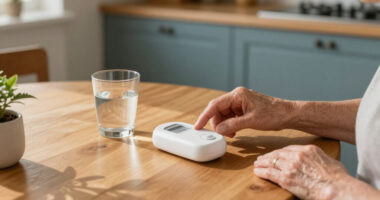
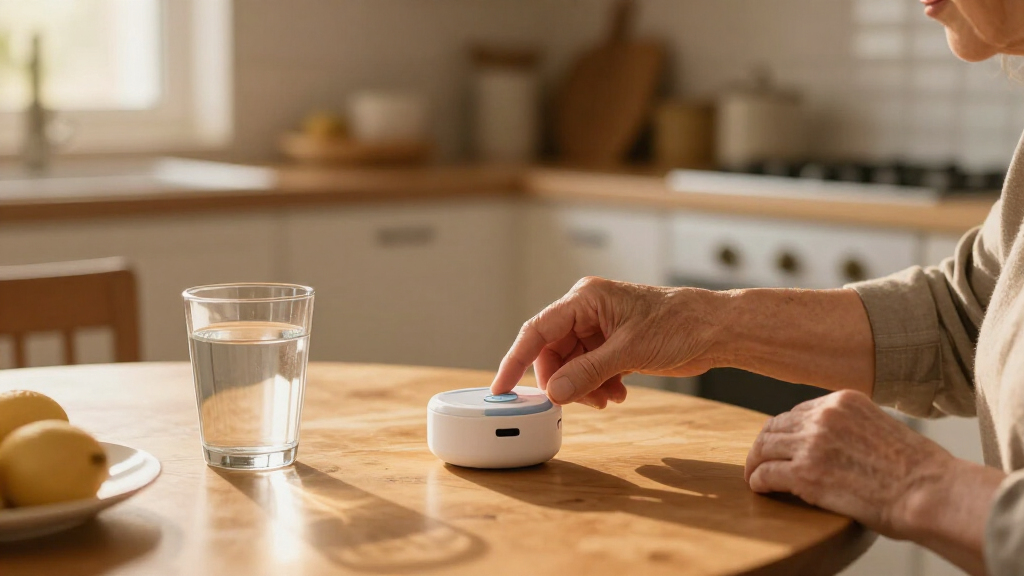
Automatic pill dispensers for seniors store medication and release scheduled doses, often with an alarm or light to remind the user. Depending on the model, they may make a cup or compartment available, restrict access to doses that are not due, or send an alert to a caregiver. The device supports a routine; it does not decide what medicines a person should take.
Imagine your father takes one tablet with breakfast and two more at dinner. Instead of opening several bottles and checking a handwritten chart, he hears an alert and collects the dose set for that time. This can reduce the number of steps he needs to remember at each dose, which may be helpful when a schedule is busy or bottles are difficult to manage. It also moves some responsibility to whoever loads and checks the device, so the routine is only as reliable as that setup.
Some dispensers report that a compartment was accessed, giving a family member a reason to follow up if the expected activity did not occur. That information has a limit: access is not proof of swallowing. A dose might be collected and set aside, or the user may hear the alarm but forget to act. Treat alerts as useful clues, not a complete record of medication use, and decide in advance who will respond when one arrives.
Choose alerts and capacity that fit the person’s day
Automatic pill dispensers for seniors work best when their schedule and reminders fit the user’s actual habits. Check how many doses the device holds, how often someone must refill it, and whether it supports the prescribed times, including multiple doses in a day. Capacity affects more than convenience: a smaller unit may be easier to manage but require more frequent refills, while a larger one may reduce refill trips but leave more medication loaded between checks. Then ask whether the alert is easy for the person to hear, see, or feel.
A soft beep might disappear beneath a television, while a flashing light may be hard to notice across a room. If your aunt spends mornings in the garden, vibration, a phone reminder, or a caregiver notification might help more than a loud alarm indoors. The tradeoff is that alerts can be missed for different reasons: a phone may be out of reach, and a caregiver notification only helps if someone sees and responds to it. Connected features vary by model and may depend on Wi-Fi or cellular service, an app, and a subscription.
Look closely at what happens when a dose is late. Some devices keep it available; others may handle an uncollected dose differently. That behavior matters because it can affect whether a later dose is still accessible and what the user believes they should do. Know the device’s behavior before relying on it, and ask a pharmacist or clinician for guidance about missed doses.
- Capacity: Match storage and refill frequency to the person’s schedule, and consider who can reliably handle those refills.
- Alert style: Choose a signal the user can notice and understand in the places they spend time.
- Remote updates: Check which alerts require an app, internet connection, or monthly fee, and who will monitor them.
Compare a basic reminder with caregiver monitoring
Automatic pill dispensers for seniors range from simple alarmed machines to connected systems that send caregiver updates. A basic model may suit someone who already manages medicines and mainly needs a nudge. A connected model can help a family member who lives elsewhere keep track of reported access, but it brings more setup, privacy, and service questions. The practical difference is who receives information and what they can do with it: monitoring is useful only when alerts reach someone able to follow up.
For example, if your mother reliably fills her weekly organizer and only forgets the lunchtime dose, a simple alarm may cover the gap without adding another app or recurring fee. If a caregiver needs remote updates, a connected device may offer more visibility—provided the home has dependable service and someone responds to alerts. If the caregiver is often unavailable, the extra notifications may create a sense of oversight without providing timely help.
| Feature | Basic alarmed dispenser | Connected dispenser |
|---|---|---|
| Reminder | Alarm or light at scheduled times | May add app or caregiver notifications |
| Remote updates | Usually limited or unavailable | May report compartment access |
| Ongoing needs | Check power and refill process | Check connection, privacy, support, and fees |
| Useful when | The user mainly needs a local reminder | A caregiver needs remote information and can act on it |
More features do not automatically mean better support. A phone alert that nobody checks can create false confidence, while a clear kitchen alarm may be enough for someone who manages most tasks independently. Compare the added visibility with the time, cost, and responsibility required to maintain it.
Check medication fit and refill responsibilities before buying
Automatic pill dispensers for seniors do not handle every medicine or schedule. The device’s design, storage conditions, and dosing instructions all matter, especially for liquid medicines, split pills, refrigerated medicines, or medicines taken only as needed. A dispenser designed for solid doses at fixed times may not preserve the way these medicines need to be stored or used. Check compatibility with both the manufacturer and a pharmacist before loading medication.
Picture a weekly routine that changes after a doctor’s appointment. If someone updates a prescription, the dispenser schedule must also be updated; changing compartments based on memory or guesswork can put the wrong dose at the wrong time. This means a dispenser can simplify repeated daily steps while making accurate setup and timely updates especially important. Agree on who will make the update and verify the next refill.
Write down who fills the device, how often they check it, and what happens if a dose is missed or the device fails. Depending on the service, the user, a relative, a caregiver, or a pharmacy may handle refills. A named person and a simple check routine can prevent “I thought you filled it” from becoming part of the schedule. If the usual person is away, a backup needs to know what they are responsible for and how to confirm the device is ready.
- List the prescribed medicines and times with help from the user’s care team, so the device is compared with the actual routine.
- Confirm device compatibility with the pharmacist and manufacturer, including any storage or handling requirements.
- Choose who fills and checks it, and agree how prescription changes will be reflected and verified.
- Ask for a backup plan for missed doses, travel, power loss, and device errors, including who to contact for instructions.
Plan for missed alarms, outages, and privacy questions
Automatic pill dispensers for seniors are support tools, not guarantees against medication mistakes. A schedule can be entered incorrectly, pills can go into the wrong compartment, or a user can miss an alarm. A battery backup, error signal, or caregiver contact may help, but each addresses a different failure: backup power may keep the device operating, while an error signal or contact plan helps someone learn that attention is needed. The details differ from one model to another.
Before choosing a device, ask what happens during a power outage and whether its alarm still works if the internet goes down. If remote notifications stop, know who will check in and how they will learn that the connection failed. For a service that stores or shares information, read what data it collects and who can see it. Remote monitoring can help coordinate care, but it also means medication-related information may be shared beyond the person using the dispenser.
A dispenser may not fit someone who cannot recognize or respond to its alerts, has a schedule that changes often, or needs direct supervision. In those cases, limiting access to a dose or sending a notification may not provide the hands-on support the person needs. The right amount of support depends on the individual. Discuss the routine with a qualified clinician or pharmacist, and follow medication instructions or professional guidance if a dose is missed—do not take an extra dose by guesswork.
An alert can show that a dose was made available or a compartment was accessed. It cannot confirm that the medication was swallowed.
Frequently Asked Questions
Can an automatic pill dispenser prevent a senior from taking too many pills?
Some models limit access to the dose scheduled for that time, which may help reduce certain mistakes. They cannot prevent every error or confirm that a dose was swallowed, so ask a pharmacist or clinician whether one suits the person’s routine.
Will a dispenser notify family when a dose is missed?
Some connected models can send caregiver alerts, but the feature depends on the model, setup, connection, and possibly a subscription. Ask what triggers an alert and who is expected to respond.
Who should fill and check the dispenser?
The senior, a family member, a caregiver, or a pharmacy may fill it, depending on the device and available service. Choose a specific person to check the pills and schedule, especially after a prescription changes.
Will an automatic pill dispenser work for all medications?
No. Suitability depends on the medicine’s form, storage needs, instructions, and the dispenser’s design. Check with a pharmacist and the manufacturer before using one for liquids, split pills, refrigerated medicines, or as-needed medication.
What happens if the power or internet goes out?
It varies by model. Before buying, ask whether battery backup keeps the alarm working, how the device signals an error, and whether remote alerts stop when the connection fails.
Conclusion
Start with the person’s medication schedule and the kind of help they actually need, then check device fit and assign someone to manage refills and changes. A dispenser can make a busy day feel more orderly—but the safest routine still has a human backup, ready when the alarm sounds.
Halloween Picks
halloween
As an affiliate, we earn on qualifying purchases.