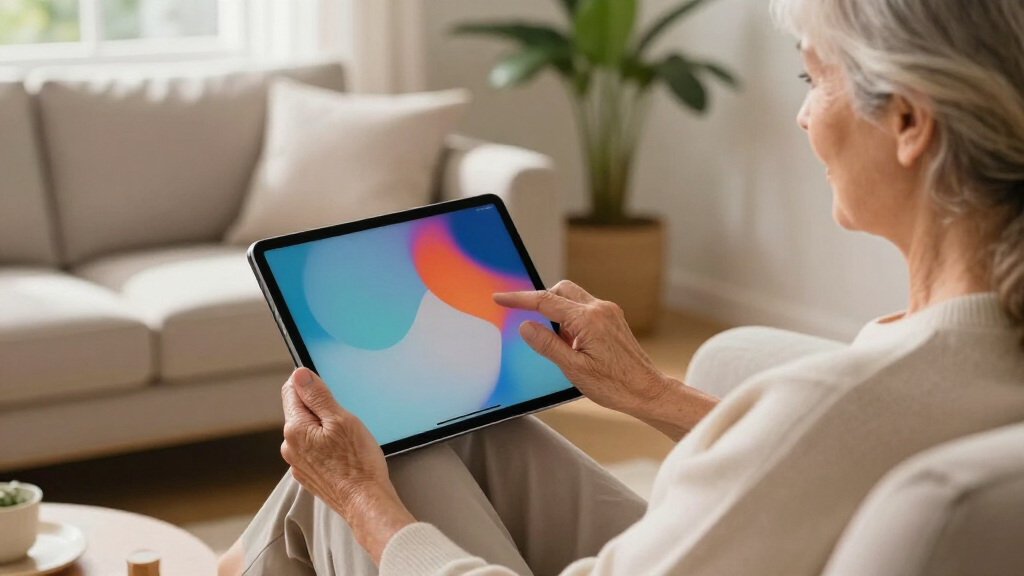

Choosing a tablet for seniors involves balancing ease of use, security, and multimedia capabilities. The GrandPad stands out for its simplified interface and scam protection, making it ideal for less tech-savvy users, but it requires ongoing subscription plans. The Fire HD 10 offers a larger screen and long battery life at a budget-friendly price, perfect for entertainment, yet it lacks Wi-Fi 6 support and has some app limitations. The Samsung Galaxy Tab A11+ and Pix-Star Touch cater to those wanting more multimedia features and customization, though their user experience can vary. The Lenovo Tab One hits a sweet spot with portability and good display quality, but its less powerful processor might not satisfy heavy app users. I will help clarify each option’s strengths and tradeoffs to match different needs.
Complete the kit


Key Takeaways
- The GrandPad excels in simplicity and scam protection but requires a subscription for full features.
- The Fire HD 10 offers a large, vibrant display with impressive battery life at an affordable price point.
- Samsung Galaxy Tab A11+ balances multimedia power with a large screen, but its software updates are less clear.
- Pix-Star provides a familiar interface for beginners, yet reviews indicate mixed user satisfaction.
- Lenovo Tab One offers portability and good visuals, but its lower processing power limits high-demand use.
| GrandPad Easy-to-Use Tablet & Phone for Seniors |  | Best Overall for Simplicity and Security | Designed for: Seniors | Connectivity: Requires activation with a plan | Plans: Basic, Premium, or Ultimate | VIEW LATEST PRICE | See Our Full Breakdown |
| Pix-Star Touch Easy-to-Use Tablet for Seniors, 10.1 Inch Screen, WiFi, 2 Cameras |  | Best for Multimedia and Family Communication | Screen Size: 10.1 inches | Storage Capacity: 32 GB | Cameras: Front and back | VIEW LATEST PRICE | See Our Full Breakdown |
| Samsung Galaxy Tab A11+ 6GB RAM, 128GB Storage, Gray |  | Best for Multimedia and Entertainment | RAM: 6GB | Storage: 128GB | Expandable Storage: Yes | VIEW LATEST PRICE | See Our Full Breakdown |
| Lenovo Tab One – Lightweight 8.7-inch HD Tablet with 4GB RAM, 64GB Storage, MediaTek Helio G85, and Folio Case |  | Best for Portability and On-the-Go Use | Display: 8.7 inches HD | Battery Life: up to 12.5 hours | Memory: 4 GB RAM | VIEW LATEST PRICE | See Our Full Breakdown |
| Fire HD 10 Tablet (Newest Model) – 10.1″ Full HD, Octa-Core, 3GB RAM, 64GB, Lilac |  | Best Budget-Friendly Large Screen | Display: 10.1 inch 1080p Full HD | Processor: Octa-core | RAM: 3 GB | VIEW LATEST PRICE | See Our Full Breakdown |
| senior-friendly tablet | Storage | Display |
|---|---|---|
| GrandPad Easy-to-Use Tablet & | — | — |
| Pix-Star Touch Easy-to-Use Tab | — | — |
| Samsung Galaxy Tab A11+ 6GB RA | 128GB | 11 inches |
| Lenovo Tab One | 64 GB | 8.7 inches HD |
| Fire HD 10 Tablet | 64 GB, expandable up to 1TB | 10.1 inch 1080p Full HD |
More Details on Our Top Picks
GrandPad Easy-to-Use Tablet & Phone for Seniors
The GrandPad is designed specifically for seniors who prioritize safety and straightforward operation. Its large icons and simplified menus remove the complexity often found in mainstream tablets. The secure, private network helps block scams, a significant advantage for less tech-savvy users. However, this protection comes with a tradeoff: without an active plan, functionality is limited, and ongoing subscription costs start at $25/month. Compared to other options, it’s less versatile for multimedia but excels in safety and ease of use. It’s best suited for seniors who primarily want to stay connected with family via video calls and photos without the hassle of managing complex settings.
Pros:- User-friendly interface with large icons and simplified navigation
- Secure network that blocks spam and scams
- Supports video calls, photo sharing, and games
Cons:- Limited functionality without an active plan
- Not compatible with all wireless carriers
- Requires subscription plans for full features
Best for: Seniors needing straightforward communication and scam protection without fuss.
Not ideal for: Tech-savvy seniors seeking app variety or high customization.
- Designed for:Seniors
- Connectivity:Requires activation with a plan
- Plans:Basic, Premium, or Ultimate
- Monthly Plan Starting Price:$25
- Annual Plan Starting Price:$275
- Compatibility:Not compatible with Consumer Cellular or other wireless carriers
- Features:Video calling, photo sharing, multiplayer games, scam protection
Our verdict“An excellent choice for seniors prioritizing safety and simplicity, despite ongoing costs.”
Pix-Star Touch Easy-to-Use Tablet for Seniors, 10.1 Inch Screen, WiFi, 2 Cameras
The Pix-Star Touch offers a substantial 10.1-inch screen, making it easier for seniors to navigate and enjoy multimedia content. Its interface is simple enough for beginners, with support for email, video calls, and photos. The pre-installed apps via Google Play Store enable customization, which is a plus for tech-savvy seniors or family caregivers. However, the mixed reviews (around 2.8/5) suggest some users find the device’s performance or interface too basic or inconsistent. Battery life is not clearly detailed, but the two-year warranty provides some peace of mind. This tablet suits those who want a straightforward device for communication and light browsing, but if you’re looking for high reliability or advanced features, other options may be better.
Pros:- Large 10.1-inch touchscreen for easy readability
- Supports video calls and photo sharing
- Pre-installed apps via Google Play Store for customization
Cons:- Customer reviews indicate mixed satisfaction
- Limited info on battery life and performance
- Interface may be too basic for some users
Best for: Seniors seeking a large, easy-to-use touchscreen for communication and entertainment.
Not ideal for: Those who require high-speed performance or complex app support.
- Screen Size:10.1 inches
- Storage Capacity:32 GB
- Cameras:Front and back
- Ports:USB-C
- Generation:1st
- Included Components:Tablet
- Warranty:2 years
Our verdict“A good entry-level tablet for seniors focused on communication, with some performance caveats.”
Samsung Galaxy Tab A11+ 6GB RAM, 128GB Storage, Gray
The Samsung Galaxy Tab A11+ is geared toward those who want a larger, vibrant display with excellent audio. Its 11-inch screen and 90Hz refresh rate deliver smooth visuals, perfect for watching videos or browsing. With 6GB RAM and 128GB storage, multitasking and storing media are handled with ease. The quad speakers with Dolby Atmos create an immersive sound experience, ideal for entertainment. However, the price isn’t explicitly listed here, and there’s limited info on software update support or connectivity options such as 4G/5G, which could matter for seniors on the go. This tablet suits users who prioritize multimedia and quality audio, but it may be overkill for those who mainly need simple communication tools.
Pros:- Large, vibrant 11-inch display with smooth motion
- Long battery life with fast charging
- Powerful 6GB RAM and 128GB storage
Cons:- Price not specified
- Limited info on software updates
- No mention of 4G/5G connectivity
Best for: Seniors who want a large, multimedia-rich device for entertainment and family calls.
Not ideal for: Those seeking a budget-friendly or highly simplified tablet for basic use.
- RAM:6GB
- Storage:128GB
- Expandable Storage:Yes
- Display:11 inches
- Refresh Rate:90Hz
- Battery:Long-lasting with fast charging
- Front Camera:5 MP
- Speakers:Quad with Dolby Atmos
Our verdict“Ideal for multimedia lovers who want a large, immersive tablet experience for entertainment and communication.”
Lenovo Tab One – Lightweight 8.7-inch HD Tablet with 4GB RAM, 64GB Storage, MediaTek Helio G85, and Folio Case
The Lenovo Tab One strikes a balance between portability and functionality with its compact 8.7-inch HD display. Its lightweight design and long battery life—up to 12.5 hours—make it suitable for seniors who want to carry their device around easily. The dual Dolby Atmos speakers enhance audio for streaming or video calls. While the 4GB RAM and MediaTek Helio G85 processor are sufficient for everyday tasks, they might struggle with high-demand apps or multitasking. The included folio case with stand adds protection and convenience. This tablet makes sense for seniors who prioritize portability and decent multimedia performance, but not for those needing high power or extensive app support.
Pros:- Lightweight and portable design
- Long battery life for extended use
- Vibrant display with immersive sound
Cons:- Limited to 8.7-inch display size
- Processor may not handle demanding apps
- No clear fast-charging details beyond 15W
Best for: Active seniors seeking portability and good visual quality for streaming and browsing.
Not ideal for: Heavy app users or gamers requiring high processing power.
- Display:8.7 inches HD
- Battery Life:up to 12.5 hours
- Memory:4 GB RAM
- Storage:64 GB
- Processor:MediaTek Helio G85
- Brightness:480 nits
- Speakers:Dual Dolby Atmos
- Operating System:Android 14
Our verdict“A portable, well-rounded option for seniors who want on-the-go entertainment and communication.”
Fire HD 10 Tablet (Newest Model) – 10.1″ Full HD, Octa-Core, 3GB RAM, 64GB, Lilac
The Fire HD 10 provides a bright 10.1-inch Full HD display, making it suitable for streaming, reading, and light gaming. Its octa-core processor and 3GB RAM deliver smooth performance for common activities, and with up to 13 hours of battery life, it’s designed for all-day entertainment. The device’s lightweight, durable build adds convenience. Amazon’s ecosystem, including Alexa voice controls and parental options, adds versatility. However, Wi-Fi 6 support is absent, which can impact future-proofing, and some apps might require internal storage, complicating downloads. Accessories like chargers are sold separately, which may add to the overall cost. This tablet is ideal for seniors on a budget who mainly want media consumption and basic communication tools.
Pros:- Vivid 10.1-inch Full HD display
- Long 13-hour battery life
- Expandable storage up to 1TB
Cons:- Wi-Fi 6 not supported
- Some apps require internal storage
- Chargers sold separately
Best for: Budget-conscious seniors seeking a large, bright display for entertainment and light use.
Not ideal for: Power users or those needing high-speed, future-ready connectivity.
- Display:10.1 inch 1080p Full HD
- Processor:Octa-core
- RAM:3 GB
- Storage:64 GB, expandable up to 1TB
- Battery Life:Up to 13 hours
- Weight:15.29 oz
- Dimensions:9.69 x 6.49 x 0.34 inches
- Camera:5 MP front and rear
Our verdict“A cost-effective, large-screen tablet for media-focused seniors who value affordability.”
How We Picked
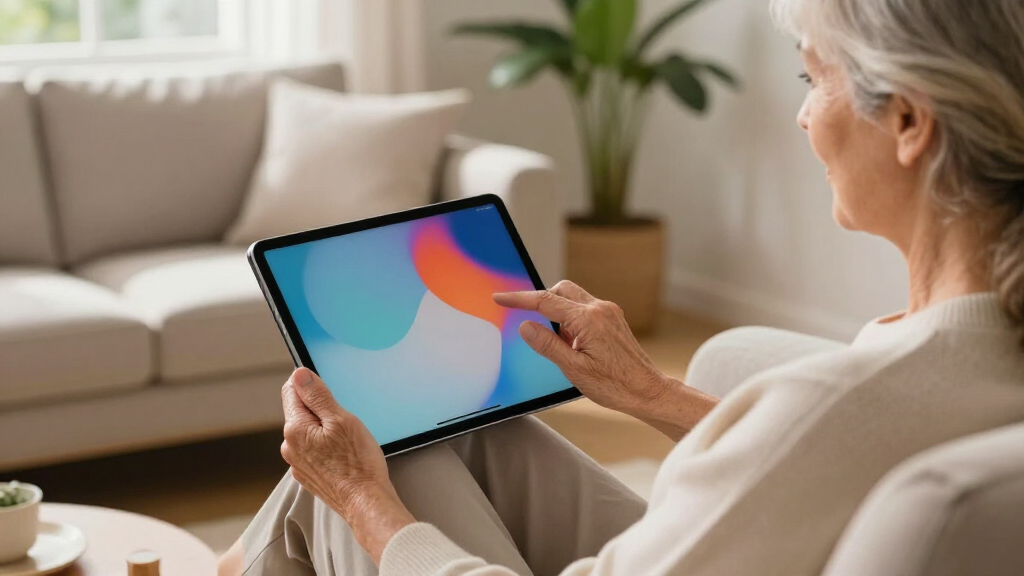
Our selections focus on features that promote ease of use, security, and multimedia performance, tailored specifically for seniors. We compared user interfaces, screen size, battery life, security features, and price points. Preference was given to products with simplified navigation, reliable connectivity, and positive user feedback. Tradeoffs such as limited software support or higher costs were considered to ensure each option serves a distinct niche within the senior market.
Factors to Consider When Choosing Senior-friendly Tablets
When selecting a tablet for seniors, the most important factors are ease of use, security, and multimedia capabilities. Devices like the GrandPad are tailored for simplicity and safety, making them ideal for those with limited tech experience. Meanwhile, tablets like the Fire HD 10 provide larger displays and longer battery life at a lower cost, perfect for entertainment. For seniors who want more customization and multimedia features, models like the Samsung Galaxy Tab A11+ or Pix-Star offer a balance of size, versatility, and familiarity. Choosing the right device depends on how the senior intends to use it most—whether for basic communication, media consumption, or more interactive features.
Ease of Use
Look for devices with large icons, simple menus, and minimal setup complexity. The GrandPad and Pix-Star excel here by providing intuitive interfaces designed specifically for seniors.
Security and Privacy
Devices that block scams and offer secure networks are preferable, especially if the senior has concerns about online safety. GrandPad offers built-in scam protection, making it a safer choice for less tech-savvy users.
Display Size and Visuals
Large screens (10 inches or more) improve readability and reduce eye strain. The Samsung Galaxy Tab A11+ and Fire HD 10 provide vibrant displays, ideal for media consumption.
Battery Life and Portability
Long battery life supports all-day use without frequent charging. The Lenovo Tab One and Fire HD 10 stand out in this category, suitable for seniors on the move.
Additional Features
Features like cameras, voice control, expandable storage, and pre-installed apps enhance usability. Consider how these features align with the senior’s preferences and needs.
Frequently Asked Questions
Are senior tablets generally more secure than regular tablets?
Many senior tablets, such as the GrandPad, are designed with enhanced security features, including scam protection and simplified interfaces. These focus on minimizing online risks, making them safer for users unfamiliar with digital safety practices. However, security also depends on user behavior and software updates, so choosing a device with ongoing support is beneficial.
Can seniors customize these tablets to install their favorite apps?
Most tablets like the Pix-Star and Samsung Galaxy Tab A11+ support app installation via Google Play Store, allowing users to personalize their experience. In contrast, devices like the GrandPad limit app access to keep things simple and safe, which might restrict customization but reduce complexity and potential confusion for less tech-savvy users.
Which tablet is best for video calling?
All models support video calls, but the GrandPad and Pix-Star are specifically optimized for easy, reliable video communication with family. The Samsung Galaxy Tab A11+ with its large display and dual cameras offers a robust multimedia experience, making it a strong choice if video calling is a priority.
How important is battery life for seniors’ tablets?
Battery life is a key factor for seniors who want to use their devices throughout the day without frequent recharging. The Lenovo Tab One and Fire HD 10 excel here, offering over 12 hours of usage, which supports active, mobile lifestyles.
Are there any tablets suitable for very tech-averse seniors?
Yes, the GrandPad is specifically designed for those who prefer a very simple, straightforward experience. Its large icons, minimal setup, and scam protection make it especially suitable for seniors who are not comfortable with complex technology or app management.
Conclusion
Choosing the right senior-friendly tablet depends on individual needs. For those prioritizing safety and simplicity, the GrandPad remains the best overall choice. Budget-conscious seniors focused on entertainment and basic communication may find the Fire HD 10 to be the most suitable. Active, multimedia-loving seniors will appreciate the large display and sound quality of the Samsung Galaxy Tab A11+. Finally, for portability and casual browsing, the Lenovo Tab One offers a lightweight solution. Assess your priorities—be it ease of use, multimedia, security, or portability—to find the best fit for your lifestyle.