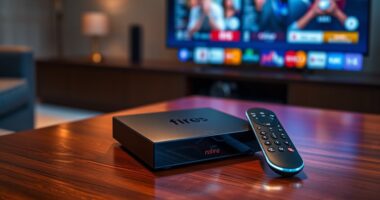
Shopping for senior-friendly laptops and tablets comes down to a few tradeoffs: tablets are lighter and simpler, while 2-in-1 laptops with keyboards handle email, documents, and video calls more comfortably. My best overall pick is the Pix Star Touch Easy-to-Use Tablet, because its stripped-down, senior-first interface removes the confusion that makes most tablets frustrating for older users. For seniors who want a full computer, the NewBook 10.1 inch 2-in-1 with Windows 11 offers a familiar desktop experience with a detachable keyboard, and the Microsoft Surface Go (Renewed) is the most polished premium option. The catch: cheap Android bundles often advertise inflated “RAM” numbers and skimp on storage, while purpose-built senior tablets cost more but save hours of setup headaches. Read on for the full breakdown of all 15 options and which one fits your budget and tech comfort level.

Turn quiet afternoons into listening time
- Thousands of audiobooks, podcasts and originals
- Listen on your phone, tablet or Echo — also offline
- Cancel anytime
Complete the kit


Key Takeaways
- Purpose-built senior devices like the Pix Star Touch beat generic Android tablets on usability, even though their raw specs look weaker on paper — simplified software matters more than hardware numbers for this audience.
- The budget 2-in-1 bundles (Jeazans, IWEGGO, and both 10-inch Android 15 sets) share a common weakness: tiny base storage (32–64GB) that fills up fast, so the advertised expansion ceiling matters more than the included capacity.
- Inflated RAM claims are a pattern in this category — “24GB” and “26GB” figures on budget tablets mostly count virtual memory, so I weighted real hardware specs and processor quality over marketing numbers.
- The TCL NXTPAPER 11 Plus and Lenovo Idea Tab stand apart for eye comfort, with matte paper-like displays and 90–120Hz refresh rates that reduce strain during long reading sessions.
- Windows-based 2-in-1s (NewBook, Surface Go, the 12-inch model) are the right call for seniors who already know Windows, but they demand more setup and maintenance than any Android or purpose-built option.
| 10.1 inch Android Tablet, Blue |  | Best Budget Starter Tablet | Display: 10.1 inch IPS HD | Processor: T7250 octa-core | Storage: 128GB (expandable up to 1TB via TF card) | VIEW LATEST PRICE | See Our Full Breakdown |
| Android 15 Tablet with Keyboard – 11 inch, 24GB RAM, 256GB Storage, 2TB Expandable |  | Best Accessory Bundle | Display: 11-inch IPS 2K, 90Hz | Processor: Unisoc T615 octa-core 1.8GHz | RAM: 6GB physical + 18GB expandable (24GB total) | VIEW LATEST PRICE | See Our Full Breakdown |
| 10 Inch Android Tablet with Keyboard, Gemini AI, 26GB RAM, 256GB Storage, 2TB Expandable |  | Best for Everyday Assistance | Operating System: Android 16 with Gemini AI | Display: 10.1-inch IPS | Processor: T606 octa-core | VIEW LATEST PRICE | See Our Full Breakdown |
| TCL NXTPAPER 11 Plus Android Tablet, 11.5″ 2.2K 120Hz Display, 8GB RAM, 256GB Storage |  | Best for Eye Comfort and Reading | Display: 11.5 inch 2.2K, 120Hz NXTPAPER | Processor: MediaTek Helio G100 | RAM: 8GB + 8GB expansion | VIEW LATEST PRICE | See Our Full Breakdown |
| Lenovo Idea Tab College Tablet – 11″ 2.5K IPS Touchscreen, 90Hz, MediaTek Dimensity 6300, 4GB RAM, 128GB Storage, Pen & Folio Case |  | Best All-Day Battery From a Trusted Brand | Display: 11″ 2.5K IPS touchscreen, 90Hz | Processor: MediaTek Dimensity 6300 | RAM: 4GB | VIEW LATEST PRICE | See Our Full Breakdown |
| Pix Star Touch Easy-to-Use Tablet for Seniors |  | Best for Absolute Beginners | Screen Size: 10.1 inches | Storage Capacity: 32 GB | Ports: 1 USB-C port | VIEW LATEST PRICE | See Our Full Breakdown |
| NewBook 10.1 inch 2-in-1 Laptop Tablet PC |  | Best for Full Windows Familiarity | Display: 10.1 inch FHD Touchscreen | Processor: Intel Pentium Gold 6500Y | RAM: 8GB | VIEW LATEST PRICE | See Our Full Breakdown |
| Jeazans Android 16 Tablet 10.1 Inch 2-in-1 Bundle |  | Best Complete Starter Bundle | Operating System: Android 16 | Display: 10.1 Inch | RAM: 24GB | VIEW LATEST PRICE | See Our Full Breakdown |
| 2-in-1 Laptop/Tablet (2026) with 10.1″ FHD IPS Touchscreen |  | Best for Windows Plus Productivity Software | Display: 10.1-inch FHD IPS Touchscreen | Processor: Intel Pentium Gold 6500Y up to 3.4GHz | RAM: 8GB | VIEW LATEST PRICE | See Our Full Breakdown |
| 10-inch Android 15 2-in-1 Tablet Set |  | Best Value All-Age Pick | Display: 10.1 inches, 1280×800 IPS | Operating System: Android 15.0 | Processor: Quad-core CPU | VIEW LATEST PRICE | See Our Full Breakdown |
| IWEGGO Android 15 Tablet, 10 Inch, 18GB RAM, 128GB ROM, Pink |  | Best Complete Starter Bundle | Display: 10.1-inch HD touch screen | Operating System: Android 15.0 | RAM: 18GB | VIEW LATEST PRICE | See Our Full Breakdown |
| 2-in-1 Laptop/Tablet, 12″ 2K FHD IPS Touchscreen, 12GB RAM, 256GB SSD |  | Best Big-Screen Windows 2-in-1 | Display: 12-inch 2K FHD IPS touchscreen | Processor: Intel Pentium Gold 6500Y, up to 3.4GHz | RAM: 12GB | VIEW LATEST PRICE | See Our Full Breakdown |
| 2-in-1 Laptop/Tablet (2026), 10.1″ FHD IPS Touchscreen, 1-Year Office 365 |  | Best for Email and Documents | Display: 10.1-inch FHD IPS touchscreen | Processor: Intel Pentium Gold 6500Y, up to 3.4GHz | RAM: 8GB | VIEW LATEST PRICE | See Our Full Breakdown |
| JJGJ Android 16 Tablet with Keyboard – 12 Inch, Black |  | Best for Media and Long Battery Life | Display: 12.2-inch IPS, 2000×1200 | Operating System: Android 16 with Gemini AI | RAM: 24GB (8GB physical + 16GB virtual) | VIEW LATEST PRICE | See Our Full Breakdown |
| Microsoft Surface Go Tablet, 10-inch, Intel Pentium 4415Y, 8GB RAM, 128GB SSD (Renewed) |  | Best Brand-Name Budget Pick | Display: 10-inch, 1800×1200 pixels | Processor: Intel Pentium 4415Y | RAM: 8GB LPDDR3 | VIEW LATEST PRICE | See Our Full Breakdown |
| senior-friendly laptops and tablet | Display | Storage | Processor | RAM |
|---|---|---|---|---|
| 10.1 inch Android Tablet | 10.1 inch IPS HD | 128GB (expandable up to 1TB via TF card) | T7250 octa-core | — |
| Android 15 Tablet with Keyboar | 11-inch IPS 2K, 90Hz | 256GB, up to 2TB via microSD | Unisoc T615 octa-core 1.8GHz | 6GB physical + 18GB expandable (24GB total) |
| 10 Inch Android Tablet with Ke | 10.1-inch IPS | 256GB, up to 2TB via microSD | T606 octa-core | 4GB physical + 22GB virtual |
| TCL NXTPAPER 11 Plus Android T | 11.5 inch 2.2K, 120Hz NXTPAPER | 256GB (not expandable) | MediaTek Helio G100 | 8GB + 8GB expansion |
| Lenovo Idea Tab College Tablet | 11" 2.5K IPS touchscreen, 90Hz | 128GB | MediaTek Dimensity 6300 | 4GB |
| Pix Star Touch Easy-to-Use Tab | — | — | — | — |
| NewBook 10.1 inch 2-in-1 Lapto | 10.1 inch FHD Touchscreen | 256GB SSD | Intel Pentium Gold 6500Y | 8GB |
| Jeazans Android 16 Tablet 10.1 | 10.1 Inch | 64GB ROM + 1TB expansion | — | 24GB |
| 2-in-1 Laptop/Tablet | 10.1-inch FHD IPS Touchscreen | 256GB SSD | Intel Pentium Gold 6500Y up to 3.4GHz | 8GB |
| 10-inch Android 15 2-in-1 Tabl | 10.1 inches, 1280×800 IPS | 32GB ROM, expandable to 1TB | Quad-core CPU | 8GB (including 5GB expansion) |
| IWEGGO Android 15 Tablet | 10.1-inch HD touch screen | 128GB, expandable to 2TB via microSD | 2.0GHz quad-core | 18GB |
| 2-in-1 Laptop/Tablet | 12-inch 2K FHD IPS touchscreen | 256GB SSD | Intel Pentium Gold 6500Y, up to 3.4GHz | 12GB |
| 2-in-1 Laptop/Tablet | 10.1-inch FHD IPS touchscreen | 256GB SSD | Intel Pentium Gold 6500Y, up to 3.4GHz | 8GB |
| JJGJ Android 16 Tablet with Ke | 12.2-inch IPS, 2000×1200 | 256GB, expandable to 2TB via microSD (card not included) | Unisoc T615 octa-core | 24GB (8GB physical + 16GB virtual) |
| Microsoft Surface Go Tablet | 10-inch, 1800×1200 pixels | 128GB NVMe SSD | Intel Pentium 4415Y | 8GB LPDDR3 |
More Details on Our Top Picks
10.1 inch Android Tablet, Blue
For a senior who mainly wants video calls, email, and light web browsing, this tablet covers the basics without overwhelming extras. Compared with the Android 15 Tablet with Keyboard, it skips the bundled keyboard, mouse, and stylus — and that simplicity is actually the point here. Fewer accessories means fewer things to lose or misconfigure. The eye comfort mode on the IPS display is a genuinely useful touch for older eyes during evening reading. What holds it back from a higher spot in this lineup is the 6-hour battery, which means it will likely need a midday charge with regular use, and the 4GB of physical RAM can stutter when too many apps stay open. Still, the two-year warranty offers peace of mind that budget tablets rarely provide.
Pros:- Simple, uncluttered package that’s easy for beginners to set up
- Eye comfort mode reduces strain during long reading sessions
- Storage expandable up to 1TB for photos and videos
- Two-year warranty is rare at this price point
Cons:- Six-hour battery life requires frequent charging with regular use
- Only 4GB of physical RAM struggles with heavy multitasking
- No front or rear camera specifications listed, so video call quality is uncertain
Best for: Seniors new to tablets who want a simple, low-cost device for video calls, email, and reading without a tangle of accessories
Not ideal for: Anyone planning all-day use away from a charger, or seniors who tend to keep many apps open at once
- Display:10.1 inch IPS HD
- Processor:T7250 octa-core
- Storage:128GB (expandable up to 1TB via TF card)
- Memory:4GB physical + 16GB virtual
- Battery:6600mAh, up to 6 hours
- Connectivity:Dual-band Wi-Fi, Bluetooth 5.2
Our verdict“A sensible first tablet for seniors who value simplicity and a warranty over raw specs.”
Android 15 Tablet with Keyboard – 11 inch, 24GB RAM, 256GB Storage, 2TB Expandable
This option stands out for giving buyers everything in one box: keyboard, mouse, stylus, and case, which turns a tablet into a laptop-like experience without any extra shopping. Compared with the budget 10.1 inch Android Tablet, the larger 11-inch 2K screen with a 90Hz refresh rate makes text noticeably crisper and scrolling smoother — a real difference for readers with aging eyes. The 8000mAh battery also roughly doubles the runtime of the smaller pick. The tradeoff is weight and complexity: with all the hardware and attachments, it’s a heavier, busier device that a senior who just wants email may find excessive. The Widevine L1 certification matters more than it sounds, since it allows true HD streaming on Netflix and similar apps.
Pros:- Complete accessory bundle including keyboard, mouse, stylus, and case
- Sharp 2K display with smooth 90Hz refresh rate for easier reading
- 8000mAh battery comfortably supports all-day intermittent use
- Widevine L1 support enables true HD streaming from major apps
Cons:- Heavier than bare tablets once keyboard and case are attached
- 24GB of mostly virtual RAM is marketing-heavy; real multitasking headroom is more modest
- Unclear software update commitment for the Android 15 platform
Best for: Seniors and families who want a complete 2-in-1 setup out of the box for typing, streaming, and video calls without buying accessories separately
Not ideal for: Buyers who prioritize lightweight portability or only need basic browsing — the bundle adds bulk and cost they won’t use
- Display:11-inch IPS 2K, 90Hz
- Processor:Unisoc T615 octa-core 1.8GHz
- RAM:6GB physical + 18GB expandable (24GB total)
- Storage:256GB, up to 2TB via microSD
- Battery:8000mAh
- Cameras:13MP rear, 5MP front
- Connectivity:5G WiFi, Bluetooth 5.0
Our verdict“The most complete package in this lineup for seniors who want laptop-like versatility from day one.”
10 Inch Android Tablet with Keyboard, Gemini AI, 26GB RAM, 256GB Storage, 2TB Expandable
This model earns its place for a reason the spec sheet undersells: Gemini AI built into Android 16. For seniors, that means voice-driven help with questions, reminders, and drafting messages — a genuinely different experience from the standard Android on the TCL NXTPAPER 11 Plus or the Lenovo Idea Tab. The included keyboard, pen, mouse, and case mirror the Android 15 Tablet with Keyboard bundle, but the slightly smaller 10.1-inch screen keeps the whole kit a bit more manageable for arthritic hands. The 8000mAh battery matches the bundle pick for longevity. Real tradeoffs exist: only 4GB of physical RAM means that headline 26GB figure is mostly virtual swap space, and the expandable storage requires buying a separate microSD card, which adds a step some buyers won’t expect.
Pros:- Gemini AI provides hands-free voice assistance for questions and reminders
- Full accessory bundle with keyboard, pen, mouse, and protective case
- 8000mAh battery lasts through a full day of typical use
- 256GB of storage plus 2TB expansion for photos and videos
Cons:- Only 4GB of physical RAM; the 26GB figure is mostly virtual memory
- MicroSD card for expansion must be purchased separately
- Bulky once case and keyboard are attached, limiting one-handed use
Best for: Seniors who want built-in AI assistance for voice questions, reminders, and messaging, plus a full keyboard bundle for occasional typing
Not ideal for: Power users expecting true 26GB performance — the 4GB of physical RAM limits demanding multitasking
- Operating System:Android 16 with Gemini AI
- Display:10.1-inch IPS
- Processor:T606 octa-core
- RAM:4GB physical + 22GB virtual
- Storage:256GB, up to 2TB via microSD
- Battery:8000mAh
- Cameras:13MP rear, 5MP front
Our verdict“A smart pick for seniors who would genuinely use voice-first AI help throughout the day.”
TCL NXTPAPER 11 Plus Android Tablet, 11.5″ 2.2K 120Hz Display, 8GB RAM, 256GB Storage
If screen time is measured in hours of reading rather than minutes of tapping, this is the pick that makes the most sense. The NXTPAPER display technology is the standout: it diffuses glare and reduces blue light in a way that standard IPS panels — like the one on the Android 15 Tablet with Keyboard — simply don’t, making it closer to paper for extended reading sessions. At 1.08 lbs and 0.26 inches thick, it’s also easier to hold one-handed than most bundle-style tablets. The 4096-level pressure stylus is included for notes or sketching. Two drawbacks temper enthusiasm: there’s no microSD expansion, a surprising omission for a tablet aimed at people who accumulate photos, and no charger in the box, which means an extra purchase and one more setup hurdle.
Pros:- NXTPAPER display dramatically reduces glare and eye strain for long reading sessions
- Light 1.08 lb build is comfortable for one-handed, couch, or bed use
- Included stylus with 4096 pressure levels for notes and annotation
- Fast charging plus reverse charging for topping up a phone in a pinch
Cons:- No microSD expansion despite 256GB of built-in storage
- Charger not included, requiring a separate purchase
- Helio G100 processor can lag when many apps run simultaneously
Best for: Seniors who spend hours reading, browsing, or doing puzzles on their tablet and want the least eye strain possible
Not ideal for: Photo hoarders and tinkerers who need expandable storage or expect a complete out-of-box package with a charger
- Display:11.5 inch 2.2K, 120Hz NXTPAPER
- Processor:MediaTek Helio G100
- RAM:8GB + 8GB expansion
- Storage:256GB (not expandable)
- Battery:8000mAh with fast and reverse charging
- Weight:1.08 lbs, 0.26 inches thick
- Included:Flip case, T-PEN stylus, USB-C cable
Our verdict“The most readable screen in this roundup, ideal for seniors whose tablet is primarily a reading device.”
Lenovo Idea Tab College Tablet – 11″ 2.5K IPS Touchscreen, 90Hz, MediaTek Dimensity 6300, 4GB RAM, 128GB Storage, Pen & Folio Case
Brand trust matters when buying for a less tech-savvy family member, and Lenovo’s reputation for software support and build consistency separates this tablet from the lesser-known names filling most of this roundup. Compared with the TCL NXTPAPER 11 Plus, the Idea Tab counters with a sharper 2.5K panel, a stronger Dimensity 6300 processor, and a genuinely useful up-to-12-hour battery — the longest runtime in this batch. The quad Dolby Atmos speakers also make it the better choice for seniors who watch shows without headphones. The TÜV-certified low blue light filter addresses eye comfort, though not as effectively as TCL’s dedicated NXTPAPER screen. The compromise is capacity: 128GB with limited expansion headroom, and only 4GB of RAM, so it’s built for focused use rather than heavy multitasking.
Pros:- Up to 12 hours of battery life, the longest in this batch
- Recognized brand with more reliable software support expectations
- Quad Dolby Atmos speakers make dialogue easier to hear without headphones
- Stylus and folio case included at no extra cost
Cons:- 128GB of storage with no clear expansion path limits photo and video libraries
- Only 4GB of RAM restricts heavy multitasking
- Premium display and features push the price above basic alternatives
Best for: Seniors and their families who want a dependable name-brand tablet for streaming, video calls, and note-taking with all-day battery
Not ideal for: Users who store large photo or video libraries locally — 128GB fills up fast and expansion options are limited
- Display:11″ 2.5K IPS touchscreen, 90Hz
- Processor:MediaTek Dimensity 6300
- RAM:4GB
- Storage:128GB
- Battery Life:Up to 12 hours
- Charging:20W fast charger included
- Audio & Eye Care:Quad Dolby Atmos speakers; TÜV Rheinland low blue light filter
Our verdict“The safest brand-name choice here, best for seniors who value battery life and audio clarity over storage space.”
Pix Star Touch Easy-to-Use Tablet for Seniors
Most tablets in this roundup are general-purpose devices dressed up with accessories, but the Pix Star Touch takes the opposite approach: it strips everything down to what a first-time user actually needs. The interface is built specifically for seniors, which means large icons, simplified menus, and straightforward paths to video calls and photo sharing — the two things most buyers in this category care about. Compared with the Jeazans Android 16 bundle, which throws a keyboard, mouse, and stylus at the problem, this model wisely avoids overwhelming the user. The tradeoff is real, though: 32GB of storage fills up fast once photos and apps accumulate, and there’s no expansion slot mentioned. Tech-curious seniors who eventually outgrow the simplified interface will hit a ceiling here. Still, for someone who has never owned a tablet, this pick makes more sense than a full Windows machine like the NewBook.
Pros:- Interface purpose-built for seniors and beginners
- Video calls and photo sharing work out of the box
- 10.1-inch screen keeps text and icons comfortably large
- Google Play access allows adding apps as confidence grows
Cons:- 32GB storage with no listed expansion fills quickly
- Battery life and charging details are unspecified
Best for: Seniors using their first-ever tablet who mainly want video calls, photo sharing, and light browsing
Not ideal for: Anyone comfortable with standard Android or Windows — the simplified interface becomes a limitation, not a help
- Screen Size:10.1 inches
- Storage Capacity:32 GB
- Ports:1 USB-C port
- Cameras:Front and back cameras
- Connectivity:WiFi
- App Support:Google Play
Our verdict“Buy this for a first-time tablet user who values simplicity over capability; skip it if they already know their way around Android.”
NewBook 10.1 inch 2-in-1 Laptop Tablet PC
The strongest argument for the NewBook is that it runs Windows 11, not Android — a meaningful distinction for seniors who spent their working lives on a PC and find phone-style interfaces confusing. The detachable magnetic keyboard and built-in stand let it morph between laptop and tablet depending on the moment, and the 8GB RAM plus 256GB SSD mean it won’t stutter during ordinary tasks. Compared with the Microsoft Surface Go elsewhere in this lineup, this model offers similar Windows functionality at a lower entry price, though without the Surface’s polish or support network. The 26.6Wh battery is small, so all-day unplugged use is optimistic at best. Its role here is clear: it’s the bridge device for someone who wants a tablet’s portability but refuses to leave Windows behind. Buyers after casual browsing and video calls should stick with the Pix Star instead.
Pros:- Familiar Windows 11 environment for lifelong PC users
- Three modes (laptop, tablet, stand) adapt to different activities
- 8GB RAM and SSD storage handle multitasking smoothly
- Multiple ports including USB 3.0 and micro HDMI for peripherals
Cons:- 26.6Wh battery will struggle to last a full day unplugged
- 10.1-inch screen is small for extended laptop-style work
Best for: Seniors who already know Windows and want a portable device without learning a new operating system
Not ideal for: Buyers wanting long battery life or a large screen — the small battery and 10.1-inch display limit both
- Display:10.1 inch FHD Touchscreen
- Processor:Intel Pentium Gold 6500Y
- RAM:8GB
- Storage:256GB SSD
- Operating System:Windows 11
- Battery:26.6Wh
- Connectivity:micro HDMI, USB-C, USB 3.0, 3.5mm headphone jack
Our verdict“The right pick for Windows loyalists who want tablet flexibility without abandoning the desktop experience they know.”
Jeazans Android 16 Tablet 10.1 Inch 2-in-1 Bundle
Where other products sell you a tablet and leave the rest to figure out, the Jeazans arrives as a full kit: keyboard, wireless mouse, stylus, leather case, and fast charger all in the box. That matters for senior buyers because there’s no second shopping trip and no compatibility guesswork — everything works together from day one. The 24GB RAM (much of it virtual) and 1TB expansion headroom put it ahead of the 10-inch Android 15 set in this lineup for long-term headroom, and Android 16 keeps the software current. Compared with the NewBook, this option trades Windows for Android’s simpler, touch-first interface, which many seniors actually find easier. The honest tradeoff: it’s likely the priciest Android option in this batch, and a full keyboard-plus-mouse setup may be overkill for someone who only wants video calls and photos. But for a senior who wants to write emails and organize pictures, this bundle earns its spot.
Pros:- Everything included in one purchase — no accessory shopping required
- 24GB RAM handles heavy multitasking without slowdowns
- 1TB expansion means storage anxiety is off the table
- WiFi6 and PD fast charging keep daily use frictionless
Cons:- Likely the most expensive Android pick in this roundup
- Full accessory set can overwhelm users who want simplicity
Best for: Seniors who want a ready-to-use productivity kit with nothing extra to buy — keyboard, mouse, stylus, and case included
Not ideal for: Buyers on a tight budget or those who only need casual browsing — the accessory load adds cost and complexity
- Operating System:Android 16
- Display:10.1 Inch
- RAM:24GB
- Storage:64GB ROM + 1TB expansion
- Connectivity:WiFi6
- Charging:PD fast charging
- Included Accessories:Keyboard, Wireless Mouse, Stylus, Leather Case, Fast Charger
- Camera:Dual HD cameras
Our verdict“The one-box solution for seniors ready to do more than browse — just confirm the price fits the budget before committing.”
2-in-1 Laptop/Tablet (2026) with 10.1″ FHD IPS Touchscreen
This 2-in-1 carves out its niche with one move the NewBook can’t match: a full year of Office 365 pre-installed. For seniors whose lives revolve around Word documents, spreadsheets, and email attachments from family, that subscription alone offsets a chunk of the price. The magnetic leather keyboard detaches cleanly, and at 1.3 pounds and 0.4 inches thick, it’s the most portable Windows option in this batch — noticeably lighter than carrying the Jeazans bundle with all its accessories. The Pentium Gold processor is fine for documents and video calls but will strain under photo editing or multiple browser tabs stacked with streaming. Compared with the NewBook, you get the same core specs but added software value and a slimmer chassis; what you give up is a USB 3.0 port and any real processing headroom. This pick makes the most sense for the letter-writing, document-oriented senior rather than the media consumer.
Pros:- 1-year Office 365 subscription adds genuine value for document work
- Lightest Windows device here at 1.3 pounds
- Detachable leather keyboard doubles as a protective cover
- FHD IPS touchscreen is sharp and easy on the eyes
Cons:- Pentium Gold processor limits intensive tasks
- 256GB storage fills up fast with photos and documents
- Battery life not specified
Best for: Seniors who write, edit documents, and use email heavily and want Office included from day one
Not ideal for: Anyone expecting to edit photos or run demanding software — the Pentium Gold will bottleneck quickly
- Display:10.1-inch FHD IPS Touchscreen
- Processor:Intel Pentium Gold 6500Y up to 3.4GHz
- RAM:8GB
- Storage:256GB SSD
- Operating System:Windows 11 Home
- Weight:1.3 lbs (tablet)
- Included:Magnetic leather keyboard, 1-Year Office 365, power adapter, warranty
- Connectivity:2 USB-C ports, USB 3.0, Micro HDMI, 3.5mm jack, WiFi 5, Bluetooth 5.0
Our verdict“The smart choice for document-focused seniors who want Windows and Office bundled — not for power users or media hogs.”
10-inch Android 15 2-in-1 Tablet Set
This tablet set earns its place by being the most balanced price-to-capability ratio in this batch. Unlike the Pix Star, which sacrifices flexibility for simplicity, this one includes a keyboard, mouse, stylus, and case — yet it stays easier on the wallet than the Jeazans bundle. Its standout feature for senior buyers is the 6000mAh battery rated for over 10 hours, something neither Windows 2-in-1 here can credibly claim with their small 26.6Wh cells. Android 15 is current, and the quad-core processor handles browsing, streaming, and video calls without fuss. The compromises are clear: 32GB of internal storage means a microSD card is essentially mandatory (expansion to 1TB is supported), and the 8GB of RAM includes 5GB of virtual expansion, so heavy multitaskers will notice slowdowns versus the Jeazans. For a grandparent who wants email, video calls, and streaming with all-day battery, this is the sensible middle ground.
Pros:- 10+ hours of battery life outlasts every Windows option here
- Complete accessory set at a lower price than rival bundles
- Vivid IPS touchscreen comfortable for reading and streaming
- WiFi6 support for reliable video calls
Cons:- 32GB internal storage requires an expansion card almost immediately
- Quad-core CPU stutters with intensive multitasking
Best for: Budget-conscious seniors who want a full accessory set and all-day battery without paying premium prices
Not ideal for: Heavy multitaskers or app hoarders — the modest processor and 32GB internal storage will feel restrictive
- Display:10.1 inches, 1280×800 IPS
- Operating System:Android 15.0
- Processor:Quad-core CPU
- RAM:8GB (including 5GB expansion)
- Storage:32GB ROM, expandable to 1TB
- Battery:6000 mAh
- Camera:8MP rear, 2MP front
- Included Accessories:Keyboard, mouse, stylus, case, C-type cable
Our verdict“The best bang-for-buck choice for everyday senior use — just budget a few extra dollars for a microSD card.”
IWEGGO Android 15 Tablet, 10 Inch, 18GB RAM, 128GB ROM, Pink
This pick makes the most sense for seniors who want everything in one box — keyboard, mouse, stylus, and a protective case arrive together, so there’s no second shopping trip or setup guesswork. The 10.1-inch HD screen hits a comfortable middle ground: larger than a phone for reading, less overwhelming than the 12-inch JJGJ Android 16 Tablet. Android 15 keeps the interface familiar for anyone already using an Android phone. Compared with the Jeazans bundle, which starts at just 32GB of storage, the 128GB here (expandable to 2TB) means photos and apps won’t fill up quickly. The tradeoff is that an unnamed quad-core chip and 18GB of marketed RAM won’t feel as snappy as the specs suggest, and the pink colorway is polarizing.
Pros:- All-in-one bundle with keyboard, mouse, stylus, and case
- 128GB storage with room to expand to 2TB
- Android 15 with a familiar, phone-like interface
- Up to 10 hours of battery for a full day of light use
Cons:- Generic quad-core processor may feel slow with many apps open
- Pre-installed apps clutter the home screen until removed
Best for: Seniors buying their first tablet who want a keyboard, stylus, and case included without any extra purchases
Not ideal for: Anyone wanting a premium build or established brand support — this is a budget device with a generic processor
- Display:10.1-inch HD touch screen
- Operating System:Android 15.0
- RAM:18GB
- Storage:128GB, expandable to 2TB via microSD
- Processor:2.0GHz quad-core
- Battery:6000mAh, up to 10 hours
- Connectivity:5G WiFi6, Bluetooth 5.0
- Included Accessories:Keyboard, mouse, stylus, protective case, USB-C cable
Our verdict“A sensible first tablet for seniors who value a complete accessory bundle over raw performance or brand recognition.”
2-in-1 Laptop/Tablet, 12″ 2K FHD IPS Touchscreen, 12GB RAM, 256GB SSD
Among the Windows convertibles in this lineup, this model stands out for its sharp 2K display — noticeably crisper for reading email and news than the 10.1-inch FHD panels on the Office 365 2-in-1 and the NewBook. At 1.4 pounds and 0.36 inches thick, it splits the difference between a full laptop and a pure tablet, and the magnetic keyboard detaches when a couch-friendly session calls for touch only. The 12GB of RAM is generous for this price class and helps when a dozen browser tabs stay open. The honest tradeoff: the Pentium Gold 6500Y is built for browsing and documents, not video editing, and 256GB of storage fills fast if photo libraries grow. Battery life is also unspecified, which makes planning a full day away from the charger a gamble.
Pros:- Crisp 2K touchscreen that reduces eye strain during long reading sessions
- 12GB RAM handles multitasking without slowdowns
- Featherlight 1.4-pound body with a thin profile
- Front and rear cameras plus USB-C and HDMI for flexibility
Cons:- Modest Pentium processor struggles with demanding software
- Battery life is not specified by the manufacturer
Best for: Seniors who want a larger, sharper screen for reading and video on a real Windows machine
Not ideal for: Anyone who needs all-day unplugged use — battery capacity isn’t documented, so runtime is unknown
- Display:12-inch 2K FHD IPS touchscreen
- Processor:Intel Pentium Gold 6500Y, up to 3.4GHz
- RAM:12GB
- Storage:256GB SSD
- Operating System:Windows 11 Home
- Weight:1.4 pounds, 0.36 inches thick
- Connectivity:Wi-Fi, Bluetooth 5.0, dual USB-C, Micro HDMI, headphone jack
Our verdict“The right choice for seniors prioritizing screen quality and Windows familiarity over guaranteed battery runtime.”
2-in-1 Laptop/Tablet (2026), 10.1″ FHD IPS Touchscreen, 1-Year Office 365
This convertible earns its spot for one reason: it arrives with a full year of Office 365 and 1TB of OneDrive already paid for. For a senior whose week revolves around Word, email attachments, and video calls with family, that bundle removes a subscription hassle the 12-inch 2-in-1 above doesn’t address. The detachable magnetic leather keyboard doubles as a stand, propping the screen at a comfortable reading angle. At 1.3 pounds, it’s slightly lighter than the 12-inch model, and the aluminum chassis feels sturdier than the plastic IWEGGO. The compromises are real, though: 8GB of RAM is the floor for Windows 11, the same Pentium chip means patience is required with heavy tasks, and there’s no stylus in the box. It’s a focused tool, not a powerhouse.
Pros:- One year of Office 365 plus 1TB OneDrive cloud storage included
- Durable aluminum body at just 1.3 pounds
- Magnetic leather keyboard doubles as an adjustable stand
- Full HD screen with wide viewing angles for shared reading
Cons:- 8GB RAM is minimal for Windows multitasking
- No stylus support or bundled accessories beyond the keyboard
Best for: Seniors and retirees who mainly write documents, manage email, and want Office pre-loaded and ready
Not ideal for: Multi-taskers who keep many apps open — 8GB of RAM limits headroom
- Display:10.1-inch FHD IPS touchscreen
- Processor:Intel Pentium Gold 6500Y, up to 3.4GHz
- RAM:8GB
- Storage:256GB SSD
- Operating System:Windows 11
- Weight:1.3 lbs
- Build:Aluminum alloy chassis
- Connectivity:2x USB-C, USB 3.0, Micro HDMI, 3.5mm jack, Wi-Fi 5, Bluetooth 5.0
Our verdict“The practical pick for document-focused seniors who’d rather have Office bundled than chase raw specifications.”
JJGJ Android 16 Tablet with Keyboard – 12 Inch, Black
If streaming shows and browsing are the main events, the 12.2-inch 2000×1200 display here is the largest canvas in this batch, and the 8000mAh battery outlasts the IWEGGO’s 6000mAh cell by a wide margin for all-evening viewing. The 24GB of RAM (8GB physical plus 16GB virtual) and 256GB of storage put it ahead of both Android bundles on paper, and Android 16 with Gemini AI adds voice assistance that can genuinely help seniors who prefer speaking over typing. Compared with the Surface Go later in this list, this tablet trades Windows compatibility for a bigger screen and longer runtime. The catch is weight — a 12-inch tablet with an attached keyboard is clumsy to hold one-handed, and the Unisoc T615 chip, while fine for video, won’t impress anyone juggling demanding apps.
Pros:- Largest display in this group at 12.2 inches with sharp 2000×1200 resolution
- 8000mAh battery comfortably outlasts smaller tablets
- 256GB storage with support for 2TB microSD expansion
- Keyboard, mouse, and stylus all included
Cons:- Heavy and bulky compared with 10-inch alternatives
- Unisoc processor is adequate but not fast for heavy multitasking
Best for: Seniors who primarily watch video, read, and browse and want a big screen that lasts all day
Not ideal for: Anyone with weak hands or limited mobility — the 12-inch size plus keyboard is heavy to hold for long stretches
- Display:12.2-inch IPS, 2000×1200
- Operating System:Android 16 with Gemini AI
- RAM:24GB (8GB physical + 16GB virtual)
- Storage:256GB, expandable to 2TB via microSD (card not included)
- Processor:Unisoc T615 octa-core
- Battery:8000mAh
- Cameras:8MP front, 16MP rear
- Connectivity:5G Wi-Fi, Bluetooth 5.0
Our verdict“A media-first choice for seniors who value screen size and battery endurance over portability.”
Microsoft Surface Go Tablet, 10-inch, Intel Pentium 4415Y, 8GB RAM, 128GB SSD (Renewed)
This is the only name-brand device in the entire roundup, and that matters for seniors who want familiar documentation, reliable Windows updates, and a service ecosystem. The renewed Surface Go delivers a genuine 1800×1200 Microsoft display with excellent touch response, and at 522 grams it’s the lightest full Windows option here — far easier to hold than the 12-inch JJGJ. Windows 11 Pro adds remote-desktop and security features the Home editions on the other convertibles skip. But the savings come with honest strings: 128GB of storage is the smallest SSD in this batch, the dated Pentium 4415Y is the slowest chip here, and renewed means renewed — battery health and cosmetic condition vary by unit, and the warranty depends on the refurbisher rather than Microsoft.
Pros:- Established Microsoft brand with long-term Windows update support
- Very light at 522 grams and just 8.3mm thin
- Sharp 1800×1200 display with responsive touch
- Windows 11 Pro includes business-grade security features
Cons:- Refurbished condition means variable battery health and cosmetic wear
- 128GB storage with no microSD expansion
- Oldest, slowest processor in this lineup
Best for: Budget-conscious seniors who want a trusted brand, real Windows support, and a very light device for browsing and email
Not ideal for: Photo hoarders — 128GB fills quickly, and there’s no easy storage expansion
- Display:10-inch, 1800×1200 pixels
- Processor:Intel Pentium 4415Y
- RAM:8GB LPDDR3
- Storage:128GB NVMe SSD
- Operating System:Windows 11 Pro
- Weight:522 grams, 8.3mm thick
- Ports:USB-C 3.1, Surface Connect, 3.5mm headphone jack
Our verdict“The smart pick for seniors who value brand trust and lightness over storage and raw speed — provided they accept refurbished-unit variability.”
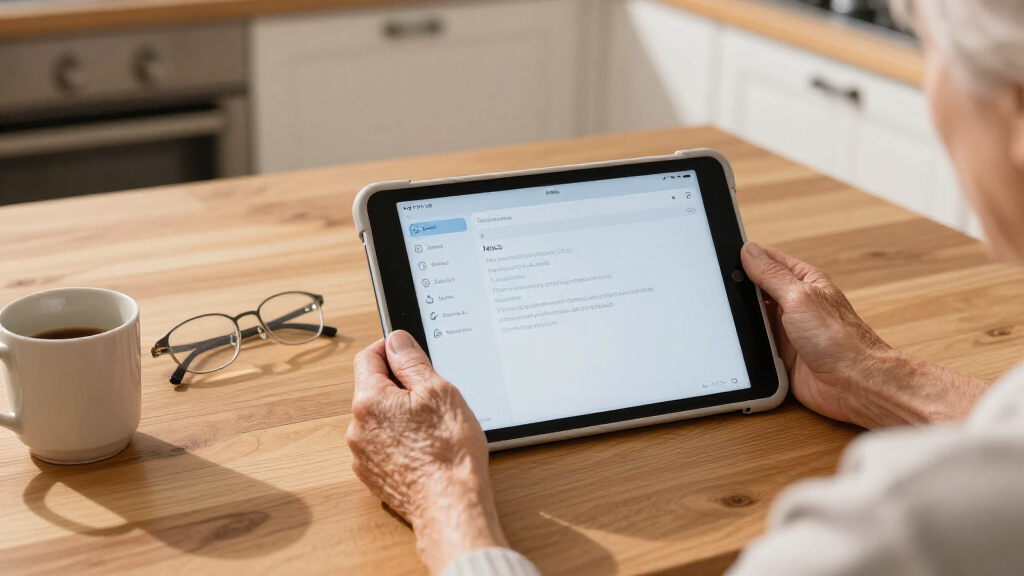
How We Picked
My ranking starts with one question: how easily can a non-technical senior use this device on day one? That meant prioritizing interface simplicity, screen legibility, and out-of-the-box readiness over raw specifications. I looked at display quality (resolution, size, glare, and eye-comfort features), whether a keyboard or case is included, how much genuine storage and memory the device has, and whether the software supports large text, simple launchers, or remote assistance from family members. I also discounted marketing tactics common in this category, like RAM numbers inflated with virtual memory, and weighted devices that arrive complete — keyboard, stylus, case, and software preinstalled — more heavily than bare tablets.
The ranking order reflects a deliberate split: senior-first devices and well-rounded Windows 2-in-1s lead the list, eye-comfort tablets and complete bundles fill the middle, and value Android tablets with real storage or usability compromises sit lower. Every pick still earned its place by doing something specific well — the ordering reflects which tradeoffs most seniors can live with, not which spec sheet is longest.
| senior-friendly laptops and tablet | Operating System |
|---|---|
| 10.1 inch Android Tablet | — |
| Android 15 Tablet with Keyboar | — |
| 10 Inch Android Tablet with Ke | Android 16 with Gemini AI |
| TCL NXTPAPER 11 Plus Android T | — |
| Lenovo Idea Tab College Tablet | — |
| Pix Star Touch Easy-to-Use Tab | — |
| NewBook 10.1 inch 2-in-1 Lapto | Windows 11 |
| Jeazans Android 16 Tablet 10.1 | Android 16 |
| 2-in-1 Laptop/Tablet | Windows 11 Home |
| 10-inch Android 15 2-in-1 Tabl | Android 15.0 |
| IWEGGO Android 15 Tablet | Android 15.0 |
| 2-in-1 Laptop/Tablet | Windows 11 Home |
| 2-in-1 Laptop/Tablet | Windows 11 |
| JJGJ Android 16 Tablet with Ke | Android 16 with Gemini AI |
| Microsoft Surface Go Tablet | Windows 11 Pro |
Factors to Consider When Choosing Senior-friendly Laptops And Tablets
Before choosing a specific model, it helps to understand what actually makes a device work well for an older user. The factors below shaped my rankings, and they’re the same ones worth weighing no matter which product you buy.Screen Size and Legibility Come Before Specs
The single biggest usability factor is the display, and not just its size. A 10-inch screen with a sharp 2K resolution (like the TCL NXTPAPER or Lenovo Idea Tab) renders text more crisply than a larger screen with a fuzzy panel, which matters when scaling fonts to 150% or higher. Matte or paper-like displays reduce glare from lamps and windows — a common frustration for readers with sensitive eyes. Also check the aspect ratio and default text scaling: some budget Android tablets max out their font sizes well below what low-vision users need. A fast refresh rate (90Hz or 120Hz) is a comfort bonus, not a necessity, so don’t pay extra for it alone.
Operating System Choice Shapes the Learning Curve
Match the operating system to what the user already knows. A senior who used a Windows PC at work will feel at home on the Surface Go or NewBook, while someone new to computers entirely may do better with a simplified Android tablet or a purpose-built device like the Pix Star Touch. Windows offers the most software flexibility (real Office, desktop browsers, video calling apps) but also the most maintenance — updates, antivirus prompts, and settings menus that can confuse. Android is lighter and touch-first, but app stores and account setup still create friction. Avoid switching operating systems casually; the relearning cost is often the biggest barrier of all.
Watch for Inflated Specs on Budget Tablets
Several tablets in this roundup advertise 18GB to 26GB of RAM, but most of that is virtual memory borrowed from slow storage — real usable performance comes from the 4–8GB of physical RAM. The same skepticism applies to “2TB expandable” storage claims: you’ll need to buy a microSD card separately, and cheap cards can slow the device down. Base storage of 32GB or 64GB fills up quickly once photos, apps, and system updates accumulate, which is why I flagged it as a recurring weakness. A good rule: read the processor name and physical RAM figure, and treat everything else as marketing until confirmed.
Bundle Completeness Saves Real Setup Time
Devices that ship with a keyboard, folio case, stylus, and sometimes a mouse (like the Jeazans or the Android 15 sets) remove a surprising amount of friction for the gift-giver and the recipient. Without a bundled keyboard, tablet typing on glass is tiring and error-prone for arthritic hands. A case with a built-in stand also improves posture during long video calls — hunching over a flat tablet is a genuine comfort problem. If you buy a bare tablet, budget an extra $30–$60 for accessories, which can erase the price gap versus a complete bundle.
Plan for Remote Support Before You Buy
Whatever you choose, assume a family member will need to help troubleshoot from time to time. Windows devices support remote desktop tools that let a relative fix problems from across the country, which is a real advantage for the Surface Go and NewBook. Android tablets can use remote support apps, but setup is clunkier. Purpose-built senior tablets sometimes include managed support services, which is part of what you’re paying for. Also decide who will handle account passwords, app updates, and backups — a device nobody can maintain becomes a paperweight within a year.
Refurbished Premium Versus New Budget
A renewed Microsoft Surface Go often costs the same as a new budget Android 2-in-1, and the comparison is revealing: you get a better display, better build quality, and full Windows, but a used battery and shorter expected lifespan. For seniors who treat a device gently and mainly browse and video call, refurbished premium hardware is frequently the smarter buy. For users who might drop, lose, or outgrow a device quickly, cheap new hardware with a warranty is the safer bet. Check the seller’s return policy on renewed items specifically — battery health claims vary widely between refurbishers.
Frequently Asked Questions
Is a tablet or a 2-in-1 laptop better for an older adult?
It depends on what they’ll actually do with it. For video calls, photos, browsing, and games, a tablet is lighter, boots instantly, and has no keyboard or trackpad to master. For email with attachments, document editing, or anything involving files and folders, a 2-in-1 with a keyboard like the NewBook or Surface Go is far less frustrating. If the senior has prior Windows experience, lean toward the 2-in-1; if they’re new to computing, start with a tablet. The 2-in-1 bundles in this roundup are a reasonable middle path, though their detachable keyboards are usually lighter-duty than laptop keyboards.
Are the “24GB RAM” budget tablets actually fast?
Mostly no, and it’s worth understanding why. Those figures combine 4–8GB of physical RAM with virtual memory that borrows from storage, which is much slower and doesn’t behave like real RAM under load. In practice, these tablets handle browsing, streaming, and video calls acceptably but slow down with many apps open. The Android 15 and Gemini AI models here are fine for light senior use — a few apps, email, YouTube — but don’t expect laptop-class multitasking regardless of the number on the box. If speed matters, the TCL NXTPAPER 11 Plus with genuine 8GB of RAM will feel smoother day to day.
Is a purpose-built senior tablet like the Pix Star worth the higher price?
For a user who finds standard technology overwhelming, yes — and the reason is software, not hardware. The Pix Star Touch strips out app stores, settings mazes, and account prompts, presenting large icons for the few things most seniors do: video calls, photos, messages, and news. A generic tablet at the same price does more, but that flexibility is exactly what causes confusion and accidental purchases. If a family member can set up and maintain a regular tablet, the premium is harder to justify. If the user will be alone with the device, the simplified interface often pays for itself in the first month.
Should I buy the renewed Surface Go or a new budget Windows 2-in-1?
The renewed Surface Go gives you a sharper display, better speakers, and genuine Windows 11 Pro with a real SSD — a noticeably nicer experience than the budget 2-in-1s. The risks are battery health and longevity, since refurbished units carry variable wear and typically shorter warranties. The NewBook and 12-inch 2-in-1 models are new, come with a full warranty, and include keyboards, but their Pentium-class chips and screens are a step down. If the device will live mostly on a table near an outlet, the Surface Go’s battery uncertainty matters less and it’s the better machine. If it’ll travel or get heavy daily use, buy new.
How much storage does a senior actually need?
For typical use — video calling, browsing, some photos, and a handful of apps — 128GB is a comfortable target, and 64GB workable if photos are backed up to the cloud regularly. The 32GB base on some budget bundles is the real danger zone: after the operating system and updates, usable space can drop under 15GB, and a full tablet slows down and refuses updates. Photos and videos are what fill storage fastest, so if the user takes lots of pictures, either choose 128GB or plan to add a microSD card immediately. Windows devices also need more breathing room than Android — avoid anything under 128GB of SSD storage there.
Conclusion
After comparing all 15 devices, the right choice depends almost entirely on the user’s comfort with technology. Best overall goes to the Pix Star Touch — its senior-first software does more for usability than any spec sheet in this roundup. Best value is the Jeazans Android 16 bundle, which includes keyboard, mouse, stylus, and case for a budget price, though you’ll want to add a microSD card. Best premium is the Microsoft Surface Go (Renewed), the most polished hardware here for seniors comfortable with Windows. Best for beginners is the Pix Star again, but the 10-inch Android 15 tablet is the runner-up if its simpler price fits better. Best for eye comfort is the TCL NXTPAPER 11 Plus, whose matte 120Hz display is unmatched for long reading sessions, while the NewBook 2-in-1 suits seniors who want a full Windows laptop experience with tablet flexibility. Match the device to the person, not the price tag, and you’ll get the pick right.
Cold & flu season Picks
humidifiers
As an affiliate, we earn on qualifying purchases.