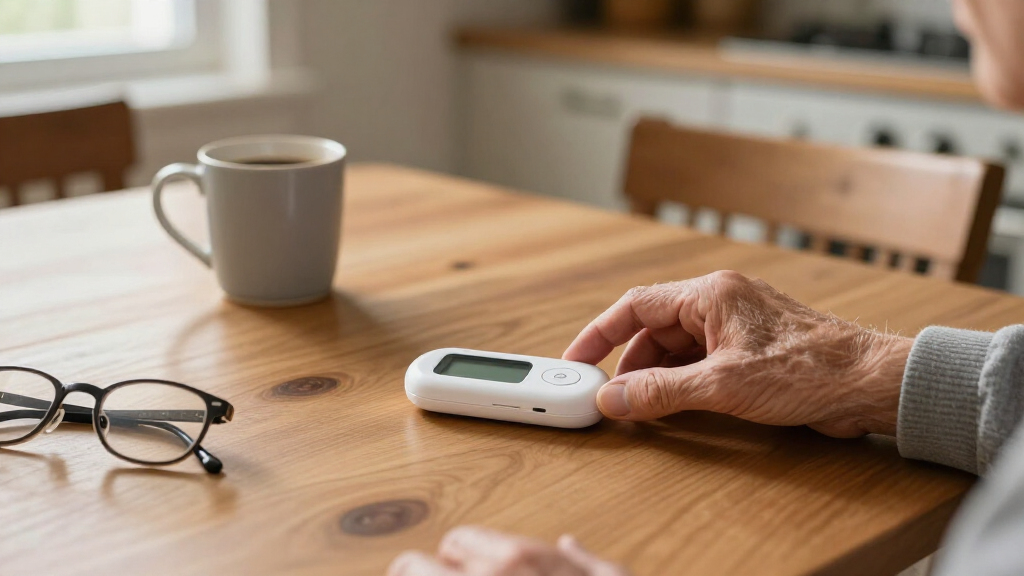

The right medical alert system can mean the difference between a quick rescue and hours on the floor after a fall, but the category splits sharply along one line: systems with 24/7 professional monitoring and monthly fees versus no-monthly-fee systems that alert family or caregivers directly. For most seniors living alone, Medical Guardian’s MGMini with 24/7 monitoring is the best overall pick because it combines a compact wearable with reliable emergency dispatch. SecuLife’s pendant with fall detection and GPS stands out for active seniors who leave the house often, while Bay Alarm Medical’s SOS Mobile GPS offers the most flexible monitoring plan in the professionally monitored group. The main tradeoffs you’ll face are monthly cost versus response reliability, and landline dependence versus cellular portability. Keep reading for the full breakdown of all ten systems.

Turn quiet afternoons into listening time
- Thousands of audiobooks, podcasts and originals
- Listen on your phone, tablet or Echo — also offline
- Cancel anytime
Complete the kit


Key Takeaways
- Monitoring model was the single biggest differentiator: professionally monitored systems (Medical Guardian, ADT, Bay Alarm Medical) delivered guaranteed 24/7 emergency dispatch, while no-monthly-fee options depend entirely on family members answering their phones.
- Fall detection was only available on a minority of the lineup (SecuLife and optionally on Bay Alarm Medical), and it typically costs extra — a worthwhile add-on for seniors with a history of falls but unnecessary overhead for others.
- GPS capability separated mobile systems from home-only systems: SecuLife, ADT On-The-Go, Bay Alarm Medical, and the MGMini work outside the house, while caregiver pagers and landline-based units like Freedom Alert are home-only.
- The two ‘no monthly fee’ Life Alert app-controlled systems and the standalone waterproof necklace/wristband kit cost the least over time but require a smartphone-savvy caregiver — a real limitation if family is far away or slow to respond.
- Waterproofing was inconsistent across wearable buttons; several pendants must be removed before showering, which is exactly when many falls happen, so I flagged waterproof wearables as a must-have feature rather than a bonus.
- Two entries in this roundup are near-duplicates (the MGMini appears with and without a monitoring plan), and the price difference taught a broader lesson: always confirm whether a ‘device’ price includes monitoring or just the hardware.


| medical alert system | Connectivity | Fall Detection | Includes | Monthly Fees |
|---|---|---|---|---|
| Medical Guardian MGMini Medica | — | Optional, at additional cost | Charging cradle, power cord, clip and lanyard, EMT card | — |
| WiFi Caregiver Pager Life Aler | 2.4GHz Wi-Fi | — | Waterproof call button, watch button, receiver | None for app notifications (subscription for SMS/call alerts) |
| Life Alert Systems for Seniors | 2.4GHz Wi-Fi | — | — | None for core pager function |
| ADT On-The-Go Emergency Medica | Built-in GPS and cellular | Optional automatic fall detection | Mobile device, lanyard, cradle charger | — |
| Medical Alert System | Landline or Bluetooth adapter for cell phones | — | Wristband, necklace lanyard | None |
| Medical Guardian MGMini Medica | Cellular | Optional add-on | — | — |
| SecuLife Medical Alert Pendant | Cellular, 2-way calling | Yes, automatic | — | — |
| Bay Alarm Medical SOS Mobile G | — | Optional | Device, charging dock, lanyard, belt clip | — |
| Freedom Alert Landline Persona | Landline phone service | No | — | None |
| Life Alert Systems for Seniors | 2.4GHz Wi-Fi | — | — | None for core features |
More Details on Our Top Picks
Medical Guardian MGMini Medical Alert Device for Seniors with 24/7 Monitoring
This pick makes the most sense for seniors who want true 24/7 professional monitoring in a package small enough to forget they’re wearing. The MGMini pairs a discreet necklace with two-way communication and location assistance, so a live operator can respond whether the user is in the garden or at the grocery store. Compared with the ADT On-The-Go, the MGMini trades a slightly less polished hardware experience for a lighter, more wearable form factor with up to 3 days of battery life. The tradeoff is real, though: monitoring requires a monthly subscription, and fall detection — arguably the feature seniors need most — costs extra. Buyers comparing this to the no-monthly-fee WiFi pager options should understand the difference: this device summons trained emergency operators, not just a family member’s phone.
Pros:- Discreet, wearable design that seniors actually keep on
- 24/7 access to trained monitoring agents with two-way talk
- Works at home and on the go with location assistance
- Up to 3 days of battery life between charges
Cons:- Requires an ongoing monthly monitoring subscription
- Fall detection is an optional paid add-on
- Battery life varies with cellular network conditions
Best for: Active seniors who leave the house regularly and want professional emergency responders, not just family notifications
Not ideal for: Budget-conscious buyers who refuse recurring fees — the monitoring subscription and paid fall detection add up fast
- Brand:Medical Guardian
- Monitoring:24/7 professional monitoring (subscription required)
- Wear Style:Necklace with clip and lanyard options
- Fall Detection:Optional, at additional cost
- Battery Life:Up to 3 days
- Features:SOS button, two-way communication, location assistance, step counting
- Includes:Charging cradle, power cord, clip and lanyard, EMT card
Our verdict“The strongest all-around choice for seniors who want live professional monitoring wherever they go, provided they’re comfortable paying monthly.”
WiFi Caregiver Pager Life Alert System for Seniors with Waterproof Call Button and Receiver
Where the Medical Guardian MGMini connects a senior to a paid monitoring center, this system takes the opposite approach: it alerts family members and nearby caregivers directly through app notifications, with no monthly fee for the core function. That distinction defines who should buy it. With a 656-foot range that penetrates walls, it outperforms the similar app-controlled Life Alert System (B0HBW3QSTT), which tops out at 300 feet — a meaningful margin in larger homes or care facilities. The waterproof call button works in the shower, where many falls happen, and the watch button gives wearers a second way to summon help. The catch: there’s no connection to emergency services at all. If no caregiver answers the app alert, nobody is coming.
Pros:- No monthly fees for app-based alerts
- 656-foot range with reliable wall penetration
- Waterproof call button safe for shower use
- Both a wearable watch button and a fixed call button included
Cons:- No connection to professional emergency monitoring
- Requires a 2.4GHz Wi-Fi network; SMS and call alerts need a subscription
- Power source details for the receiver are unclear
Best for: Families where a relative or live-in caregiver is home most of the time and wants free, instant alerts
Not ideal for: Seniors living alone — app notifications only work if a caregiver actually sees and responds to them
- Connectivity:2.4GHz Wi-Fi
- Range:656 feet (200 meters)
- Waterproof:Yes
- Includes:Waterproof call button, watch button, receiver
- Control:Smartphone app
- Monthly Fees:None for app notifications (subscription for SMS/call alerts)
- Customization:Customizable ringtones and volume levels
Our verdict“A smart, fee-free pick for households with an attentive caregiver present — not a substitute for professional monitoring.”
Life Alert Systems for Seniors No Monthly Fee App-Controlled with Call Buttons and LED Display
This is the low-commitment entry point of the roundup — no monitoring contract, no cellular plan, just two call buttons, a receiver with an LED display, and app notifications for multiple caregivers at once. That app-sharing feature is its real edge over similarly priced pagers: instead of one person hearing a chime, several family members get notified simultaneously, which improves the odds someone responds. The tradeoff versus the WiFi Caregiver Pager is range — 300 feet instead of 656 — which matters in sprawling homes or facilities. And unlike the MGMini or ADT devices, there’s no path to professional emergency services at any price. The 110 dB audible alarm is loud enough to alert someone in the same building, but it won’t summon an ambulance.
Pros:- No monthly fees for the caregiver pager function
- App sharing notifies multiple caregivers at the same time
- Loud 110 dB alarm plus LED display for visibility
- Batteries included and simple two-button operation
Cons:- Limited to 300 feet — half the range of rival WiFi pager systems
- Capped at 2 call buttons and 1 receiver
- SMS notification features require an added subscription
Best for: Budget-limited families who want a basic, fee-free alert setup with several relatives notified at once
Not ideal for: Seniors in large homes or anyone who needs emergency services contacted automatically
- Connectivity:2.4GHz Wi-Fi
- Maximum Range:300 feet
- Alarm Volume:110 dB
- Control Method:Smartphone app
- Batteries:2 A batteries (included)
- Components:2 call buttons, 1 receiver with LED display
- Monthly Fees:None for core pager function
Our verdict“A sensible, inexpensive first alert system for close-quarters care, as long as family — not professionals — are the response plan.”
ADT On-The-Go Emergency Medical Alert for Seniors, All-in-One
For buyers who want the biggest brand name in home security behind their medical alert, this ADT-branded device (manufactured by MobileHelp) delivers built-in GPS and cellular connectivity in a single wearable unit — no base station, no accessories to manage. Compared with the Medical Guardian MGMini, the ADT wins on simplicity: everything lives in one device with a lanyard and charger, and its IP57 water resistance handles rain and splashes. The 24/7 professional monitoring and optional automatic fall detection put it in the same tier as the MGMini, but ADT’s Premium Protection Plan and no-long-term-contract flexibility give it polish. The honest caveats: fall detection, as with every device in this category, cannot catch 100% of falls, and the monitoring plan is mandatory — this is a premium product with premium recurring costs.
Pros:- All-in-one design with no separate base station or accessories
- Built-in GPS and cellular service work anywhere, not just at home
- 24/7 professional monitoring backed by ADT’s Premium Protection Plan
- Optional automatic fall detection without contract lock-in
Cons:- Mandatory monthly monitoring plan makes it one of the pricier options long-term
- Fall detection does not detect 100% of falls
Best for: Seniors and families who value a trusted security brand, nationwide coverage, and a single-device setup with no long-term contract
Not ideal for: Anyone hoping to avoid monthly bills — the monitoring plan is not optional
- Brand:ADT (manufactured by MobileHelp Global)
- Model:MD5
- Connectivity:Built-in GPS and cellular
- Monitoring:24/7 professional monitoring (subscription required)
- Fall Detection:Optional automatic fall detection
- Water Resistance:IP57
- Includes:Mobile device, lanyard, cradle charger
- Warranty:ADT Premium Protection Plan
Our verdict“The pick for buyers who want brand-name reliability and true go-anywhere protection, if they accept the ongoing monitoring cost.”
Medical Alert System – No Monthly Fees Waterproof Necklace and Wristband
Most no-fee systems in this roundup are limited by Wi-Fi range, but this one flips the model: it uses a landline or Bluetooth adapter to place actual phone calls to up to three pre-programmed numbers with a personalized message, covering up to 70,000 square feet. That coverage dwarfs the 656-foot pager range of the WiFi Caregiver Pager, making this the clear choice for sprawling properties or farm-style homes. The waterproof wristband and necklace pair means the button survives the shower, and up to eight buttons can be added for full-household coverage. The tradeoffs are structural: it dials personal contacts, not emergency dispatch, and it depends on having a landline or dealing with a Bluetooth adapter — a setup hurdle the plug-and-play app systems avoid entirely.
Pros:- Massive coverage area of up to 70,000 square feet
- Calls up to three phone numbers with a personalized message
- Waterproof wristband and necklace buttons wearable in the shower
- Expandable to up to 8 panic buttons for whole-household use
Cons:- Requires a landline or a Bluetooth adapter for cell phones
- No professional monitoring — only personal contacts are called
- Setup can be fiddly and battery life details are sparse
Best for: Owners of large homes or properties who still have a landline and want family called directly, fee-free
Not ideal for: Tech-averse households without a landline, or seniors who need professional responders rather than relatives
- Monthly Fees:None
- Range:Up to 70,000 square feet
- Waterproof:Yes
- Panic Buttons:2 included (wristband and necklace), expandable to 8
- Connectivity:Landline or Bluetooth adapter for cell phones
- Emergency Dialing:Calls up to 3 numbers with personalized message
- Includes:Wristband, necklace lanyard
Our verdict“The strongest fee-free option for big properties with a landline, so long as family members answering the phone counts as the emergency plan.”
Medical Guardian MGMini Medical Alert Device for Seniors
For buyers who want professional 24/7 monitoring from an established name, the MGMini justifies its higher price. Unlike the Freedom Alert, which relies on a landline and your own emergency contacts, this pendant connects to a live monitoring center that can dispatch EMS and confirm your location via GPS updates. The tradeoff is real money: $43.95 a month, plus $10 more if you want fall detection — nearly double the SecuLife pendant’s $20 plan. Compared with Bay Alarm Medical’s mobile GPS unit, the MGMini edges ahead on battery life at three days and offers step counting, but it’s limited to one active device per member, so couples need separate subscriptions.
Pros:- Discreet wearable design with multiple wearing options
- 24/7 professional monitoring with fast emergency dispatch
- 3-day battery life outlasts most mobile competitors
- GPS location updates and step counting included
Cons:- Highest monthly cost in this lineup at $43.95
- Fall detection costs an extra $10 per month
- Only one active device allowed per member
Best for: Seniors and families who want a professionally monitored, discreet wearable with GPS for both home and away-from-home use, and who can absorb a premium monthly cost
Not ideal for: Budget-conscious buyers or couples who need two devices — the monitoring fees and single-device limit add up quickly
- Device Type:Medical alert necklace
- Connectivity:Cellular
- Battery Life:3 days
- Recharge Time:4 hours
- Subscription Required:Yes
- Monthly Monitoring Cost:$43.95 (plus $10 optional fall detection)
- Fall Detection:Optional add-on
- GPS:Yes, with location updates
Our verdict“Worth the premium if a professionally monitored GPS pendant is non-negotiable, but the monthly fees mount fast.”
SecuLife Medical Alert Pendant for Seniors with Fall Detection and GPS Tracking
This pick makes the most sense for buyers who want the full feature set — automatic fall detection, GPS tracking, and two-way calling — without premium pricing. At $20 a month, SecuLife undercuts the Medical Guardian MGMini by more than half while including fall detection as standard rather than a $10 add-on. Battery life is also stronger, at up to 6 days versus the MGMini’s 3. The IP67 water resistance means it survives shower accidents, and a year of location history gives caregivers useful context that Bay Alarm Medical’s app-only monitoring doesn’t match. The catch: fall detection sensors can trigger false alarms, and like any cellular device, it’s dead weight without a signal.
Pros:- Automatic fall detection included at no extra charge
- Real-time GPS tracking with geofence zones and 1-year location history
- IP67 water resistance and up to 6-day battery life
- Simple interface with a large, obvious SOS button
Cons:- Still requires a monthly subscription to function
- Depends entirely on cellular coverage
- Automatic fall detection can produce false alarms
Best for: Active seniors who leave home regularly and want fall detection and GPS included in one affordable monthly plan
Not ideal for: Homebound seniors who never venture out — a landline system like the Freedom Alert covers that scenario with zero monthly fees
- Fall Detection:Yes, automatic
- GPS Tracking:Yes, real-time with geofencing
- Water Resistance:IP67
- Battery Life:Up to 6 days
- Monthly Subscription:$20
- Connectivity:Cellular, 2-way calling
- Location History:1 year
- Display:Large SOS button, time, battery, signal
Our verdict“The strongest balance of price and features in this batch for seniors who need protection beyond the driveway.”
Bay Alarm Medical SOS Mobile GPS – 24/7 Medical Alert with Optional Fall Detection for Seniors
What separates the Bay Alarm Medical SOS Mobile from the SecuLife pendant is its caregiver app ecosystem: family members can check device status and activity remotely, which matters when adult children coordinate care from another city. It runs on Verizon 4G LTE, so coverage is dependable nationwide, and at under 2 ounces with both a lanyard and belt clip, it’s the most comfortable all-day wear option here. It needs no smartphone on the senior’s end — everything works standalone. That said, fall detection is optional and thinly documented, and SecuLife beats it on battery life and includes fall detection by default. The subscription cost also sits between SecuLife’s $20 and Medical Guardian’s $43.95 without clearly outperforming either at any single task.
Pros:- Caregiver monitoring and activity tracking through a mobile app
- Reliable nationwide Verizon 4G LTE coverage
- Under 2 oz with both lanyard and belt clip wearing options
- Fully standalone — no smartphone needed for the senior
Cons:- Fall detection is optional with limited performance details
- Requires ongoing subscription for full functionality
- Battery life of ‘several days’ trails SecuLife’s 6 days
Best for: Seniors whose adult children or caregivers want app-based oversight and location awareness alongside professional monitoring
Not ideal for: Buyers prioritizing fall detection — SecuLife includes it standard and documents it more clearly
- Network:Verizon 4G LTE
- Weight:Under 2 oz
- Water Resistance:Water-resistant
- Battery Life:Several days
- Subscription Required:Yes
- Fall Detection:Optional
- Includes:Device, charging dock, lanyard, belt clip
- Smartphone Needed:No — standalone device
Our verdict“A solid middle-ground mobile system best suited to families who value remote caregiver visibility over headline specs.”
Freedom Alert Landline Personal Emergency Device with 2-Way Call for Seniors and Elderly
For seniors who stay home and already have a landline, the Freedom Alert eliminates the recurring cost that every cellular option in this roundup carries. Instead of paying SecuLife $20 or Medical Guardian $43.95 monthly, you buy once and talk directly through the pendant to family, neighbors, or 911 — you choose who gets called. That direct-to-dispatch model is faster than a monitoring center in some scenarios, but it also means no trained operator is verifying the emergency or calling on your behalf if you can’t speak. The 24-hour backup battery covers power outages, yet the device is strictly homebound, with no GPS, no fall detection, and no cellular fallback if the landline goes down.
Pros:- No monthly fees whatsoever
- Two-way voice communication with family or 911 directly
- Rechargeable with 24-hour backup battery
- Simple setup with no app or subscription account needed
Cons:- Requires an existing landline phone service
- Home-only coverage — not portable outside the house
- No fall detection or automatic emergency triggering
Best for: Homebound seniors with an existing landline who want emergency communication without any monthly bill
Not ideal for: Active seniors or anyone without landline service — there’s no GPS, no cellular option, and zero protection outside the home
- Connectivity:Landline phone service
- Communication:Two-way voice
- Monthly Fees:None
- Rechargeable:Yes
- Battery Backup:24 hours
- Fall Detection:No
- Portability:Home use only
Our verdict“The clear choice for landline households that want one-time-cost peace of mind, provided the user stays close to home.”
Life Alert Systems for Seniors No Monthly Fee App-Controlled with Waterproof Wristband and Call Button
This system takes a different approach from every monitored option here: instead of connecting to emergency services, it alerts family caregivers directly through a smartphone app and pager-style receiver, with no monthly fees for the core functions. The waterproof wristband works in the shower — where falls are most common — and the 300-foot range with strong signal penetration covers most homes, echoing the standalone caregiver pager systems elsewhere in this roundup. The key limitation is honesty about what it is: pressing the button notifies caregivers, not paramedics. If no one responds, no help comes. SMS alerts may also require a subscription, and it only works on 2.4GHz Wi-Fi, which excludes some newer mesh networks.
Pros:- Waterproof wrist remote safe for shower use
- 300-foot range with reliable wall penetration
- No monthly fees for caregiver pager and app functions
- Shared app access lets multiple family members respond
Cons:- Alerts caregivers only — no connection to emergency services
- Requires 2.4GHz Wi-Fi and a smartphone app to set up
- SMS notifications may carry an added subscription cost
Best for: Seniors living with or near attentive family who want a free, app-connected way to call for help around the house, including in the shower
Not ideal for: Seniors living alone — there is no professional monitoring, so an unanswered alert means no emergency response at all
- Control Method:Smartphone app
- Connectivity:2.4GHz Wi-Fi
- Maximum Range:300 feet
- Wristband:Waterproof
- Monthly Fees:None for core features
- Audible Alarm:110 dB
- Power:2 AA batteries (included)
- Compatibility:Smartphone required for app control
Our verdict“A sensible zero-cost option when family is the first responder, but it should never be the only safety net for someone living alone.”

How We Picked
I evaluated each system against the four factors that actually determine whether a medical alert device works in an emergency: response reliability (who answers the button press and how fast), coverage range (home-only versus cellular/GPS), wearing comfort and waterproofing, and total cost of ownership including monthly fees, activation charges, and add-ons like fall detection. A cheap device with weak response paths ranked lower than a pricier monitored system, because in this category the service matters more than the hardware.
The ranking order reflects a simple priority: systems with professional monitoring and mobile coverage sit at the top because they protect seniors in the widest range of scenarios. Mid-tier picks excel in specific situations — caregiver pagers for assisted living, landline systems for reliable home coverage without subscriptions. No-monthly-fee options ranked lower overall not because they are poorly made, but because their safety guarantee depends on a caregiver answering a phone, which is a weaker link than a staffed monitoring center.
| medical alert system | Fall Detection | Includes | Monthly Fees |
|---|---|---|---|
| Medical Guardian MGMini Medica | Optional, at additional cost | Charging cradle, power cord, clip and lanyard, EMT card | — |
| WiFi Caregiver Pager Life Aler | — | Waterproof call button, watch button, receiver | None for app notifications (subscription for SMS/call alerts) |
| Life Alert Systems for Seniors | — | — | None for core pager function |
| ADT On-The-Go Emergency Medica | Optional automatic fall detection | Mobile device, lanyard, cradle charger | — |
| Medical Alert System | — | Wristband, necklace lanyard | None |
| Medical Guardian MGMini Medica | Optional add-on | — | — |
| SecuLife Medical Alert Pendant | Yes, automatic | — | — |
| Bay Alarm Medical SOS Mobile G | Optional | Device, charging dock, lanyard, belt clip | — |
| Freedom Alert Landline Persona | No | — | None |
| Life Alert Systems for Seniors | — | — | None for core features |
Factors to Consider When Choosing Medical Alert Systems
Beyond the individual products above, there are structural decisions every medical alert buyer faces before comparing brands. Getting these wrong is far more costly than picking the “wrong” device, so work through them first.Monitored vs. Self-Monitored: The Decision That Shapes Everything
Professionally monitored systems connect to a staffed call center that can dispatch EMS, contact family, and stay on the line until help arrives — but they charge $20–$50 per month forever. Self-monitored and caregiver-pager systems have no recurring cost, yet the emergency call goes to a family member’s phone. If that person is driving, at work, or asleep, the alert goes unanswered. The honest question to ask: is there always someone within a few minutes’ reach who can physically help? If the answer is no, a monitoring subscription is not an upsell — it is the product. Many families make the mistake of buying a no-fee system to save money, then discovering the coverage gap only after an incident.
Fall Detection: Who Actually Needs It
Fall detection sensors cannot catch every fall — a slow slide to the floor often goes undetected — but they address a real failure mode: roughly a third of seniors who fall cannot press their button, whether from unconsciousness, disorientation, or injury to the wearing hand. This feature makes the most sense for seniors with a prior fall history, balance conditions, or medication that causes dizziness. For healthy, mobile seniors it adds monthly cost and false alarms (a hard sit into a chair can trigger it). Note that fall detection is usually a paid add-on even on monitored systems, so factor it into the year-one price comparison, not just the advertised base rate.
Home-Only vs. GPS: Match the Device to the Lifestyle
A common and expensive mistake is buying a home base station for a senior who still gardens, walks the neighborhood, or drives. Home systems typically cover 600–1,500 feet from the base unit and nothing beyond that. GPS-enabled mobile systems work anywhere with cellular coverage and give responders a location — which matters enormously when the senior cannot describe where they are. The reverse mistake also happens: paying for a mobile GPS system for a homebound senior wastes money on capability they’ll never use. Spend a week honestly tracking where the senior goes before choosing.
Waterproofing Is Non-Negotiable
The bathroom is the single most common fall location in a home, and many budget pendants are only water-resistant, meaning they must come off before showering. A device that is off the body during the highest-risk moment of the day is a device that isn’t doing its job. I treated true waterproofing (submersible, shower-safe) as a baseline requirement rather than a premium feature in this roundup. If you’re comparing two similar devices and one is merely splash-resistant, that alone should settle it.
The Real Cost Math: Hardware, Fees, and Contracts
Advertised prices rarely tell the full story. A $30 no-fee pager and a $150 monitored device with a $30 monthly plan look like different products, but over three years the monitored system costs over $1,000 more — that’s the price of guaranteed dispatch. Watch for activation fees, equipment deposits, cancellation penalties, and spousal coverage charges that some monitoring companies tack on. Also check whether the quoted monthly rate locks in or rises at renewal. My advice: calculate a three-year total cost for every system you’re comparing, because that’s the number that reveals the actual tradeoff between fee and no-fee options.
Wearability and Setup: The Features Seniors Ignore
The best-specified system fails if the senior won’t wear it. Bulky pendants get left on nightstands; complicated app-controlled systems confuse users without smartphones. Look for lightweight wearables, simple one-button operation, long battery life, and loud two-way speakers on the device itself so the senior can talk to the responder without reaching a base station. If the primary user resists technology, a plain button pendant with a caregiver pager will get worn more consistently than a feature-rich smart device — and a worn device always beats an unused one.
Frequently Asked Questions
Are no-monthly-fee medical alert systems actually safe enough for a senior living alone?
They can be, but only under specific conditions: a family member or neighbor must be reachable within minutes, able to physically respond, and comfortable using the companion app or receiver. The systems in this roundup like the app-controlled Life Alert kits and the standalone waterproof necklace work well for seniors with attentive, nearby family or those in assisted living where staff carry pagers. For a senior who lives truly alone, the unanswered-call risk is real — a monitored system with a staffed call center removes that single point of failure. My rule of thumb: if there is any hour of the day when no one would answer, pay for monitoring.
Is fall detection worth the extra monthly cost?
It depends on fall risk, not age. Seniors with a previous fall, Parkinson’s, neuropathy, or blood pressure medication that causes dizziness get clear value, because these sensors can summon help when the wearer cannot press the button. Seniors who are steady and active may find the feature generates false alarms and monthly fees for little benefit. Be aware of the limitation: fall detection catches sudden impacts far better than slow slides, so it supplements — never replaces — a wearable button. If you add it, test the detection with the monitoring company so they can walk you through response protocol.
Can I use a medical alert system without a landline or home internet?
Yes — this is exactly what cellular-based mobile systems are for. Devices like the Medical Guardian MGMini, ADT On-The-Go, Bay Alarm Medical SOS Mobile, and SecuLife pendant connect over the cellular network and need nothing from the home beyond a power outlet for charging. Landline-dependent options like the Freedom Alert require an active phone line, and WiFi caregiver pagers need working home internet. If the senior’s home has unreliable internet or no landline, restrict your search to cellular systems from the start rather than trying to work around connectivity gaps.
What happens if I press the button by accident?
With monitored systems, you’ll be connected to an operator within seconds — just tell them it was accidental and they’ll cancel the dispatch. It happens constantly, and no reputable monitoring center penalizes false alarms. Self-monitored systems simply call your listed contacts, so a quick “I’m fine” text resolves it. This matters because some seniors avoid wearing their device out of embarrassment about accidental presses. Test the button in the first week after setup so everyone knows the voice and the process; a confident user presses the button when it counts.
Should I buy the device upfront or through a monthly plan?
Watch this closely, because similar-looking listings differ in what’s included — this roundup even contains two versions of the same MGMini, one bundled with monitoring and one hardware-only. Devices sold “free” with a plan usually come with longer commitments and higher long-term costs, while purchased hardware paired with no-contract monitoring gives flexibility to switch providers. If you expect circumstances to change — a move to assisted living, a new caregiver arrangement — avoid multi-year contracts with cancellation penalties. Compare the three-year total in both structures before committing.
Conclusion
Matching the right system to the buyer matters more than any single spec here. For best overall, the Medical Guardian MGMini with 24/7 monitoring balances a compact wearable, professional dispatch, and cellular freedom better than anything else in the lineup. The SecuLife pendant with fall detection and GPS is my best premium choice for active seniors who need protection on the golf course or walking trail, while Bay Alarm Medical’s SOS Mobile wins best value among monitored systems thanks to its flexible plans and optional fall detection. For beginners and low-tech households, the WiFi Caregiver Pager is the easiest entry point — no apps, no fees, just a button and a receiver. And for specific needs on a strict budget, the no-monthly-fee waterproof necklace and wristband kit or the Freedom Alert landline system provide dependable home coverage, provided a caregiver or neighbor is genuinely reachable. Whatever you choose, prioritize waterproofing, confirm who answers the button, and calculate the three-year cost — those three steps will steer you right every time.
Cold & flu season Picks
humidifiers
As an affiliate, we earn on qualifying purchases.