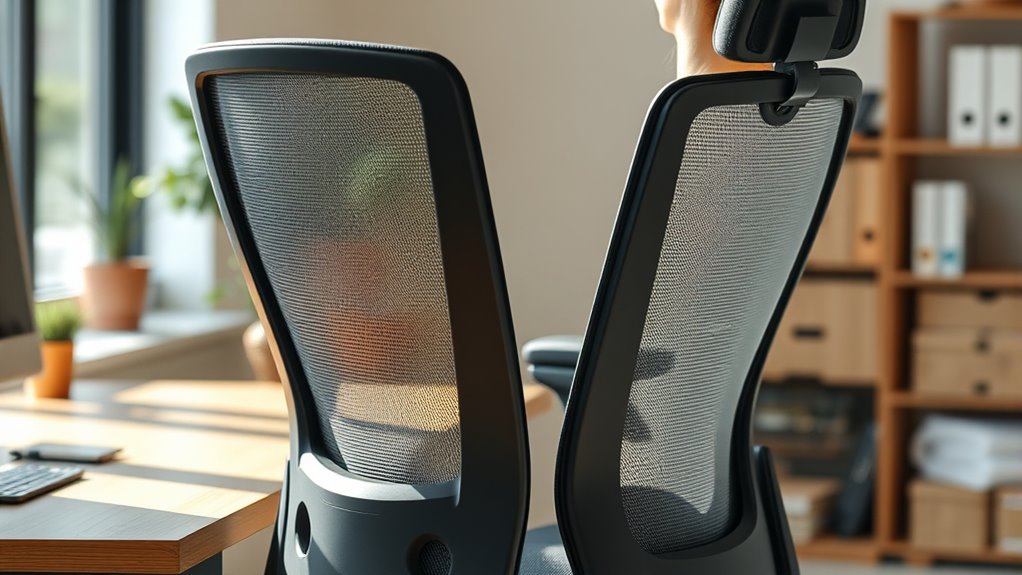

To stay comfortable during long care days, prioritize ergonomic seating by choosing a chair with adjustable height, tilt, and lumbar support. Make sure your feet are flat on the ground and your knees are at a 90-degree angle to keep proper posture. Support your lower back with built-in or added lumbar support to prevent slouching and discomfort. Continuing with these tips will help you maintain long-term musculoskeletal health and comfort.

Turn quiet afternoons into listening time
- Thousands of audiobooks, podcasts and originals
- Listen on your phone, tablet or Echo — also offline
- Cancel anytime
Key Takeaways
- Use an adjustable chair with lumbar support to maintain natural lower back curves during long shifts.
- Set the chair height so feet are flat on the ground and knees are at a 90-degree angle for optimal circulation.
- Regularly readjust the seat tilt and armrests to stay aligned and reduce muscle strain.
- Incorporate ergonomic accessories like footrests and seat cushions to enhance comfort during extended periods.
- Take frequent breaks to change posture, stretch, and support circulation, preventing stiffness and musculoskeletal issues.

Seating ergonomics focuses on designing chairs and workspaces that support your body properly, reducing strain and preventing discomfort during prolonged sitting. When your job requires long hours at a desk or workstation, choosing the right seating setup becomes essential for your comfort and health. An adjustable chair is a key component in creating an ergonomic workspace because it allows you to customize your seat height, tilt, and armrest positions to fit your body perfectly. By adjusting these settings, you can maintain a natural and relaxed posture, preventing unnecessary strain on your neck, shoulders, and back. The goal is to keep your feet flat on the ground, your knees at a 90-degree angle, and your hips aligned with your knees, which is much easier to achieve with an adjustable chair.
In addition to adjustability, lumbar support plays a critical role in ergonomic seating. Lumbar support refers to a built-in or added feature that supports the natural curve of your lower back. Without proper lumbar support, you tend to slouch or lean forward, putting extra pressure on your spine and leading to discomfort or even chronic pain over time. When selecting a chair, look for one that offers adjustable lumbar support, so you can position it snugly against your lower back, promoting better spinal alignment. This support helps maintain the curve of your lumbar spine, reducing the risk of strain and fatigue during long periods of sitting. Remember, your lower back needs to be supported in a way that encourages an upright, relaxed posture rather than forcing you to lean forward or backward.
Using an adjustable chair with proper lumbar support also helps distribute your weight evenly, alleviating pressure points that can cause discomfort. It encourages frequent posture changes, which are necessary to prevent stiffness and improve circulation. When you sit correctly with adequate lumbar support, you’ll notice less muscle tension and fatigue, allowing you to stay focused and productive longer. It’s also important to regularly readjust your chair as your comfort needs change throughout the day, ensuring ongoing support and proper alignment. Additionally, being aware of AI vulnerabilities and monitoring your workspace safety can contribute to a healthier ergonomic setup.
ergonomic office chair with adjustable lumbar support
As an affiliate, we earn on qualifying purchases.
As an affiliate, we earn on qualifying purchases.
Frequently Asked Questions
How Do I Adjust My Chair for Different Tasks During the Day?
To adjust your chair for different tasks, start by adjusting the lumbar support for proper lower back comfort. Then, modify the armrest positioning so your arms can rest naturally without strain. For tasks like typing, keep the armrests slightly higher, and for reading or watching, lower them if needed. Remember to also change your seat height to keep your feet flat on the floor and your hips aligned.
What Are Signs My Seating Setup Is Causing Discomfort?
Think of your body as a finely tuned instrument; if it’s out of tune, discomfort sounds the alarm. You might notice persistent aches, tingling, or numbness, especially in your back, neck, or legs. These signs mean your posture awareness is slipping, and your seating adjustments aren’t enough. Pay attention to these signals, and tweak your chair setup to stay comfortable and prevent long-term strain.
Can Ergonomic Chairs Prevent Long-Term Back Issues?
Yes, ergonomic chairs can prevent long-term back issues if they provide proper lumbar support and are made from breathable, comfortable chair material. When you choose a chair with adjustable lumbar support, you help maintain the natural curve of your spine, reducing strain. Additionally, quality chair material guarantees comfort during long shifts, preventing discomfort that could lead to posture problems or back pain over time.
How Often Should I Take Breaks From Sitting?
You should take breaks every 30 to 60 minutes, because your body clearly doesn’t enjoy being a stationary statue. During these breaks, stretch your routines and walk around to avoid the dreaded sedentary slump. Consider switching to standing desks when possible, because standing occasionally is the secret to a happier back and more productive you. Don’t forget—your body’s not a piece of furniture; give it some movement!
Are There Specific Cushions or Supports Recommended for Long Shifts?
You should look for specific cushions like gel or memory foam seats, which provide excellent pressure relief, and ergonomic support accessories such as lumbar rolls or seat wedges. These cushion types help maintain proper posture and reduce fatigue during long shifts. Incorporate supportive accessories that align your spine and promote comfort, ensuring you’re well-supported throughout your day. Regularly adjusting your cushions and supports can make a significant difference in comfort and health.
Conclusion
So, next time you’re glued to your chair all day, remember: perfect ergonomics might just make you feel like royalty—until your back protests. Sure, investing in a fancy seat sounds great, but let’s be honest, isn’t the real secret just pretending your discomfort is part of the charm? Keep your posture in check, or soon you’ll be the star of your own “how not to sit” cautionary tale. Cheers to comfy, pain-free days—if only in dreams!
Fall Picks
fall essentials
As an affiliate, we earn on qualifying purchases.