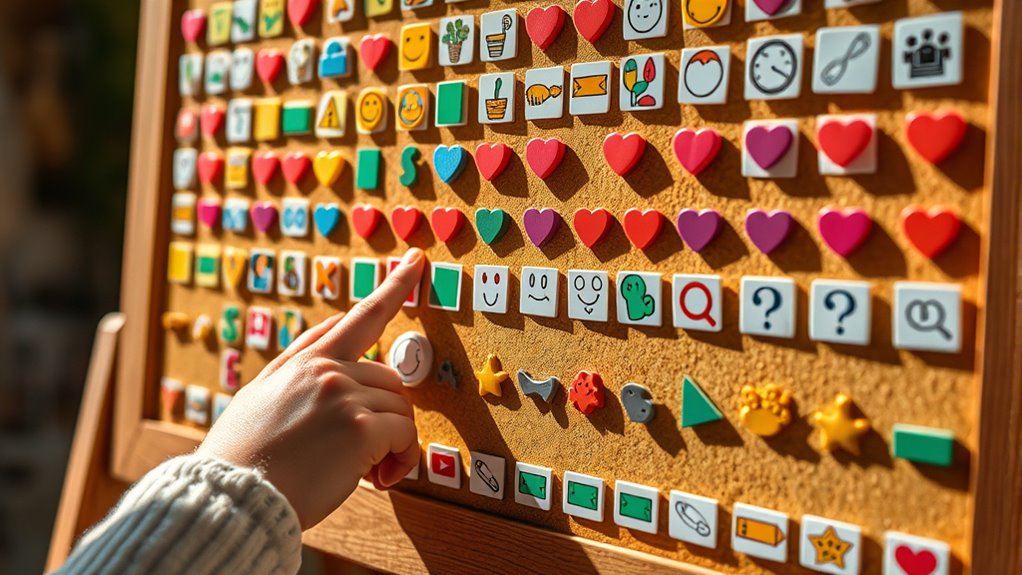

To set up a low-tech communication board, choose simple, relevant symbols or pictures that match the user’s daily needs and preferences. Keep the layout organized and easy to navigate, using recognizable images for quick understanding. Practice introducing the board and encouraging its use consistently during routines. Be patient, offer positive reinforcement, and regularly update the symbols as needs change. If you want to learn more about making these boards effective, keep exploring the key tips ahead.

Get comfort and care essentials delivered free — and shop member deals
- Fast, free delivery on millions of items
- Access to Prime Big Deal Days deals on October 6–7
- Prime Video, Amazon Music and more included
Key Takeaways
- Use simple, organized layouts with relevant symbols tailored to the user’s needs and abilities.
- Incorporate recognizable images on durable materials like paper, plastic, or cardboard.
- Train caregivers to introduce, model, and encourage consistent use during daily routines.
- Keep the communication board accessible, visually clear, and regularly updated to reflect changing needs.
- Foster a supportive environment with patience, positive reinforcement, and ongoing practice.
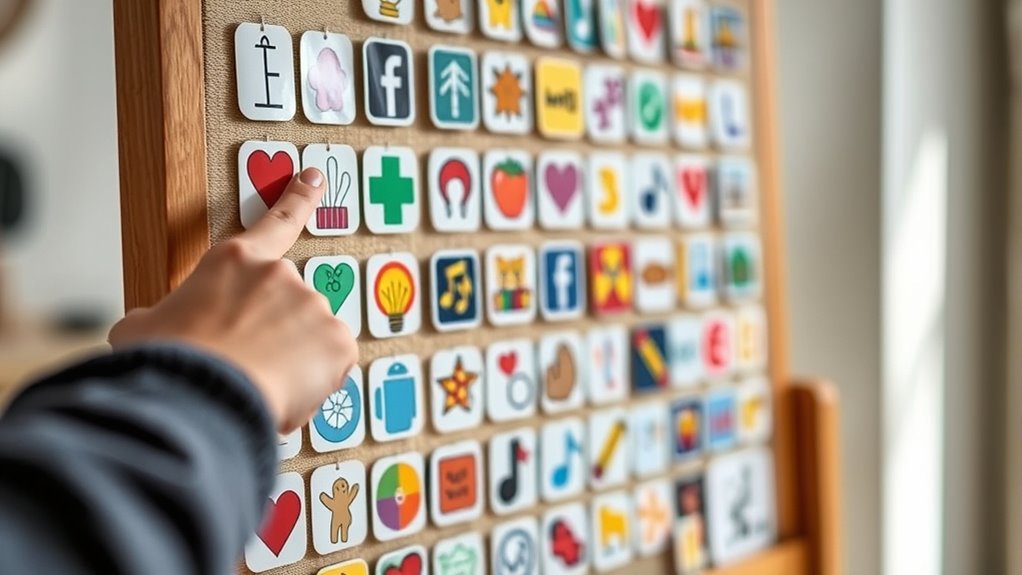
Low-tech communication boards are simple yet powerful tools that help individuals with speech or language difficulties express themselves. They are usually made with paper, plastic, or cardboard, featuring symbols, pictures, or words that represent common needs and wants. These boards serve as a visual aid, allowing users to point to images instead of speaking, which can reduce frustration and improve communication. Setting up a communication board involves choosing relevant images or words that match the user’s daily routines and needs. You want to keep it simple and organized, with clear, easily recognizable symbols. When designing the board, consider the person’s age, cognitive level, and language abilities to guarantee the symbols are meaningful and accessible.
Digital customization can enhance a traditional communication board by allowing you to tailor the symbols and layout specifically to the user’s preferences and progress. Many software programs and apps enable you to create personalized boards that can be printed or used digitally on tablets or other devices. This flexibility helps keep the communication tool engaging and relevant, especially as the individual’s needs evolve. Digital customization also allows you to easily update the symbols, add new words, or adjust the layout, making it a dynamic resource that can grow with the user.
Caregiver training plays a vital role in making the most out of a communication board. As a caregiver, you need to learn how to introduce the board effectively and encourage its use consistently. Training involves understanding how to model its use, prompt the individual to communicate, and interpret their pointing or gestures accurately. It’s important to foster an environment where the individual feels comfortable and motivated to express themselves. You should also learn how to incorporate the board into daily routines seamlessly, so it becomes a natural part of communication. Regular practice and positive reinforcement help build confidence for both you and the user.
Getting familiar with the setup and use of low-tech communication boards isn’t complicated, but it does require patience and attention to detail. By selecting relevant symbols, utilizing digital customization options, and investing in caregiver training, you create an empowering communication tool. This approach not only helps the individual express themselves more effectively but also strengthens your connection and understanding. Remember, the goal is to make communication accessible and meaningful, so keep the process flexible and adaptable to the person’s changing needs. With consistent effort, a simple communication board can make a significant difference in everyday interactions, fostering independence and confidence.
As an affiliate, we earn on qualifying purchases.
Frequently Asked Questions
What Are the Best Materials for Durable Communication Boards?
You should choose durable materials like laminated paper, plastic, or acrylic for your communication boards. These materials resist wear and tear, ensuring longevity. Look for options with sensor integration capabilities to enhance functionality. Opt for portable designs that are lightweight yet sturdy, making it easy to carry and use in various settings. This combination guarantees a reliable, long-lasting communication tool tailored to your needs.
How Can I Personalize Boards for Individual Users?
You can personalize communication boards by incorporating customization options that reflect each user’s preferences. Use images, symbols, or words meaningful to them, and arrange the layout for easy access. Consider their interests, daily routines, and communication needs to tailor the board. You might add favorite colors or specific objects to make it more engaging. This personalized approach helps users feel more comfortable and confident in their communication.
Are There Age-Specific Design Considerations?
Did you know that incorporating age-appropriate design boosts communication success by 60%? When creating low-tech communication boards, consider developmental considerations and tailor designs to age. For young children, use bright colors and simple images, while older users benefit from more detailed visuals and text. Ensuring age-specific design helps users engage confidently, making communication more effective and enjoyable for everyone involved.
How Do I Teach Users to Effectively Utilize the Boards?
To teach users to effectively utilize the boards, start with gesture training to build confidence and understanding. Encourage them to point, tap, or gesture to communicate their needs. Introduce vocabulary gradually, focusing on common words and phrases, and reinforce these through repetition. Use real-life scenarios to practice, and celebrate successes to boost motivation. Consistent practice helps users expand their vocabulary and become more independent in using the communication board.
What Maintenance Is Required to Keep the Boards Functional?
You should establish regular cleaning routines to keep the communication boards hygienic and free of dust or debris. Check the materials periodically for wear and tear, replacing any damaged or faded parts to guarantee visibility and durability. Keep the boards in a safe, accessible location to prevent damage, and encourage users to report any issues promptly. Consistent maintenance helps maintain the boards’ functionality and longevity for effective communication.
Conclusion
Now that you understand how to set up and use low-tech communication boards, you can empower others to express themselves, foster understanding, and build connections. By choosing pictures, organizing words, and practicing patience, you create a supportive environment. Remember, simple tools can make a big difference. Embrace the chance to enhance communication, encourage independence, and promote inclusion. With your dedication, you turn a basic board into a bridge that brings people closer together.
Halloween Picks
halloween
As an affiliate, we earn on qualifying purchases.