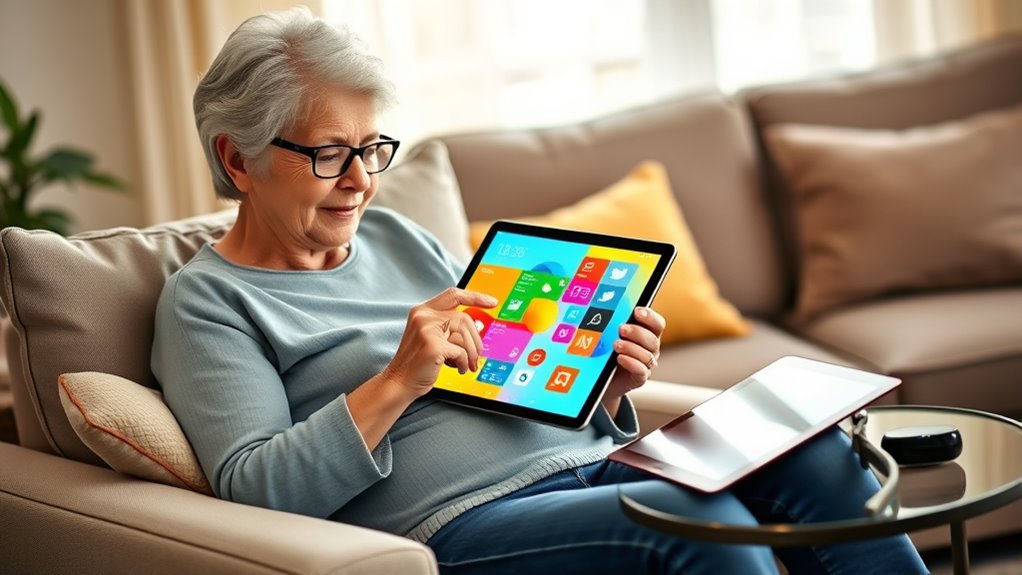

Finding a tablet suited for seniors involves balancing simplicity with functionality. The GrandPad stands out as the best overall choice for its intuitive interface and dedicated support. The Amazon Fire HD 10 offers excellent value with a large display, while the AGM PAD T2 impresses with its bright screen and robust build. However, many options trade off advanced features for simplicity or vice versa. Continue reading for a detailed breakdown of the best senior friendly tablets and how to choose the right one for your needs.
Complete the kit


Key Takeaways
- The best tablets combine simple interfaces with essential features, avoiding overwhelming complexity.
- Display size and screen brightness are key for readability, especially for users with vision challenges.
- Build quality and included accessories like cases or styluses can significantly impact ease of use.
- Price varies widely, but investing in a device with dedicated support or simplified UI often pays off.
- Battery life and connectivity options remain critical for uninterrupted usage and convenience.





| senior friendly tablet | Display | Storage | Processor | Battery |
|---|---|---|---|---|
| 10-inch Android Tablet with 32 | 10.1-inch HD IPS, 1280×800 | 32GB internal, expandable up to 1TB | Quad-core | 6000mAh |
| AGM PAD T2 Tablet | 11" FHD 1920×1200, 500-nit | 256GB | — | 7850mAh |
| Lenovo Tab One | 8.7-inch HD | 64 GB | — | — |
| Amazon Fire HD 10 Tablet | 10.1" Full HD | 32 GB | Octa-core | — |
| Jeazans 2026 Upgraded Android | 10.1 inch IPS, 800×1280 HD | 64GB (expandable to 1TB) | 8-core | 6000mAh |
| GrandPad Easy-to-Use Tablet & | — | — | — | — |
| Coopers 10-inch Android Tablet | 10 inch IPS Touch Screen | 32GB ROM, expandable to 1TB | Quad Core | 6000mAh |
More Details on Our Top Picks
10-inch Android Tablet with 32GB Storage and 1TB Expandable
This 10.1-inch Android tablet stands out for its expandable storage and family-friendly features, making it a top choice for those who want a versatile device for entertainment and light productivity. Compared with the Amazon Fire HD 10, it offers more flexibility with storage and parental controls, but its lower resolution and basic specs may not satisfy users seeking high-end performance. Its long battery life and expandable microSD slot are key benefits for families who want to share media and run multiple apps without constantly recharging.
This pick makes the most sense for families who need a flexible, multi-use device that balances affordability with expandability.
Pros:- Expandable storage up to 1TB for extensive media and app libraries
- Vivid HD IPS display with wide viewing angles
- Long-lasting 6000mAh battery supports all-day use
- Supports parental controls for safe family use
Cons:- Limited internal storage without expansion, which could be restrictive
- Resolution may fall short of premium tablets, affecting media quality
Best for: Families seeking a budget-friendly, expandable tablet suitable for both adults and children.
Not ideal for: High-performance users or those needing crisp, high-resolution displays for professional tasks, as the resolution is limited.
- Display:10.1-inch HD IPS, 1280×800
- Storage:32GB internal, expandable up to 1TB
- Processor:Quad-core
- Battery:6000mAh
- Connectivity:WiFi 6, Bluetooth, Type-C, 3.5mm jack
- Camera:Dual cameras (front and rear)
Our verdict“This tablet is best suited for families who want a flexible, affordable device with expandable storage and parental controls.”
AGM PAD T2 Tablet, 11″ FHD 500-Nit Display, 256GB Storage, Includes Case & Screen Protector
The AGM PAD T2 offers a large 11-inch FHD display with a remarkable 500-nit brightness, making it ideal for outdoor reading and streaming. Its 256GB storage surpasses many competitors like the Amazon Fire HD 10, providing ample space for media and apps. The included rugged case and screen protector add durability, while the 7850mAh battery supports extended daily use. However, it is primarily designed for basic tasks and may struggle with heavy applications, and does not feature stylus support or advanced camera options.
This device makes sense for users who prioritize clarity and outdoor usability but don’t require high-end processing power or stylus features.
Pros:- Bright 11-inch FHD display perfect for outdoor environments
- Generous 256GB storage for media and apps
- Includes protective case and screen protector for added durability
- Long battery life supports extended use
Cons:- Designed mainly for basic tasks, limiting heavy app use
- No stylus or advanced input options
Best for: Seniors and casual users who want a bright, easy-to-read screen for reading, streaming, and light browsing outdoors.
Not ideal for: Power users or those needing high-performance multitasking or stylus support, as it’s more focused on display quality and durability.
- Display:11″ FHD 1920×1200, 500-nit
- Storage:256GB
- Battery:7850mAh
- Included Accessories:Case, Screen Protector
Our verdict“This tablet is ideal for seniors who want a bright, durable device for reading and streaming outdoors without high-performance demands.”
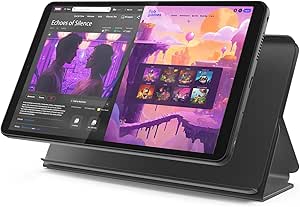
Lenovo Tab One – 8.7-inch HD Display, 4GB RAM, 64GB Storage, MediaTek Helio G85, Includes Folio Case
The Lenovo Tab One with its 8.7-inch HD display offers a lightweight and manageable size, making it perfect for seniors who value portability. Its 4GB RAM and MediaTek Helio G85 processor provide sufficient performance for everyday tasks like browsing, video calls, and streaming, similar to the Amazon Fire HD 10, but in a smaller form factor. Its long battery life of up to 12.5 hours and included folio case with stand enhance versatility. However, the smaller screen size may not appeal to users who prefer larger displays, and it lacks 4G LTE connectivity, limiting mobility.
This makes sense for seniors who prefer a compact device that’s easy to carry and handle but don’t need cellular connectivity or a large screen.
Pros:- Lightweight and compact design for easy handling
- Long-lasting 12.5-hour battery for daily use
- Includes a protective folio case with stand
- Decent performance for browsing, streaming, and video calls
Cons:- Limited to 8.7-inch screen size, which may be small for some
- No mention of cellular network support
Best for: Seniors who want a portable, easy-to-hold tablet for casual use and video streaming on the go.
Not ideal for: Those who need a larger screen for reading or detailed tasks, or require LTE connectivity for cellular use.
- Display:8.7-inch HD
- Memory:4 GB RAM
- Storage:64 GB
- Battery Life:Up to 12.5 hours
Our verdict“This tablet is best suited for seniors seeking a portable device for casual, on-the-go use with good battery life.”
Amazon Fire HD 10 Tablet, 10.1″ Full HD, Octa-core, 4 GB RAM, 32 GB, Black
The Fire HD 10 offers a large 10.1-inch Full HD display and octa-core processing power, making it a practical choice for entertainment and casual browsing. Its 32GB storage is modest but expandable via micro-SD, similar to the 10-inch Android Tablet, though internal storage can quickly fill without expansion. The device’s long 13-hour battery life and durable design with strengthened glass cater to seniors who prioritize longevity and resilience. Family-friendly features like parental controls and Alexa integration add to its appeal. However, its limited internal storage without expansion and the need to purchase some features separately could be drawbacks for heavier media users.
This makes sense for users on a budget who want a simple, durable device for streaming and light tasks, especially within the Amazon ecosystem.
Pros:- Vivid 10.1″ Full HD display for media consumption
- Long battery life of up to 13 hours
- Durable design with reinforced glass
- Family-friendly features like parental controls and Alexa
Cons:- Limited internal storage at 32GB without micro-SD expansion
- Some features require additional purchases or subscriptions
Best for: Seniors who want an affordable, family-friendly tablet primarily for streaming, reading, and light browsing.
Not ideal for: Power users or those needing extensive internal storage or stylus compatibility for creative tasks.
- Display:10.1″ Full HD
- Processor:Octa-core
- RAM:4 GB
- Storage:32 GB
- Battery Life:13 hours
- Expandable Storage:Up to 1 TB micro-SD
Our verdict“This tablet is a great choice for budget-conscious seniors seeking a durable, media-focused device for everyday use.”
Jeazans 2026 Upgraded Android 16 Tablet with 64GB+1TB Expand, 10.1 inch, 8-Core, Dock Station, Gemini AI, WiFi 6, Bluetooth 5.4
The Jeazans 2026 Android tablet combines affordability with impressive specs, including a 10.1-inch IPS display and 8-core processor, making it suitable for multitasking and media consumption. Its 64GB storage, expandable to 1TB via TF card, rivals more expensive models like the AGM PAD T2, but adds a unique AI smart speaker dock for voice commands and charging, enhancing convenience. The long battery life and WiFi 6 support ensure reliable connectivity. However, expandable storage requires purchasing a separate TF card, and camera quality details are limited, which could matter for video calls or photos.
This device fits well for seniors who want a feature-packed, budget-friendly tablet with smart home integration and long-lasting battery life.
Pros:- Affordable with high-end features like WiFi 6 and Bluetooth 5.4
- Includes a versatile dock station for charging and entertainment
- Vivid 10.1-inch display with wide viewing angles
- Long-lasting battery with wireless charging support
Cons:- Expandable storage needs a separate TF card purchase
- Limited camera details may impact video call quality
Best for: Tech-savvy seniors or adults looking for a budget-friendly tablet with AI features and good connectivity options.
Not ideal for: Users seeking a simple, straightforward device without extra smart features or expandable storage setup.
- Display:10.1 inch IPS, 800×1280 HD
- Processor:8-core
- RAM:36GB (6+30GB)
- Storage:64GB (expandable to 1TB)
- Battery:6000mAh
- Connectivity:WiFi 6, Bluetooth 5.4
Our verdict“This tablet offers a balanced mix of performance, smart features, and affordability for tech-oriented seniors seeking connectivity and convenience.”
GrandPad Easy-to-Use Tablet & Phone for Seniors
The GrandPad stands out as the most comprehensive senior-focused tablet, prioritizing safety, simplicity, and connection. Its large icons and intuitive interface make navigation straightforward, especially compared with the more versatile Coopers 10-inch Android Tablet, which offers more multimedia flexibility but can overwhelm less tech-savvy users. The built-in secure network effectively blocks spam and scams, adding peace of mind, but this security comes with the tradeoff of requiring an active plan, making it less appealing for those seeking a truly device-only solution. Unlike the Coopers tablet, which is better suited for tech-savvy seniors interested in multimedia and expandable storage, GrandPad emphasizes ease of use and safety for those who prefer minimal setup and worry less about multimedia versatility. The subscription plan might deter some, but for seniors who value a curated, worry-free experience, this choice delivers unmatched simplicity and security.
Pros:- Large icons and easy-to-navigate interface simplify daily use
- Secure network blocks spam, scams, and unwanted calls
- Designed specifically for senior safety and engagement
- Includes curated apps for photo sharing, video calls, and games
Cons:- Requires activation and a paid subscription for full features
- Limited functionality without an active plan
- Not compatible with common wireless carriers like Consumer Cellular
Best for: Seniors who want a simple, secure device optimized for staying connected with family and avoiding scams.
Not ideal for: Tech-savvy users or those seeking a device primarily for extensive multimedia use without ongoing costs.
- Designed for:Seniors
- Connectivity:Wi-Fi only
- Includes:Tablet and phone
- Features:Large icons, easy navigation, spam/scam blocking, voice/video calls, photo sharing
- Plans:Starting at $25/month or $275/year
- Customer Support:U.S.-based
Our verdict“This tablet offers the best combination of simplicity and safety for seniors prioritizing connection and security over multimedia flexibility.”
Coopers 10-inch Android Tablet, 15 System, 32GB ROM, 1TB Expandable, Quad-Core, 6000mAh Battery, IPS Touch Screen, Dual 8MP & 2MP Cameras, Bluetooth & WiFi
The Coopers 10-inch Android Tablet makes a compelling choice for seniors who want a device capable of both entertainment and communication, especially compared with the more restricted GrandPad. Its latest Android 15 system ensures smooth performance for browsing, reading, and video streaming, while the expandable storage up to 1TB addresses the limited internal capacity of many senior-centric tablets. However, this device’s interface and features can be overwhelming for seniors who prefer a simplified experience, unlike the GrandPad’s curated app environment. While the Coopers tablet excels for users comfortable with more complex features, it may require more setup and tech support, making it less ideal for those seeking an ultra-easy device. On the upside, the long-lasting battery and sharp display support extended multimedia sessions, but the internal storage might still require managing if users install many apps or store lots of media.
Pros:- Latest Android 15 ensures smooth, responsive performance
- Expandable storage up to 1TB addresses internal storage limitations
- Long battery life supports 8-10 hours of use
- Bright IPS display with sharp colors enhances media experience
Cons:- Limited internal storage without expansion can be restrictive
- Front camera quality is basic, less suitable for video calls
- No rugged or waterproof features for outdoor durability
Best for: Tech-savvy seniors or caregivers wanting a versatile, multimedia-capable device that handles reading, video, and online chatting.
Not ideal for: Seniors who prefer minimal setup and simple interfaces, or those who are easily overwhelmed by advanced features.
- Display:10 inch IPS Touch Screen
- Resolution:1280×800
- Processor:Quad Core
- RAM:8GB (3+5GB Expand)
- Storage:32GB ROM, expandable to 1TB
- Battery:6000mAh
- Cameras:Back 8MP, Front 2MP
- Connectivity:Bluetooth 4.2, WiFi 2.4G
Our verdict“This tablet is ideal for seniors comfortable with technology who want a powerful device for multimedia and online activities, accepting a steeper learning curve.”
How We Picked
To evaluate these senior friendly tablets, I focused on usability, display quality, build durability, and value for money. Devices that featured simplified interfaces or dedicated support were prioritized, as ease of use is critical for seniors. I also considered hardware specs like screen size, brightness, and battery life, ensuring they meet common needs such as reading, video calls, and browsing. The ranking reflects a balance between affordability and functional simplicity, ensuring each option stands out for specific user priorities.| senior friendly tablet | Connectivity |
|---|---|
| 10-inch Android Tablet with 32 | WiFi 6, Bluetooth, Type-C, 3.5mm jack |
| AGM PAD T2 Tablet | — |
| Lenovo Tab One | — |
| Amazon Fire HD 10 Tablet | — |
| Jeazans 2026 Upgraded Android | WiFi 6, Bluetooth 5.4 |
| GrandPad Easy-to-Use Tablet & | Wi-Fi only |
| Coopers 10-inch Android Tablet | Bluetooth 4.2, WiFi 2.4G |
Factors to Consider When Choosing Senior Friendly Tablets
Choosing the right senior friendly tablet involves more than just looking at specs; it requires understanding what features support ease of use, safety, and long-term satisfaction. Factors like screen clarity, interface simplicity, and durability play a big role in daily comfort. Additionally, considering support options and future-proofing can help avoid frustration or the need for early replacement. This guide highlights key considerations to help you find a device that truly meets senior needs while offering good value for the investment.Ease of Use and Interface Design
For seniors, an intuitive, clutter-free interface can make or break their experience. Devices with simplified home screens, large icons, and straightforward navigation reduce frustration and learning curves. Look for tablets that offer dedicated senior modes or customized launchers, which streamline access to essential apps. Avoid overly complex settings menus or devices that require frequent manual adjustments, as these can cause confusion over time.
Display Size and Brightness
Clear, bright screens are vital for users with visual impairments or age-related vision issues. Larger displays, around 8 to 10 inches, offer easier reading and better visibility for video calls or reading ebooks. Brightness levels that can be easily adjusted help ensure readability in various lighting conditions. Be wary of screens that are too small or dim, which can cause eye strain or make navigation difficult.
Build Quality and Accessories
Durability matters when devices are used frequently or handled by those with less dexterity. Devices with sturdy construction and included protective cases reduce accidental damage. Features like textured grips and lightweight designs improve handling. Accessories such as styluses, stands, or simplified cases can enhance usability, especially for those with limited fine motor skills or who prefer larger touch targets.
Price and Support
While budget-friendly options are tempting, investing in a device with dedicated customer support or simplified setup can save time and frustration. Premium models may offer better durability, longer software support, and easier onboarding. Consider warranties or access to tech help, which can be invaluable for seniors who need assistance. Balance cost with the value of ongoing support and ease of use.
Battery Life and Connectivity
Long-lasting batteries ensure the device stays powered through daily activities without frequent recharging. Look for tablets with at least 8-10 hours of battery life. Reliable Wi-Fi and Bluetooth connections are essential for video calls, app downloads, and media streaming. Devices that handle these seamlessly reduce the need for technical troubleshooting, making daily use more convenient.
Frequently Asked Questions
What is the best tablet for a senior with limited tech experience?
The GrandPad is designed specifically for seniors with limited tech experience, offering an extremely simplified interface, large icons, and dedicated customer support. Its purpose-built design minimizes the learning curve, making it easier for users to connect with family and access essential apps without confusion. While it may lack some advanced features, its focus on simplicity provides peace of mind and straightforward usability.
Are larger screens always better for seniors?
Generally, larger screens improve readability and ease of navigation, especially for those with visual impairments. An 8- to 10-inch display balances portability with visibility, making it easier to read text or see video calls clearly. However, very large devices can be heavier or less convenient to hold for extended periods. The ideal size depends on individual preferences and physical comfort, but generally, a bigger, bright screen offers tangible benefits for seniors.
Should I prioritize a tablet with a built-in support service?
Yes, especially if the senior user has minimal technical skills or expects occasional help. Devices like the GrandPad or those with dedicated customer support can reduce frustration and downtime. Support services can assist with setup, troubleshooting, or app management, which are common hurdles for non-tech-savvy users. Investing in support often leads to better long-term satisfaction and less stress for both users and caregivers.
How important is battery life in choosing a senior tablet?
Battery life is a key factor because it determines how often the device needs recharging, impacting daily convenience. A battery lasting at least 8 hours ensures the device can handle a full day of use without interruption. For seniors who travel or use their tablets throughout the day, longer battery life reduces the need for frequent charging, which can sometimes be a complicated task for less tech-savvy users.
Are there any risks in choosing a budget-friendly senior tablet?
While budget options can be appealing, they sometimes compromise on screen quality, build durability, or ease of use. Cheaper tablets may lack sufficient support or updates, leading to security issues or software obsolescence. Additionally, they might have less responsive touchscreens or dim displays, which can frustrate users. It’s essential to weigh cost savings against these potential drawbacks to find a device that remains reliable and user-friendly over time.
Conclusion
For those seeking the best overall experience, the GrandPad remains the top choice, especially for seniors new to technology or requiring dedicated support. The Amazon Fire HD 10 offers excellent value for users comfortable with some tech familiarity and looking for a larger screen. For premium needs, devices with higher build quality and support, like certain Android tablets with simplified interfaces, can be worthwhile investments. Beginners or those with limited dexterity should lean toward devices with large icons and straightforward navigation, while caregivers might prioritize support and durability. Consider your specific needs, comfort level, and budget to find the perfect senior friendly tablet in 2026.