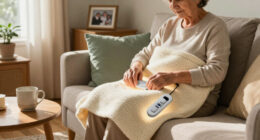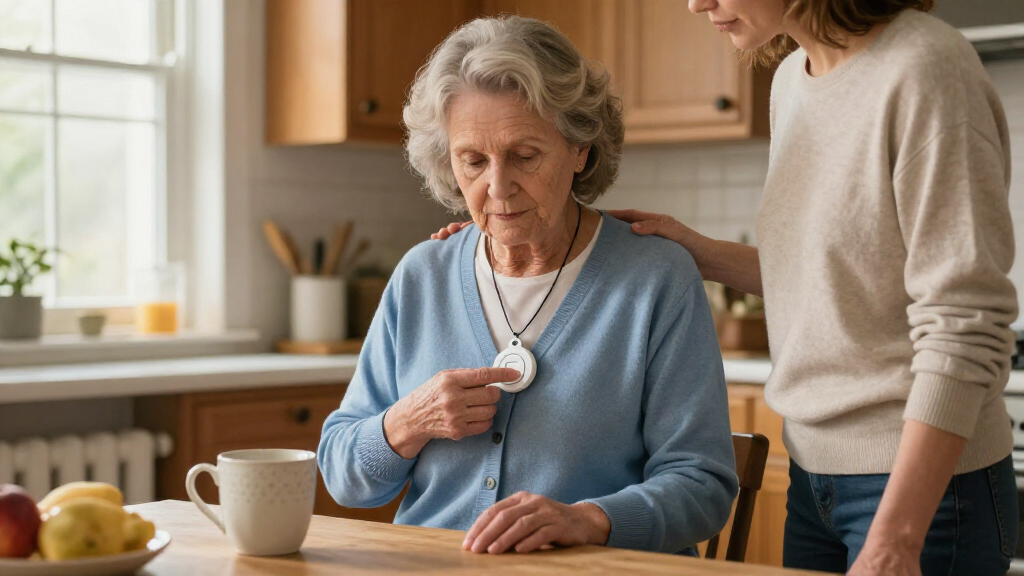

For older adults who may need help quickly, the Medical Guardian MGMini is my best overall pick because its compact mobile design supports more than a home-only routine. The MGHome Cellular is a better fit for someone who stays home and wants a dedicated base system, while the SecuLife pendant stands out for GPS tracking and fall detection. The main choice is between a simple call button that alerts a nearby caregiver and a monitored system designed to reach help beyond the home. Connection requirements, fall-detection limits, and ongoing service needs can change which option makes sense. Read on for the full breakdown and advice on matching a system to the senior’s routines.

Turn quiet afternoons into listening time
- Thousands of audiobooks, podcasts and originals
- Listen on your phone, tablet or Echo — also offline
- Cancel anytime
Complete the kit


Key Takeaways
- Wearable mobility separates the leading options: the MGMini and SecuLife are better suited to people who leave home, while the MGHome Cellular is built around home use.
- Caregiver pagers serve a different purpose from emergency-response systems: the Daytech and Wi-Fi kits can alert someone nearby, but they should not be treated as substitutes for a monitored service when no caregiver is present.
- Fall detection is not a guarantee of help: SecuLife includes it, but buyers should still check how alerts are handled and whether the feature fits the wearer’s daily routine.
- Landline and cellular options solve different connectivity problems: Freedom Alert uses a landline, while MGHome Cellular is aimed at homes without relying on a landline connection.
- Multiple buttons do not automatically mean better coverage: the PRNBRH, waterproof wrist-and-necklace system, and Wi-Fi kits offer different button and receiver combinations, so placement and who will hear the alert matter as much as the number of devices.
| Daytech Wireless Caregiver Pager System with Call Buttons, Watches, and Portable Receivers |  | Best for Multi-Room Caregiver Alerts | Model: E-01W | Included items: 2 watches, 2 call buttons, 3 receivers | Maximum range: Up to 100 ft (30 m) | VIEW LATEST PRICE | See Our Full Breakdown |
| PRNBRH Senior Medical Alert System with App, Waterproof Wristband, Receiver, and LED Display |  | Best for Shared Caregiver Notifications | Model: CF106 | Included components: 2 panic buttons, 1 wristband remote, 1 receiver | Connectivity: 2.4 GHz Wi-Fi and wireless signal | VIEW LATEST PRICE | See Our Full Breakdown |
| 911 Help Now Medical Alert Pendant with Direct 911 Calling |  | Best for Direct 911 Calling Without a Subscription | Connectivity: Built-in 4G cellular | Emergency calling: Direct call to 911 | SOS activation: Press and hold for 3 seconds | VIEW LATEST PRICE | See Our Full Breakdown |
| Freedom Alert Landline Personal Emergency Device with Two-Way Communication |  | Best for Landline-Only Home Use | Connection: Existing landline required | Communication: Two-way voice | Emergency contacts: 911 dispatchers, emergency personnel, family, and friends | VIEW LATEST PRICE | See Our Full Breakdown |
| Medical Guardian MGMini Medical Alert Device for Seniors, Rose Gold |  | Best for Portable Professional Monitoring | Model: MGMini | Connectivity: Cellular with Wi-Fi backup | Monitoring: 24/7 emergency monitoring; subscription required | VIEW LATEST PRICE | See Our Full Breakdown |
| Wi-Fi Caregiver Pager System with Waterproof Call Button, Watch Button, and Receiver |  | Best for Shared Household Alerts | Included components: 1 waterproof call button, 1 watch button, 1 receiver | Wi-Fi compatibility: 2.4 GHz only | Maximum range: 656 feet (200 meters) | VIEW LATEST PRICE | See Our Full Breakdown |
| Medical Guardian MGMini Medical Alert Device for Seniors, Silver |  | Best for Mobile Monitored Protection | Connectivity: Cellular with Wi-Fi backup | Monitoring: 24/7 subscription required; activation required before use | Communication: Two-way speakerphone | VIEW LATEST PRICE | See Our Full Breakdown |
| Medical Guardian MGHome Cellular Medical Alert System for Seniors |  | Best for Monitored In-Home Coverage | Coverage range: Up to 1,400 feet | Monitoring: 24/7 emergency operator support; activation required | Communication: Two-way speaker | VIEW LATEST PRICE | See Our Full Breakdown |
| Waterproof Medical Alert System with Wrist and Necklace Help Buttons |  | Best for Landline-Based Family Calling | Included help buttons: 2: 1 wrist button and 1 necklace button | Maximum help buttons: 8 | Wireless range: 70,000 square feet | VIEW LATEST PRICE | See Our Full Breakdown |
| SecuLife Medical Alert Pendant with Fall Detection, GPS Tracking, and Two-Way Calling |  | Best for Fall Detection and Family Location Updates | Connectivity: 4G LTE cellular | Emergency features: Automatic fall detection and SOS alerts | Location features: GPS tracking, geofencing, and up to one year of location history | VIEW LATEST PRICE | See Our Full Breakdown |
| Wi-Fi Caregiver Alert System with Pendant, Wrist Button, and Receiver |  | Best for Home App-and-Receiver Alerts | Brand: TurboSense | Connectivity: 2.4GHz Wi-Fi and 433MHz signal | Maximum range: Up to 656 feet (200 meters) in open areas; walls and interference may reduce range | VIEW LATEST PRICE | See Our Full Breakdown |
| medical alert systems for senior | Connectivity |
|---|---|
| Daytech Wireless Caregiver Pag | — |
| PRNBRH Senior Medical Alert Sy | 2.4 GHz Wi-Fi and wireless signal |
| 911 Help Now Medical Alert Pen | Built-in 4G cellular |
| Freedom Alert Landline Persona | — |
| Medical Guardian MGMini Medica | Cellular with Wi-Fi backup |
| Wi-Fi Caregiver Pager System w | — |
| Medical Guardian MGMini Medica | Cellular with Wi-Fi backup |
| Medical Guardian MGHome Cellul | — |
| Waterproof Medical Alert Syste | — |
| SecuLife Medical Alert Pendant | 4G LTE cellular |
| Wi-Fi Caregiver Alert System w | 2.4GHz Wi-Fi and 433MHz signal |
More Details on Our Top Picks
Daytech Wireless Caregiver Pager System with Call Buttons, Watches, and Portable Receivers
Three receivers and multiple ways to call for help make the Daytech a practical fit for households where a caregiver may be in a different room. The two call buttons can be wall-mounted, while the two watch pagers offer another way for the user to alert someone; compared with the PRNBRH system, the extra receivers and wearable transmitters suit a shared home setup, though PRNBRH adds app notifications and a longer stated range.
The tradeoff is that this is a local caregiver pager, not a monitored medical alert service: alerts go to its receivers, not automatically to emergency services. Its range is up to 100 feet, and the buttons are splash-proof rather than suitable for immersion, so they should be removed for bathing. I’d choose it for nearby caregivers who can respond, not for someone who lives alone and needs outside emergency response.
Pros:- Includes two watch pagers, two call buttons, and three receivers for a shared household setup.
- Up to 100 feet of stated range supports alerts between nearby rooms.
- Twenty ringtone options and adjustable volume let caregivers tailor the alert.
- Call buttons can be wall-mounted and are splash-proof.
Cons:- Alerts only the system’s receivers; it does not provide a monitoring center or direct 911 calling.
- The stated range is limited to up to 100 feet.
- Devices should not be immersed, so the call buttons must be removed before bathing or showering.
Best for: Seniors living with a caregiver who want several alert points and receivers placed around the home.
Not ideal for: People who live alone, need automatic emergency-service contact, or want a button they can wear in the shower.
- Model:E-01W
- Included items:2 watches, 2 call buttons, 3 receivers
- Maximum range:Up to 100 ft (30 m)
- Ringtones:20
- Power source:Battery-powered
- Batteries:4 x 12V alkaline batteries, included
- Call button water resistance:Splash-proof; do not immerse
- Mounting:Wall mount
Our verdict“Choose Daytech when an older adult has an on-site caregiver who needs several simple ways to call for help around the home.”
PRNBRH Senior Medical Alert System with App, Waterproof Wristband, Receiver, and LED Display
The PRNBRH combines a loud in-home receiver with app alerts, making it a stronger fit than the Daytech Wireless Caregiver Pager when caregivers may be away from the receiver but still have their phones. Its display shows which button was pressed, helping a household tell whether the alert came from a panic button or the wrist remote. The wireless signal is specified for up to 300 feet and works independently of the internet, while app features use 2.4 GHz Wi-Fi.
That mix does not make it a monitored emergency service: the receiver sounds and the app notifies caregivers, but the product data does not describe automatic dispatch or direct 911 calling. Only the wrist-worn remote is waterproof; the panic buttons are not. Basic use has no monthly fee, but SMS notifications require a subscription. Choose it over Daytech for app sharing and shower-ready wrist use, and skip it if you need professional monitoring.
Pros:- Wrist remote is waterproof for use while showering.
- Wireless signal has a stated range of up to 300 feet and works independently of internet service.
- LED number display identifies which button triggered the alert.
- App notifications can be shared with multiple caregivers.
Cons:- Only the wrist-worn remote is waterproof; the panic buttons are not.
- App connectivity supports 2.4 GHz Wi-Fi, not 5 GHz Wi-Fi.
- SMS notifications require a subscription, and the system does not provide described professional monitoring.
Best for: Families who want a loud home receiver plus shared smartphone alerts and a wrist remote that can be worn in the shower.
Not ideal for: Seniors who need a monitoring center or direct emergency-service connection, or households using only 5 GHz Wi-Fi.
- Model:CF106
- Included components:2 panic buttons, 1 wristband remote, 1 receiver
- Connectivity:2.4 GHz Wi-Fi and wireless signal
- Maximum range:Up to 300 feet
- Receiver display:LED number display
- Alarm volume:110 dB
- App control:Tuya Smart or Smart Life
- Waterproof component:Hand-worn remote only
Our verdict“Pick PRNBRH for a caregiver network that values a long-range home alarm and app sharing, but not as a substitute for monitored emergency response.”
911 Help Now Medical Alert Pendant with Direct 911 Calling
Unlike the Daytech and PRNBRH caregiver systems, the 911 Help Now pendant is designed to call 911 directly rather than alert a nearby receiver or notify a family app. Pressing and holding SOS for three seconds starts a call over built-in 4G cellular, and the microphone and speaker let the wearer speak with a dispatcher. There is no monitoring center or monthly service charge, which suits someone who wants a direct route to emergency services rather than a caregiver response network.
The tradeoff is that help depends on compatible cellular coverage, and the wearer must be able to activate the device and communicate with the dispatcher. It uses three AAA batteries rather than a rechargeable battery, so battery readiness needs attention. Compared with the subscription-based Medical Guardian MGMini, this model avoids ongoing monitoring fees but does not offer a 24/7 monitoring team or the same described GPS assistance.
Pros:- Calls 911 directly without a monitoring center or monthly fee.
- Built-in microphone and speaker support two-way conversation with a dispatcher.
- Press-and-hold activation and a protective cover can help reduce accidental calls.
- Includes a neck lanyard and a belt or clothing clip for different carry preferences.
Cons:- Emergency calling depends on compatible cellular coverage.
- Requires three AAA batteries rather than a rechargeable battery.
- Does not provide the described 24/7 monitoring-team response offered by Medical Guardian MGMini.
Best for: Seniors who want a portable, direct-to-911 device without a monitoring subscription and can use it where compatible cellular service is available.
Not ideal for: People who want a monitoring professional to assess an alert, need caregiver-first notifications, or spend time in areas without compatible 4G coverage.
- Connectivity:Built-in 4G cellular
- Emergency calling:Direct call to 911
- SOS activation:Press and hold for 3 seconds
- Audio:Built-in microphone and speaker
- Power:3 included AAA alkaline batteries
- Coverage:United States where compatible cellular service is available
- Dimensions:2.8 x 1.75 x 0.6 in
- Weight:2.4 oz
- Fees:No monthly fees, subscriptions, contracts, or monitoring charges
Our verdict“Choose this pendant if direct 911 access without recurring service charges matters more than professional monitoring or caregiver notifications.”
Freedom Alert Landline Personal Emergency Device with Two-Way Communication
Freedom Alert suits a senior who wants two-way voice contact through an existing landline and prefers family or emergency contacts to be part of the response. Its wearable or mountable pendant gives the user a way to initiate communication from around the home, while a 24-hour battery backup helps the base remain available during a power interruption. Unlike the 911 Help Now pendant, it relies on a home phone connection rather than built-in cellular service; unlike the Daytech pager, it supports two-way communication instead of only sounding a receiver.
The main limitation is also its defining feature: a landline is required, and the system is intended for home use. It is not the right choice for someone who needs protection while out, or for a household that has replaced its landline with cellular service. There are no monthly operating fees, but buyers trade mobility and cellular independence for a home-based setup.
Pros:- Two-way voice communication connects the user with emergency personnel, family, or friends.
- Pendant can be worn or kept on its mount for convenient access.
- Rechargeable design avoids routine battery replacement.
- Includes a 24-hour battery backup and has no monthly operating fees.
Cons:- Requires existing landline phone service.
- Designed for home use rather than protection while away.
- Compared with the 911 Help Now cellular pendant, it is less suitable for households without a landline.
Best for: Seniors who have an active landline, spend most of their time at home, and want two-way contact with family or emergency personnel.
Not ideal for: People without landline service or those who need a medical alert device while away from home.
- Connection:Existing landline required
- Communication:Two-way voice
- Emergency contacts:911 dispatchers, emergency personnel, family, and friends
- Pendant:Wearable or mountable
- Power:Rechargeable
- Battery backup:24 hours
- Monthly fees:None
Our verdict“Choose Freedom Alert for home-based two-way communication if you already have a landline and do not need portable coverage.”
Medical Guardian MGMini Medical Alert Device for Seniors, Rose Gold
The MGMini is the clearest choice here for someone who wants 24/7 professional monitoring in a wearable device, rather than a home receiver or a direct-to-911 call button. Its SOS button and two-way speaker connect the wearer with a monitoring team after service activation, while cellular connectivity, Wi-Fi backup, and GPS location assistance support use beyond a fixed home setup. The included lanyard and belt clip give seniors a choice in how to carry it. Compared with the 911 Help Now pendant, it adds a monitoring team and location assistance, but requires a subscription.
Ongoing service is part of the commitment: the device must be activated, and fall detection is an optional add-on rather than a standard feature. Battery life is listed at up to 72 hours, but can vary with signal conditions, so it needs regular charging. This is a better fit than Freedom Alert for someone who wants portable coverage and monitoring, but less suitable for buyers seeking a no-fee device.
Pros:- SOS button and two-way speaker connect the wearer with a 24/7 monitoring team after activation.
- Cellular connectivity with Wi-Fi backup supports a portable setup beyond a landline-based system.
- GPS location assistance can help responders locate the wearer.
- Includes both a lanyard and belt clip, with battery life listed at up to 72 hours.
Cons:- Monitoring requires service activation and a subscription.
- Fall detection is an optional add-on.
- Battery life can vary with network connection and cellular signal strength, so regular charging is needed.
Best for: Seniors who want a portable wearable, two-way access to a 24/7 monitoring team, and GPS location assistance.
Not ideal for: Buyers who want no recurring service cost, do not want to recharge a wearable, or expect fall detection to be included as standard.
- Model:MGMini
- Connectivity:Cellular with Wi-Fi backup
- Monitoring:24/7 emergency monitoring; subscription required
- Emergency features:SOS button, two-way speaker, GPS location assistance
- Battery life:Up to 72 hours
- Recharge time:4 hours
- Wear options:Lanyard or belt clip
- Optional feature:Fall detection add-on
- Color:Rose Gold
Our verdict“Choose the MGMini if portable professional monitoring and location assistance justify a subscription and routine recharging.”
Wi-Fi Caregiver Pager System with Waterproof Call Button, Watch Button, and Receiver
This system is best viewed as a caregiver-to-caregiver alert setup, rather than a substitute for a monitored medical alert service. A senior can press either the waterproof call button or watch button to alert people through the receiver and app, so it suits households where someone nearby can respond. Compared with the Medical Guardian MGHome Cellular, it does not connect to a 24/7 monitoring team; its value is notifying family or caregivers directly.
The receiver’s flashing light and loud alarm offer an at-home cue even when a caregiver is not watching a phone, and the advertised 656-foot range allows placement across a larger home. The tradeoffs are its 2.4 GHz Wi-Fi requirement and the subscription required for SMS or phone-call alerts. I would skip it if outside-the-home coverage or professional monitoring is the priority.
Pros:- Includes both a waterproof call button and a wearable watch button.
- Combines app notifications with a flashing light and loud receiver alarm.
- Advertised range reaches up to 656 feet and is designed to work through walls and doors.
- Four volume levels and several mounting options help fit different homes and hearing needs.
Cons:- Does not include a 24/7 professional monitoring service.
- Requires 2.4 GHz Wi-Fi; SMS and phone-call alerts require a subscription.
Best for: Seniors who live with, or are regularly supported by, caregivers who can respond to app or receiver alerts at home.
Not ideal for: People who live alone and need a 24/7 monitoring team, or households without a compatible 2.4 GHz Wi-Fi network.
- Included components:1 waterproof call button, 1 watch button, 1 receiver
- Wi-Fi compatibility:2.4 GHz only
- Maximum range:656 feet (200 meters)
- Receiver alerts:Flashing light and loud alarm
- App notifications:Available and shareable with family members
- SMS and phone-call alerts:Require a subscription
- Volume levels:4
- Mounting options:Screw mounting, adhesive patch, or lanyard
Our verdict“Choose this for a caregiver-supported home that needs several ways to receive a press-for-help alert, not for independent monitored protection.”
Medical Guardian MGMini Medical Alert Device for Seniors, Silver
The MGMini is the clearest fit here for seniors who want 24/7 professional monitoring beyond the home. Its emergency button and two-way speaker connect to a monitoring team, while GPS assistance can help locate the wearer. That makes it a different proposition from the Wi-Fi Caregiver Pager System, which alerts family or caregivers but does not provide professional response. The MGMini also offers hourly location updates and step counting through an app or online portal.
Its lanyard or belt-clip wear gives users a choice, and up to three days of stated battery life means it is not an every-night charging device. The tradeoff is that monitoring must be activated before use, and battery life varies with signal conditions. Optional fall detection adds another service decision. Compared with the SecuLife Pendant, the MGMini emphasizes a monitoring team rather than calling preselected contacts.
Pros:- Two-way speaker connects the wearer to a 24/7 monitoring team.
- GPS assistance and hourly location updates support help when away from home.
- Can be worn with a lanyard or belt clip.
- Up to three days of stated battery life and an approximately four-hour recharge.
Cons:- Monitoring service must be activated before the device can be used.
- Battery life can vary with cellular signal and network conditions.
- Fall detection is an optional add-on rather than a listed included feature.
Best for: Seniors who leave home regularly and want a wearable device that connects to a 24/7 monitoring team with GPS assistance.
Not ideal for: People who do not want an ongoing monitoring subscription, need a device with automatic fall detection included, or may struggle to recharge a wearable.
- Connectivity:Cellular with Wi-Fi backup
- Monitoring:24/7 subscription required; activation required before use
- Communication:Two-way speakerphone
- Location features:GPS assistance and hourly location updates
- Battery life:Up to 3 days (120 hours), depending on network and signal
- Recharge time:Approximately 4 hours
- Wear options:Lanyard or belt clip
- Fall detection:Optional add-on
Our verdict“Pick the MGMini if you want mobile coverage backed by a monitoring team and are comfortable activating and maintaining a subscription.”
Medical Guardian MGHome Cellular Medical Alert System for Seniors
The MGHome makes the most sense for someone who spends most of the day at home and wants 24/7 operator support without wearing a mobile unit. Its base station provides two-way communication, while the call button can be worn as either a pendant or wristband. Up to 1,400 feet of stated in-home coverage gives more room to move than a bedside-only alert, though actual coverage can depend on the home layout.
Unlike the Wi-Fi Caregiver Pager System, this option connects to a monitoring team rather than relying on family to respond. It also has a 32-hour backup battery for power outages. The tradeoff is that it is designed around a powered home base, not protection while out and about like the MGMini. Monitoring activation is required, and fall detection is an optional add-on, so buyers should check what service features they need before choosing.
Pros:- Provides two-way communication with a 24/7 monitoring team.
- Advertised in-home coverage reaches up to 1,400 feet.
- Interchangeable pendant and wristband offer two ways to wear the call button.
- A 32-hour backup battery supports continued operation during a power outage.
Cons:- Requires monitoring activation before use.
- Built for in-home coverage rather than independent mobile protection.
- Fall detection is an optional add-on.
Best for: Home-centered seniors who want a wearable help button, broad in-home coverage, and access to 24/7 emergency operators.
Not ideal for: Seniors who need one device for errands and travel, or those who want fall detection included without selecting an add-on.
- Coverage range:Up to 1,400 feet
- Monitoring:24/7 emergency operator support; activation required
- Communication:Two-way speaker
- Wearable buttons:Interchangeable pendant and wristband
- Power source:Standard outlet
- Backup battery:32 hours
- Fall detection:Optional add-on
- Contract:No long-term contract
Our verdict“Choose the MGHome for monitored protection around the house; choose the MGMini instead if coverage outside the home matters more.”
Waterproof Medical Alert System with Wrist and Necklace Help Buttons
This system suits seniors who want a straightforward way to call people they choose, without relying on an app or a stated monitoring service. Pressing either waterproof wrist or necklace button makes the base unit call up to three saved numbers in sequence and play a personalized message. That direct-contact approach differs from the Medical Guardian MGHome Cellular, which connects users to a 24/7 monitoring team. Here, family or other contacts need to be available to answer and coordinate help.
Both buttons can be worn in the shower, and support for up to eight help buttons may help a household add call points. The main limitation is the home phone line requirement; cellphone connection calls for an optional Bluetooth adapter that is not included. Its stated wireless range is large, but buyers should weigh that against the dependence on a landline and personal contacts.
Pros:- Includes waterproof wrist and necklace help buttons for flexible daily wear.
- Can sequentially call up to three chosen phone numbers.
- Plays a personalized recorded emergency message.
- Supports up to eight help buttons for additional users or call locations.
Cons:- Requires a home phone line unless used with an optional Bluetooth adapter.
- The cellphone adapter is not included.
- Calls personal contacts rather than providing stated 24/7 professional monitoring.
Best for: Seniors with a home phone line who prefer emergency calls to go to family or other preselected contacts.
Not ideal for: People without a landline who do not want to buy a separate adapter, or those who need a professional monitoring team to answer alerts.
- Included help buttons:2: 1 wrist button and 1 necklace button
- Maximum help buttons:8
- Wireless range:70,000 square feet
- Waterproof buttons:Yes
- Emergency calling:Sequentially calls up to 3 phone numbers
- Emergency message:Personalized recorded message
- Phone connection:Home phone line; optional Bluetooth adapter for cellphone connection
- Base unit dimensions:6.5 x 4.5 x 1.7 inches
Our verdict“Choose this if you have a landline and want a simple alert that calls family; choose the MGHome if you want an operator to respond.”
SecuLife Medical Alert Pendant with Fall Detection, GPS Tracking, and Two-Way Calling
The SecuLife pendant is aimed at families who want a wearable SOS device with automatic fall detection and location tools. It uses 4G LTE for two-way calling to preselected contacts, and GPS tracking with geofence alerts can help caregivers follow changes in location. Compared with the Medical Guardian MGMini, which connects to a 24/7 monitoring team, SecuLife is centered on direct contact calling; buyers should not assume the same operator response model.
An IP67 water-resistance rating, status display, and stated battery life of up to six days support routine wear, though the listed average is five days. The ongoing subscription is required for service, so this is not a one-time setup. Fall detection and two-way calling add useful safeguards, but the wearer still needs to keep the pendant charged and within cellular coverage.
Pros:- Combines automatic fall detection with an SOS button.
- GPS tracking and geofence alerts provide location updates for caregivers.
- Two-way cellular calling connects with preselected contacts.
- IP67 water resistance and stated battery life of up to six days support regular wear.
Cons:- A monthly subscription is required for service.
- The listed average battery life is five days, despite a stated maximum of six.
- Calls go to preselected contacts rather than a stated 24/7 monitoring team.
Best for: Families seeking a GPS-enabled wearable with fall detection, two-way calling, and geofence alerts to preselected contacts.
Not ideal for: Seniors who want a 24/7 professional monitoring team, cannot manage regular charging, or prefer not to pay for an ongoing service subscription.
- Connectivity:4G LTE cellular
- Emergency features:Automatic fall detection and SOS alerts
- Location features:GPS tracking, geofencing, and up to one year of location history
- Calling:Two-way calling to preselected contacts
- Battery:1000 mAh; up to 6 days, with 5 days listed as average
- Water resistance:IP67
- Display:Shows time, battery, and signal status
- Subscription:Monthly subscription required
Our verdict“Choose SecuLife for fall detection and family-focused location features, but favor the MGMini if connection to a monitoring team is your priority.”
Wi-Fi Caregiver Alert System with Pendant, Wrist Button, and Receiver
This TurboSense system suits seniors who want a simple way to summon help around the home, with alerts reaching both a plug-in receiver and a smartphone app. Having a waterproof pendant-style button and a wrist button gives the user a choice of what feels easier to wear, while the receiver provides an audible alert without relying on someone checking a phone. Compared with the Freedom Alert Landline Personal Emergency Device, this is a home alert setup rather than a device offering two-way communication; it also does not provide medical monitoring or automatic fall detection. Its stated 656-foot range applies to open areas, so walls and interference can limit coverage. App push notifications have no monthly fee, but phone and SMS alerts may require a paid service.
Pros:- Includes both a waterproof pendant-style call button and a wrist-worn button.
- Alerts can sound through the plug-in receiver and appear as app push notifications.
- Adjustable receiver volume helps tailor the audible alert to the home.
- App push notifications have no monthly fee.
Cons:- Does not provide medical monitoring, automatic fall detection, or two-way communication.
- Walls, home layout, and interference can reduce the stated open-area signal range.
- Phone and SMS alerts may require a paid app service.
Best for: Seniors living with a caregiver or family member who want both an in-home receiver alarm and smartphone push notifications, with a choice of pendant or wrist button.
Not ideal for: People who live alone and need professional medical monitoring, automatic fall detection, two-way voice communication, or dependable alerts beyond the home.
- Brand:TurboSense
- Connectivity:2.4GHz Wi-Fi and 433MHz signal
- Maximum range:Up to 656 feet (200 meters) in open areas; walls and interference may reduce range
- Included items:1 waterproof call button, 1 SOS watch button, and 1 receiver
- Alert methods:Receiver alarm and app push notifications
- Battery:1 lithium-ion battery included
- Subscription:No monthly fee for app push notifications; optional phone and SMS alerts may require a paid app service
- Intended use:Home assistance alerts; not medical monitoring or fall detection
Our verdict“Choose this for straightforward caregiver alerts inside the home, but skip it if you need a monitored medical alert service or automatic fall detection.”
How We Picked
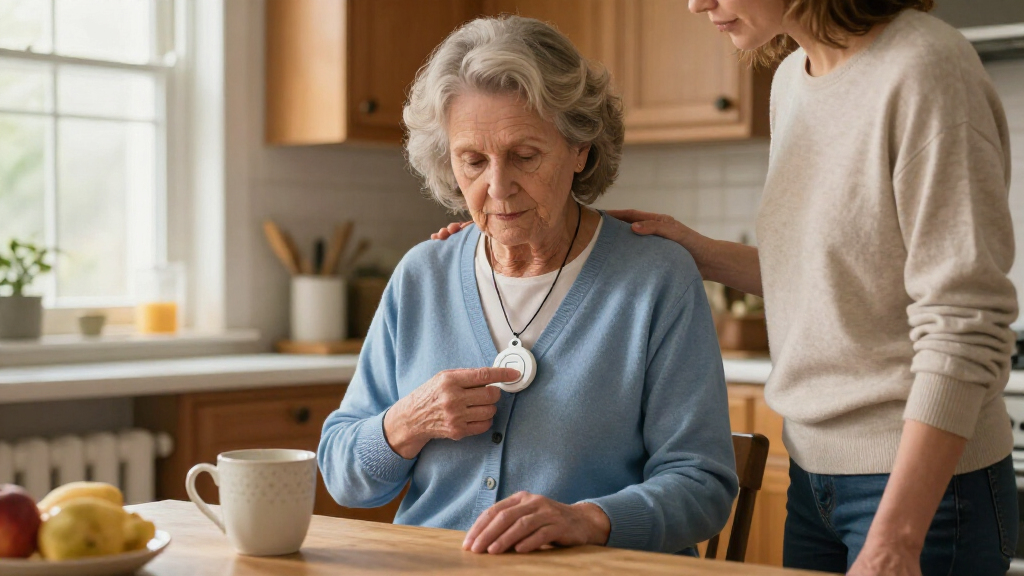
I compared these 11 systems by how well their connection method and alert path match common senior-safety needs: getting help at home, staying connected away from home, and notifying a nearby caregiver. I also weighed ease of use, wearable format, water resistance where specified, two-way communication, fall detection, GPS tracking, and the practical demands of setup and ongoing use.
The ranking gives more weight to a clear path to help and a good fit for the wearer’s routine than to the number of buttons in a package. Mobile devices with two-way calling or location features rank ahead for seniors who are often away from home; dedicated home systems make more sense for people who stay in. Caregiver pager kits are placed lower for emergency coverage because they depend on a receiver and someone nearby, though they can be a strong fit within a staffed household. Product names and listed features alone do not establish monitoring terms, response coverage, battery life, or service fees, so buyers should confirm those details with the seller before choosing.
Factors to Consider When Choosing Medical Alert Systems For Seniors
Before choosing among these medical alert systems for seniors, start with the help path rather than the device’s appearance. A wearable that contacts a monitoring service, a landline unit that calls designated contacts, and a caregiver pager that sounds a receiver may all have a help button, but they do not provide the same kind of response.
Choose who receives the alert
Ask who is expected to act when the button is pressed: a professional response center, a family member, or a caregiver within hearing range. A pager system can work well when someone is reliably nearby, but it leaves a gap if the receiver is out of range or the household is empty. A monitored service may make more sense for a senior who lives alone, though buyers should verify response procedures and service conditions directly. Do not assume that the phrase “medical alert” means professional monitoring is included. Match the alert path to the hours when the senior is actually alone.
Match coverage to daily routines
Home-only systems are a poor fit for someone who regularly walks, shops, or visits friends without a phone. Mobile devices with GPS and two-way calling can address that gap, but their usefulness depends on connectivity, charge habits, and whether the wearer will keep them on. Ask where service works and what happens when the device loses signal; a feature list cannot answer that for every home or route. If outings are rare and the person stays near a landline or cellular base, a home unit may be simpler. Think about typical movement, not just the room where a fall seems most likely.
Treat fall detection as backup, not a substitute
Automatic fall detection can help when someone cannot press a button, but it may not identify every fall and can sometimes trigger an alert when no emergency has occurred. Ask whether the feature is built into the device or requires an added service, how an alert is reviewed, and whether the wearer can still call for help manually. A system with fall detection is not a reason to skip testing the regular help button. For a person who can reliably press a button, comfort and consistent wear may matter more than an automatic feature. For someone with a history of falls or limited ability to call, discuss the limits with the provider and care team.
Check fit, comfort, and water exposure
A pendant or wrist button only helps when it is worn, so comfort and ease of fastening deserve attention. Some seniors prefer a wrist button, while others find a necklace easier to keep close; offer a choice when possible rather than buying based on appearance alone. “Waterproof” or “water-resistant” claims should be checked against the manufacturer’s instructions, especially for bathing and shower use. Many emergencies happen around water, so learn whether the specific device can be worn there and how it should be cleaned. A button left on a counter because it feels awkward has little practical value.
Plan for setup, power, and upkeep
Every system creates a small routine: charging a mobile pendant, keeping a receiver powered, replacing or maintaining batteries, or checking a base unit’s connection. Consider who will handle setup and test calls, especially if the senior does not use apps or Wi-Fi confidently. Ask what happens during a power or internet outage and whether backup power or another connection is available; do not infer backup coverage from the product name. For a caregiver kit, test the button and receiver from the places where help might be needed. A simpler setup that the household maintains is often more dependable than a feature-rich system that is frequently forgotten.
Compare the full service commitment
Before buying, confirm whether the device needs a separate monitoring plan, cellular service, an app account, or a landline, and what each ongoing requirement covers. Ask about trial periods, cancellation rules, replacement devices, technical support, and what happens if the senior moves or changes internet providers. A one-time device purchase and a monitored service are different commitments, even if both include a help button. Caregiver pager kits may avoid a monitoring subscription but shift responsibility to family or staff. Compare the complete operating arrangement rather than judging by the device alone.
Frequently Asked Questions
Can a caregiver pager replace a monitored medical alert service?
Usually not for someone who may be alone or needs help beyond the household. A pager kit such as the Daytech or Wi-Fi caregiver systems alerts a receiver, so another person must be nearby, hear the alert, and respond. A monitored service is designed to connect the user with a response center, but buyers should confirm the provider’s exact process and coverage. A pager can still be useful as an added way to call a caregiver who is in the home. Choose based on who is available at the times help may be needed.
Should I choose a home system or a mobile medical alert device?
Choose based on where the senior spends time without a helper, not only where they sleep. A home unit such as MGHome Cellular suits someone who stays mostly at home and wants a dedicated base system. A mobile option such as the MGMini or SecuLife is more relevant for regular outings, though it depends on charging and usable network coverage. If the senior rarely leaves home but spends time in a yard or shared building, ask the provider whether coverage extends to those areas. The right choice is the one that covers the person’s real routine without adding steps they will not follow.
Does fall detection automatically call emergency services?
Not necessarily. Fall detection may send an alert to a monitoring center or designated contact, and the next step depends on the device and service arrangement. Some systems may require confirmation or an operator to assess the situation before contacting emergency responders. Ask what happens if the wearer does not answer, whether false alerts can be canceled, and whether the feature has a separate service requirement. The wearer should still know how to press the help button manually. Treat automatic detection as an extra layer, not a promise that every fall will be identified.
What should I check if the senior has no landline or home Wi-Fi?
Look for the exact connection the system uses rather than assuming a device with a receiver will work independently. Freedom Alert is identified as a landline device, while MGHome Cellular is designed around cellular connectivity; the Wi-Fi caregiver kits need a suitable Wi-Fi setup. A mobile pendant may use cellular networks and location services, with coverage depending on the area. Ask whether the provider supplies connectivity, whether a separate plan is needed, and what happens during an outage. Confirm the signal at the senior’s home before relying on the system.
How do I choose between a wrist button and a pendant?
Let the senior’s comfort and habits guide the choice. A wrist button may feel familiar and be easy to keep on, while a pendant can stay close during daily activities if the wearer accepts a necklace. Check whether the chosen device is suitable for bathing, since leaving it off near water creates a coverage gap. Also test whether the person can press the button comfortably and recognize when it is being worn. If the system offers both formats, use the one the senior is most likely to wear consistently rather than buying extra accessories by default.
Conclusion
My best overall pick is the Medical Guardian MGMini for seniors who need a compact option suited to life beyond the home. For a home-based user, the MGHome Cellular is the better match; for best value in a caregiver-supported household, I would look first at the Daytech or Wi-Fi pager kits, while recognizing that they depend on someone nearby. The SecuLife is my pick for shoppers seeking GPS tracking and fall detection, provided they verify how alerts and service work. For a beginner who wants a more direct home setup, Freedom Alert may suit a landline household that prefers two-way communication, but it is not the choice for someone without a landline. Before buying any of them, confirm monitoring, connectivity, and ongoing service requirements with the seller; those details can change which system truly fits.