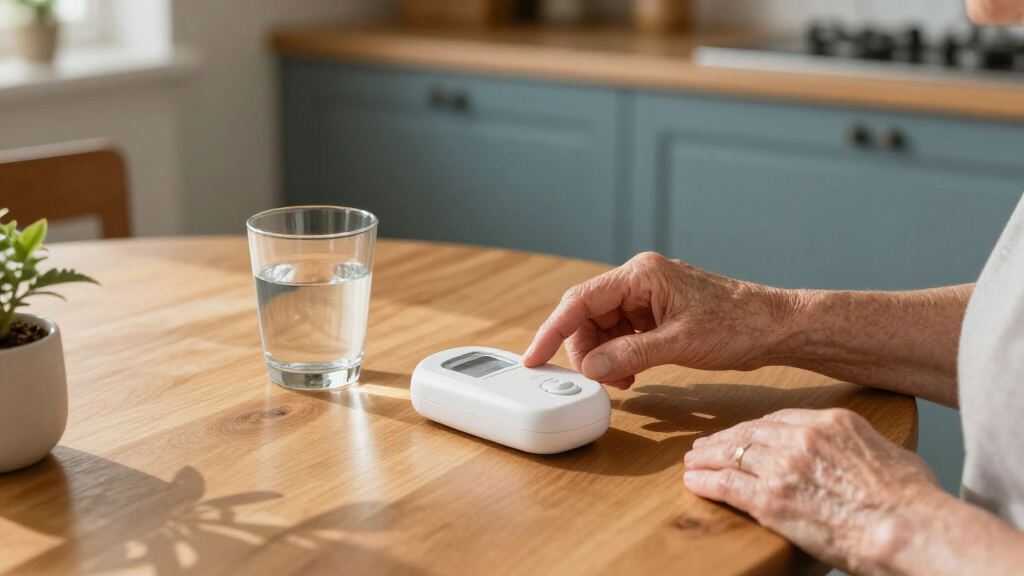
Choosing an automatic pill dispenser for a senior is mainly a decision about what kind of medication support is needed: controlled access to the correct dose, or reminders and caregiver visibility. A locked automatic pill dispenser typically organizes doses in compartments and exposes the scheduled portion when it is time to take medication. A smart reminder dispenser may send alerts to the user or a caregiver, but its security and dispensing features vary widely by model.

Give the gift of listening to someone you love
- Choose a 1-, 3-, 6- or 12-month membership
- They pick the audiobooks they love
- Easy to send by email

Windtrace Automatic Pill Dispenser with Alarm
- ✔ Compartments: 28
- ✔ Daily reminders: 1 to 6
- ✔ Dosage rings: 6

Colorwing Smart Pill Dispenser for Seniors
- ✔ Capacity: 31 slots
- ✔ Dose rings: 7 reversible rings
- ✔ Access: Press-release picker box

Automatic Pill Dispenser with App Control, Expandable 3-Tray Design, LCD Display, Digital Lock, and Alerts
- ✔ Capacity: 3 trays, 14 slots each; 42 total
- ✔ Stated dosing duration: Once daily: up to 42 days; twice daily: up to 14 days; three times daily: up to 14 days
- ✔ Setup: Companion app or voice-prompted on-device controls
That distinction matters when missed doses, repeated doses, memory changes, or complex schedules are concerns. A locked unit is usually the stronger fit when preventing access to unscheduled medication is a priority. A connected reminder unit can suit someone who manages their pills independently but benefits from prompts and remote check-ins. The right choice also depends on setup, daily usability, connectivity, and ongoing cost; neither device replaces advice from a clinician or pharmacist.
At a Glance
| Criteria | Locked automatic pill dispenser | Smart reminder pill dispenser | Winner |
|---|---|---|---|
| Dose control | Releases the scheduled compartment or dose, depending on model | Varies; some models only remind, while others dispense | A |
| Reminders | Usually provides audible or visual alarms | Often supports app, phone, or device notifications | B |
| Caregiver oversight | Often limited; some models provide alerts or access logs | Typically stronger through remote alerts or shared status features | B |
| Medication security | Stronger when a lock restricts access to other doses | Varies considerably; reminders alone do not prevent extra doses | A |
| Setup and daily use | Requires loading and programming; routine use can be simple | Can require app setup, account management, or pairing | Depends |
| Connectivity dependence | Generally works without internet or a smartphone | Some features may depend on internet, power, or a smartphone | A |
| Cost and value | Often costs more than basic reminder devices; pays off when dose control matters | Can be lower cost for reminders, but subscriptions or connectivity may add expense | Depends |
Windtrace Automatic Pill Dispenser with Alarm
Windtrace earns our top spot by keeping the daily task relatively legible: it supports one to six reminders a day, pairs an audio alarm with a flashing blue light, and shows information on an LCD. Those two alert types give a household more than one cue to notice, which can help when hearing or attention varies. Its removable 28-compartment tray is also a practical distinction from the Colorwing’s 31 slots and the third model’s multi-tray layout, especially for someone who values taking the tray out for refilling.The simplicity has limits. A caregiver or user must program the schedule, and the product description does not mention app-based monitoring, custom spoken reminders, or a security lock. Colorwing is better equipped for families who want connected tracking and controlled access; the 42-slot model supports remote monitoring and voice-guided setup. Windtrace is the more sensible starting point when the priority is a clear reminder routine without relying on Bluetooth.We would still check that the sliding retrieval window and tray suit the user’s hand strength and vision. The LCD and light may support access, but the listing does not establish that the screen can be read comfortably in every setting. It runs on four AA batteries, included according to the supplied details, so ongoing battery replacement should be part of the household plan. Choose it for a straightforward feature set, and skip it if a caregiver needs remote dose history or controlled access.
Pros:
- Supports one to six programmed daily reminders
- Combines an audio alarm with a flashing blue light
- Removable 28-compartment tray may simplify refilling
- LCD and sliding retrieval window support at-a-glance use
Cons:
- Requires schedule programming and setup
- No app monitoring or access lock is listed
Best for: Seniors who want audio and visual reminders, a removable tray, and a device that does not depend on an app.
Not ideal for: Households that need remote adherence tracking, fingerprint access, or a reminder that guides setup by voice.
Bottom line: Windtrace is our best overall pick for seniors who want a clear, app-free reminder system and can manage its initial programming.
“Windtrace is our best overall pick for seniors who want a clear, app-free reminder system and can manage its initial programming.”
Colorwing Smart Pill Dispenser for Seniors
Colorwing is the most access-focused choice in this group. A fingerprint scanner and physical backup key give caregivers two ways to manage access, while the press-release picker box is designed to make retrieval easier. Its 31 slots exceed Windtrace’s 28 compartments, and seven reversible rings provide another way to configure doses. For a senior whose routine benefits from a caregiver’s involvement, the custom voice reminder and Bluetooth app can add context that a basic alarm cannot.That extra control makes Colorwing a better fit than Windtrace when remote intake tracking and restricted access matter. It also differs from the 42-slot model: Colorwing advertises a stated 30-plus days in energy-saving mode, while the third option provides more slots and voice-guided on-device setup. The battery claim is specific to that mode, so we would not assume the same duration with every usage pattern or connection setting.Smart features bring more steps. The device needs periodic charging, takes a stated two hours to charge, and its app controls require a Bluetooth connection. Fingerprint access may be convenient for one user, but households should understand how the backup key is stored and who can help if access fails. Choose Colorwing when the added security and connected tracking solve a real household need; for a senior seeking the least technology to manage, Windtrace is the more straightforward recommendation.
Pros:
- Fingerprint scanner plus a physical backup key
- Custom recorded voice reminders or three alert tones
- Press-release picker box designed for easier access
- 31 slots and seven reversible dose rings
Cons:
- Requires periodic charging
- App controls depend on a Bluetooth connection
- The stated 30-plus-day battery life applies to energy-saving mode
Best for: Seniors with a caregiver who wants app-connected intake tracking, custom voice prompts, and controlled access.
Not ideal for: People who prefer a basic standalone dispenser or do not want to manage charging and Bluetooth app controls.
Bottom line: Colorwing is the better pick when access control and caregiver visibility justify the charging and app setup.
“Colorwing is the better pick when access control and caregiver visibility justify the charging and app setup.”
Automatic Pill Dispenser with App Control, Expandable 3-Tray Design, LCD Display, Digital Lock, and Alerts
For a household planning around a longer refill cycle, this model has the largest stated capacity: three trays with 14 slots each, for 42 total. It also stands apart by offering either app setup or voice-guided on-device controls, which may help a senior who would rather follow prompts than navigate an app. Multiple alerts—LED, voice, buzzer, or melody—let a household consider which cue suits the user, while dosage history and remote monitoring give caregivers more visibility than Windtrace provides.Compared with Colorwing, the 42-slot dispenser emphasizes capacity and setup guidance instead of fingerprint access; the supplied description lists a digital lock with remote unlock, but not a fingerprint scanner or backup key. Its sealed lid and built-in desiccant pack are additional storage details. These features may appeal to home users coordinating a complex routine, though the description does not establish how the device performs in every household or medication-storage situation.There are important boundaries. The listing says this model is not suitable for regulated care facilities, so it is not the pick for institutional medication workflows. Its duration statements also need scrutiny: it claims up to 42 days for once-daily dosing, up to 14 days twice daily, and up to 14 days three times daily. Because the last two figures are the same despite different schedules, buyers should confirm the actual schedule capacity with the manufacturer. This is the most feature-rich option here, but Windtrace is easier to recommend when remote controls are unnecessary and the unclear duration claims are a concern.
Pros:
- 42 total slots across three trays
- Voice-guided on-device setup or app controls
- LED, voice, buzzer, and melody alert options
- Digital lock, remote unlock, dosage history, and sealed storage
Cons:
- Not intended for regulated care facilities
- Stated supply durations for twice- and three-times-daily dosing are unclear
- App-based remote features add technology and setup demands
Best for: Home users who want higher stated capacity, voice-guided setup, multiple alert choices, and caregiver monitoring.
Not ideal for: Seniors in assisted living, nursing homes, or other regulated care settings, and buyers who need clear schedule-duration guidance before choosing.
Bottom line: Choose this model for home-based capacity and guided controls, after confirming the schedule duration and fit for the user.
“Choose this model for home-based capacity and guided controls, after confirming the schedule duration and fit for the user.”
As an Amazon Associate we earn from qualifying purchases.
Key Differences
The largest practical gap is control over access. A locked dispenser can limit a user to the dose scheduled for that moment, which may help when someone is at risk of taking a dose twice or confusing similar pills. That extra control comes with a loading routine and careful programming; a caregiver may need to fill the device and check that its schedule matches the prescription. Product designs differ, so confirm whether a model actually locks unused medication or merely sounds an alarm.
Smart reminder dispensers put more emphasis on communication. Alerts can help a person remember a dose and let a caregiver know when a prompt was missed, depending on the device and its service. This is valuable when the senior remains capable of taking the right dose once reminded. It is less reassuring when the core concern is unscheduled access: an alert does not stop someone from opening a bottle or taking another dose. Smart models can also bring setup and connectivity demands that a standalone dispenser avoids.
Value follows the problem being solved. Paying more for a locking mechanism can be justified when controlling access is the priority. Paying for app features makes sense when remote check-ins are useful and someone can maintain the connected setup. A basic reminder device may be better value for a stable routine with occasional forgetfulness. If medication management is unsafe even with reminders and a dispenser, involve a clinician or pharmacist and arrange hands-on help rather than relying on a device alone.
Detailed Comparison
Dose control (Locked automatic pill dispenser wins — major)
The locked automatic dispenser wins by a major margin when the user needs access limited to a scheduled dose. Its compartments and release mechanism can reduce confusion about what to take now, though the caregiver must load and program it correctly. A smart reminder device may only prompt the user, so it cannot be treated as a controlled-dose system unless the model explicitly dispenses and restricts access.
Reminders (Smart reminder pill dispenser wins — moderate)
The smart reminder dispenser usually wins moderately because it can add phone or caregiver notifications to an on-device sound or light. Those extra channels help when a senior does not hear an alarm or is away from the unit. A locked dispenser’s local alarm may be enough for someone who stays nearby, and a prompt still cannot confirm that the medication was swallowed.
Caregiver oversight (Smart reminder pill dispenser wins — moderate)
The smart option wins moderately when it can report missed prompts, dispensing events, or device status to a caregiver. That can help family members check a routine without being physically present, but functions vary and may require an account, app, or paid service. A basic locked unit may offer little remote visibility, so it better suits arrangements where someone checks in directly.
Medication security (Locked automatic pill dispenser wins — major)
The locked dispenser wins by a major margin for limiting unscheduled access, provided the model has a real lock and is set up appropriately. This can be important when taking extra doses is a concern. A reminder device that leaves medication accessible does not provide the same safeguard. A lock is not a substitute for supervision where a person can defeat it or cannot safely follow the system.
Setup and daily use (moderate difference)
This is a model- and household-dependent tie. A locked unit asks someone to load the compartments and set the schedule, but daily interaction can then be as simple as responding to an alarm and taking the released dose. A smart unit may be easier if reminders are already managed by phone, yet pairing, app permissions, and account maintenance can burden a senior or caregiver. Choose based on who will own setup and troubleshooting.
Connectivity dependence (Locked automatic pill dispenser wins — moderate)
The locked dispenser wins by a moderate margin for a household that wants a device to work without internet or a smartphone. Many operate with local alarms and a programmed schedule, though power and battery behavior still need checking. Smart features may stop or be reduced during a connection outage, depending on the device. Confirm whether local dispensing and alarms continue offline before buying.
Cost and value (moderate difference)
There is no universal winner because the useful feature determines value. A simpler reminder device can cost less and be sufficient for a person who only needs prompts. A locked dispenser may justify a higher purchase price when access control addresses a real safety concern. Connected models can add service fees, so compare the total cost with the caregiver support actually used.
Locked automatic pill dispenser: Pros and Cons
Pros:
- Can restrict access to doses that are not scheduled yet
- Often provides a straightforward local alarm and dispensing routine
- Usually needs no app or internet connection for basic operation
Cons:
- Someone must load and program the compartments accurately
- May offer limited remote caregiver updates
- A lock cannot replace supervision when medication use remains unsafe
Smart reminder pill dispenser: Pros and Cons
Pros:
- May send reminders to a phone or caregiver
- Can provide remote status or missed-dose information
- May suit people who already use smartphones and manage medication independently
Cons:
- Reminder features alone do not control access to pills
- Some functions depend on connectivity, an app, or a paid service
- Setup and troubleshooting can become another caregiver task
Who Should Choose What
Choose Locked automatic pill dispenser if:
- The senior may forget whether a dose was already taken and needs access limited to the scheduled portion.
- Medication security and a predictable routine matter more than remote reporting.
- The household prefers a device that can operate without internet or a smartphone.
Choose Smart reminder pill dispenser if:
- The senior can take medication safely once reminded but benefits from prompts on a phone or device.
- A caregiver needs remote alerts or status updates and can maintain the app or service.
- The medication routine is stable and the main problem is remembering, rather than controlling access.
Skip both if: Medication errors continue despite reminders, the person cannot use the device safely, or no one can reliably load and check it. Ask a clinician or pharmacist about a supervised medication plan.
Value for Money
Pay more for a locked dispenser when restricting access addresses the main risk, such as repeated doses or confusion between scheduled compartments. The extra cost buys a different function, not simply a more advanced reminder. Pay more for a connected model only when remote alerts or caregiver status checks will be used and the household can support its setup. For a person who needs only an audible prompt and can manage pills safely, a basic reminder device is often the better value. Check recurring fees, battery or backup behavior, capacity, and whether the device handles the actual schedule before comparing sticker prices.
Final Verdict
Choose a locked automatic pill dispenser for a senior who needs doses organized and access to unscheduled medication restricted. It is the clearer choice when avoiding duplicate or out-of-sequence doses is the priority, assuming a caregiver can load and program it reliably. Choose a smart reminder dispenser when the senior remains capable of handling medication but needs prompts or remote caregiver check-ins. The deciding question is whether the problem is remembering a dose or safely controlling access to it. If neither device can cover the person’s needs without reliable supervision, involve a clinician or pharmacist and arrange direct support.
Frequently Asked Questions
Does an automatic pill dispenser prevent a senior from taking an extra dose?
A locked model may limit access to the next scheduled dose, but features differ and no device guarantees safe use. A reminder-only model generally prompts rather than prevents. Confirm that the product physically restricts access and discuss persistent medication errors with a clinician or pharmacist.
Can a caregiver fill and program the dispenser?
Many devices are designed for a caregiver or another responsible person to load and program, but the process varies. Compare compartment capacity with the prescription schedule, follow the manufacturer’s instructions, and have the schedule checked against current medication directions.
Are smart pill dispensers useful without Wi-Fi?
Some continue local alarms or dispensing offline, while remote alerts and app updates may stop. Check the manufacturer’s offline behavior, power backup, and what happens after an outage before relying on connected features.
Is a pill dispenser a replacement for caregiver supervision?
No. It can support a routine, but it may not confirm that medication was swallowed or respond to changes in health or prescriptions. A caregiver should review the setup, and medication concerns should go to a clinician or pharmacist.